›
›
›
›
B2B Sales Lead Generation: A Playbook for Pipeline
B2B Sales Lead Generation: A Playbook for Pipeline
B2B Sales Lead Generation: A Playbook for Pipeline
B2B Sales Lead Generation: A Playbook for Pipeline
B2B Sales Lead Generation: A Playbook for Pipeline
B2B Sales Lead Generation: A Playbook for Pipeline

Author
Aljaz Peklaj

Your team is probably doing enough activity to look busy. Sales Navigator lists are getting built, Apollo sequences are running, LinkedIn posts are going live, and HubSpot shows fresh names every week. But the calendar still looks thin, replies are weak, and pipeline reviews turn into arguments about lead quality.
That usually means your b2b sales lead generation system is fragmented. One team defines the ICP, another buys data, a third writes messaging, and sales gets whatever falls through the handoff. Volume goes up, but signal gets diluted.
The fix isn't another channel. It's a single engine where ICP, list, message, channel, qualification, and reporting stay connected.
TL;DR
Start with one ICP, not broad personas. Build around firmographics, technographics, and trigger events, then tier accounts before you source contacts.
Build one clean list into one CRM path. Sales Navigator, Apollo, Clay, and HubSpot work well when you use them as a connected workflow, not isolated tools.
Run one message across content and outbound. A disciplined 12-touch sequence over 6 to 8 weeks beats disconnected copy experiments.
Route intent fast. High-intent signals and positive replies need immediate handling, with simple rules first and scoring second.
Measure pipeline movement, not vanity. If conversion sits below benchmark, the problem is usually ICP, message, routing speed, or all three.
Your pipeline is full but your calendar is empty
Revenue organizations rarely face a top-of-funnel problem. They face a systems problem. Marketing is shipping campaigns, sales is chasing replies, and RevOps is trying to stitch attribution together after the fact.
At the same time, the market keeps pushing teams toward more scaled outreach. The global B2B lead generation market was projected to reach $32.1 billion in 2025, and 79% of B2B marketers already implement AI tools to improve campaign effectiveness, according to Pepper Content's lead generation market analysis. More automation isn't the issue by itself. Bad structure amplified by automation is the issue.
Activity is not pipeline
A common pattern looks like this.
Marketing targets broad categories like "SaaS companies" or "manufacturers in Europe"
Sales buys lists separately in Apollo or pulls contacts manually from LinkedIn
Outbound messaging drifts because reps rewrite copy for each sequence
CRM stages blur together so MQL, reply, booked meeting, and SQL are treated like the same event
That creates fake momentum. Dashboards fill with names, but buying intent stays weak because the system never agreed on who matters or what message should land.
Practical rule: if sales says the leads are bad and marketing says sales isn't following up, the problem usually sits upstream in ICP and handoff design.
You'll see a lot of useful tactical reading on modern lead generation approaches for B2B, but tactics only hold when the engine underneath is coherent. Channel choice matters. System integrity matters more.
What a unified engine looks like
A working engine has one path.
ICP definition → account sourcing → contact enrichment → message creation → multi-channel delivery → reply routing → sales handoff → pipeline reporting
That's the operating model we use when building programs from scratch. The point isn't to make outbound and content look coordinated. The point is to make them run from the same assumptions.
Here are the trade-offs that matter:
Narrow ICPs beat broad TAM slides. You lose theoretical reach and gain usable precision.
A smaller clean list beats a larger dirty one. Fewer contacts, fewer duplicates, better messaging.
One message theme beats constant copy variation. You sacrifice novelty and gain recognition.
Fast routing beats perfect enrichment. A strong reply handled late is still a lost chance.
If your pipeline is full but your calendar is empty, don't add another sequence. Tighten the engine.
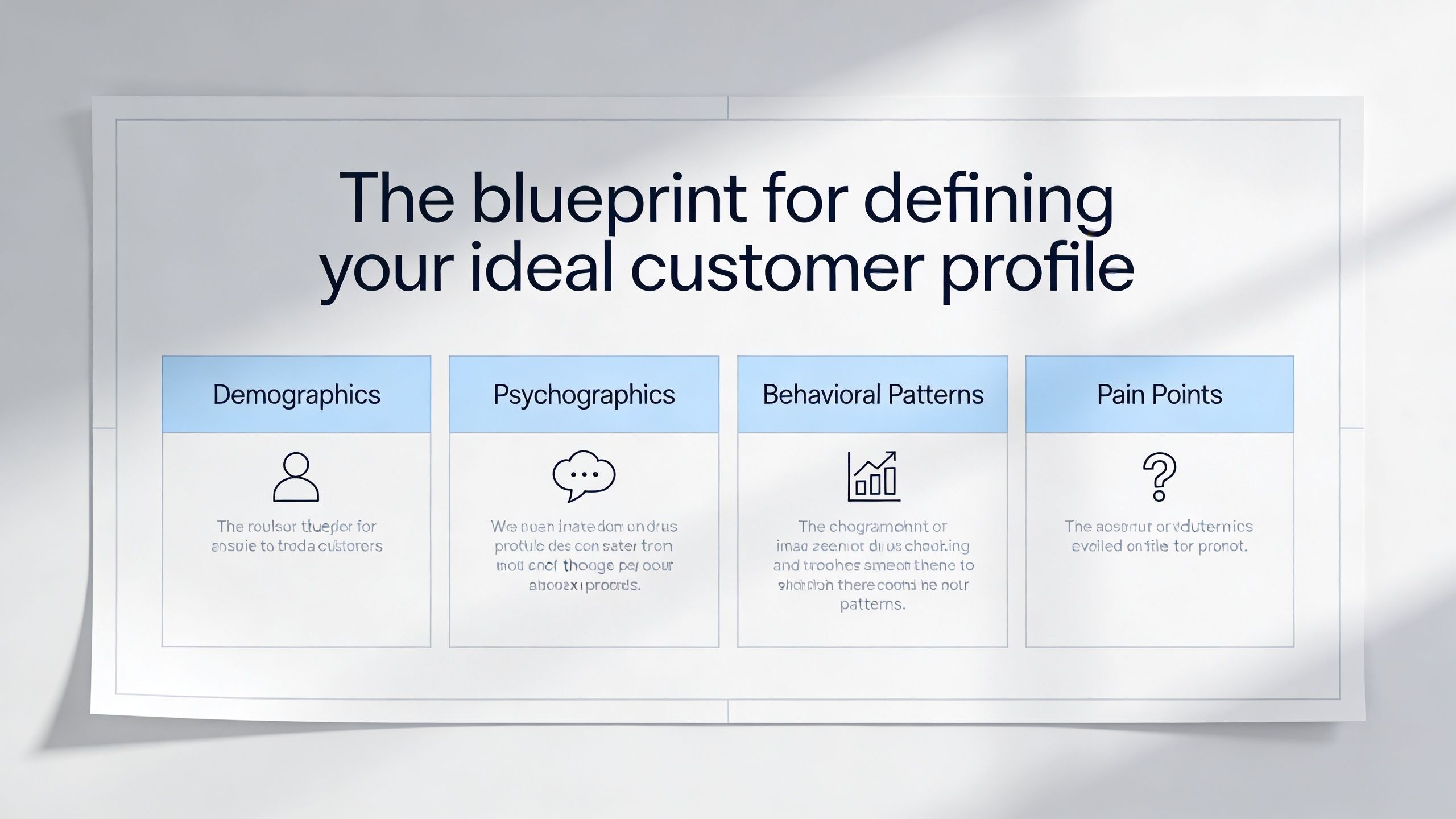
The blueprint for defining your ideal customer profile
Weak ICPs waste spend before the first email goes out. If you target accounts that can technically buy, but don't have the right urgency, stack, or motion, every downstream metric gets worse.
The practical version of an ICP isn't a persona deck. It's a filtering system your team can use in Sales Navigator, Clay, Apollo, and HubSpot.
The three Ts that make an ICP usable
I build ICPs around Triggers, Technographics, and Tiering.
Triggers
Static fit is never enough. A company can match your size and industry filters and still have no reason to talk now.
Useful triggers include hiring patterns, leadership changes, expansion into a market, funding activity, product launches, or clear signs of operational change. You can track some of this in Sales Navigator, some in company news, and some through data enrichment workflows in Clay.
Technographics
The current stack tells you how a buyer works and what switching friction looks like. BuiltWith is useful here for web technologies, and account research can reveal CRM, ERP, analytics, marketing automation, or engagement tools that shape your pitch.
If you're selling into legal tech, pharma, manufacturing, or SaaS, this part matters even more because compliance, integrations, and process maturity change the buying motion.
Tiering
Not every good-fit account deserves the same level of effort. Tiering forces resource discipline.
Tier 1 gets manual research, custom messaging, and multi-threaded outreach
Tier 2 gets semi-personalized sequences with lighter account research
Tier 3 gets scaled outreach and nurture until stronger intent appears
How to turn ICP into a workable account map
A usable ICP should answer four operational questions:
Question | What you need to define |
|---|---|
Which companies fit | Industry, geography, size, operating model |
Which companies fit now | Trigger events and current priorities |
Which accounts matter most | Tiering logic and expected value |
Which contacts matter inside them | Titles, functions, seniority, buying roles |
If your team still treats ICP as a brand exercise, fix that first. A practical reference point is this ideal customer profile definition, but the true test is simple. Can ops turn it into filters, can marketing write to it, and can sales recognize it in a live account list?
An ICP is only useful when three teams can use the same one without translating it.
When that happens, your TAM stops being a slide and starts becoming a buildable target market.
The factory for building and enriching your target list
Once the ICP is tight, list building becomes an operations problem. Often, b2b sales lead generation programs fail during this phase, because teams confuse contact volume with list quality.
A good target list is not a CSV export. It's a controlled dataset with the right accounts, the right stakeholders, and enough verified detail to support outbound without creating CRM damage.
Use a sourcing workflow, not a contact dump
My default stack is LinkedIn Sales Navigator for sourcing, then Clay or Apollo for enrichment, with HubSpot as the source of truth.
The sequence matters:
Build account views in Sales Navigator using ICP filters and saved searches.
Pull likely buying roles by function, seniority, and geography.
Export into Clay or Apollo for enrichment and field normalization.
Check for duplicates before CRM sync.
Push only approved records into HubSpot with mapped owner, source, segment, and campaign fields.
That prevents the usual mess where outbound runs from one spreadsheet, paid captures another lead source, and HubSpot ends up with three versions of the same contact.
Waterfall enrichment is the practical standard
No single data vendor is complete. That's why a waterfall enrichment workflow works better than relying on one provider.
The idea is simple. Start with your most trusted source for work emails and direct dials. If fields are missing, cascade to the next source. Clay is useful here because you can orchestrate multiple providers and add logic before records are approved.
A clean workflow should handle:
Email verification before sequencing
Field standardization for job title, company name, and country
De-duplication across account and contact records
Suppression logic for current customers, open opportunities, and prior negative replies
A practical glossary entry on lead enrichment is helpful if you're formalizing this in RevOps docs, but the operating principle is more important than the definition. Every contact should enter the system once, with one owner and one messaging context.
Here's the trade-off teams usually resist. Better list hygiene slows launch speed at the start. But once sequences are running, that slower setup pays back through cleaner personalization, fewer collisions, and better reporting.
Dirty data doesn't just hurt deliverability. It breaks attribution, rep trust, and message quality in the same move.
If sales is rewriting titles, fixing company names, and asking whether a person already got another email, the list factory isn't working.
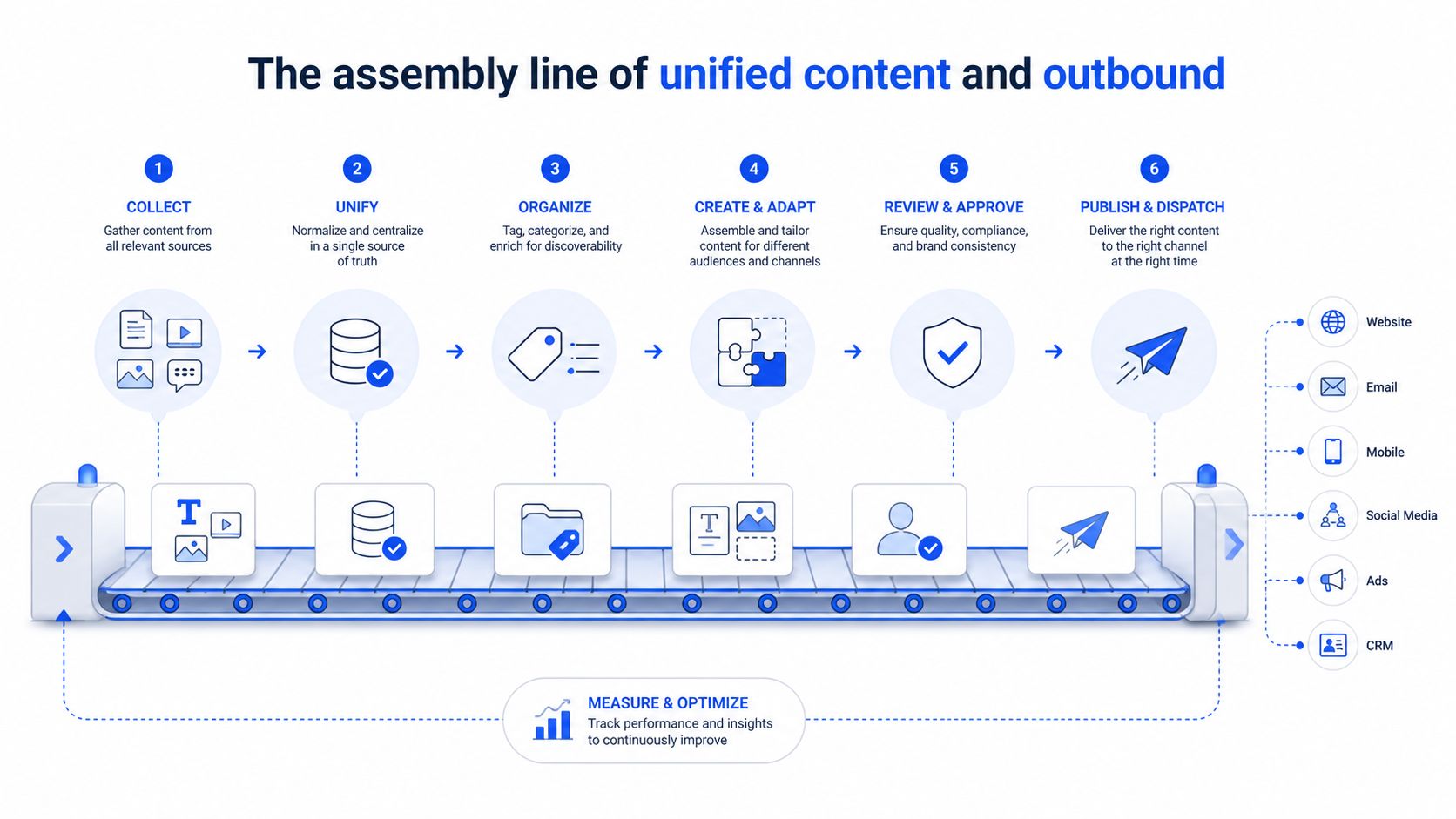
The assembly line of unified content and outbound
Content and outbound are often run like separate departments with separate goals. Content tries to build awareness. Outbound tries to get replies. Buyers see both, but they don't experience them separately.
The better approach is message discipline. One value proposition, adapted by format, repeated enough times that the buyer recognizes the problem framing before the direct ask lands.
One message across every touch
If your LinkedIn post says one thing, your cold email says another, and your connection request sounds generic, you've trained the market to ignore you.
The message needs one spine:
Problem statement the buyer already feels
Operational consequence they care about
Specific point of view on what causes it
Credible next step that doesn't ask for too much too soon
That message can then be adapted.
A LinkedIn post might frame the problem through a pattern in the market. A cold email can use the same framing but tie it to the account context. A connection request should mirror the theme without pitching.
Stacks such as Sales Navigator, Lemlist, Instantly, and HeyReach are particularly suitable. Use them to coordinate timing and channel coverage, not to produce random message variants.
One useful operating model is to treat content as preconditioning. If a prospect has seen the same argument in feed, comments, and inbox, the ask feels less cold.
High-intent accounts deserve even faster handling. Accounts showing 3+ engagement signals within 7 days warrant immediate personalized outreach within 24 hours, and teams that measure buying group coverage instead of raw lead volume achieve stronger lead-to-customer conversion rates, based on monday.com's guidance on b2b sales lead generation.
A practical 12-touch sequence
The sequence structure I trust most is 12 touches over 6 to 8 weeks. That's long enough to create recognition and short enough to stay coherent.
Touch 1
LinkedIn profile visit and account research. No message yet.Touch 2
Cold email with a direct problem statement tied to role or market context.Touch 3
Engage with a recent LinkedIn post if the account is active.Touch 4
Connection request with a light note, no hard CTA.Touch 5
Follow-up email that reframes the same problem from a different operational angle.Touch 6
Comment or react on relevant LinkedIn content, selectively.Touch 7
Email with a short proof point format, no fabricated stats, just a concrete mechanism or use case pattern.Touch 8
Direct LinkedIn message if connected.Touch 9
Email with a clear value proposition and low-friction CTA.Touch 10
Alternate-angle follow-up, often tied to team workflow or process cost.Touch 11
Final channel nudge, usually LinkedIn or a concise email.Touch 12
Breakup message that leaves the door open and recycles them into nurture.
For teams tightening this workflow, this cold email outreach guide is a useful companion because it helps keep the message consistent across sequence steps.
One note on tools. GROU, Apollo, Clay, Lemlist, Instantly, and HeyReach can all sit inside this kind of system. What matters is that content themes, audience criteria, and routing logic stay shared.
Quality control for routing replies and qualifying intent
Replies are where pipeline gets won or wasted. A positive reply that sits unworked for half a day is an operations failure, not a rep mistake.
This is also where teams overcomplicate too early. Start with simple routing rules. Add scoring once the basics are stable.
Start with binary routing rules
Every inbound response from outbound or inbound should land in one of three buckets:
Positive intent
Wants to talk, asks a question about fit, requests details, or shows buying motionNegative intent
Not interested, wrong person, no need, or explicit opt-outObjection or ambiguous
Timing issue, internal blocker, unclear ownership, soft curiosity
Those buckets should trigger actions automatically in HubSpot or your routing layer.
Positive intent goes to sales immediately with owner assignment and task creation.
Negative intent updates suppression status so the contact doesn't re-enter another sequence.
Objections route to nurture or manual review based on account value and context.
If you're formalizing this in ops, this lead routing automation glossary entry gives the framework language. The actual standard is speed and consistency.
Reply routing should be measured in minutes for real intent, not in "we'll get to it after the standup."
Layer in a fit plus intent scoring model
Once reply handling is stable, use lead scoring to separate curiosity from sales readiness. The most practical model uses two dimensions, fit and intent.
According to ZoomInfo's lead generation guide, effective b2b lead scoring combines these two signal types. Their example includes demo requests at 100 points, pricing page visits at 50 points, whitepaper downloads at 25 points, job title match at 20 points, and email engagement at 10 points. Companies using this structure saw a 35% increase in qualified leads.
A simple scoring table looks like this:
Signal (Action or Attribute) | Type | Points |
|---|---|---|
Demo request | Intent | 100 |
Pricing page visit | Intent | 50 |
Whitepaper download | Intent | 25 |
Job title match | Fit | 20 |
Email engagement | Intent | 10 |
The handoff threshold usually needs a shared rule. In simpler models, leads often move to sales after passing a threshold between 7 and 10 on a 10-point scale, using criteria agreed by sales and marketing in advance, as noted in the same ZoomInfo source.
The trade-off here is straightforward. A strict threshold protects reps from junk. A loose threshold creates meeting volume but usually restarts the "bad lead" argument.
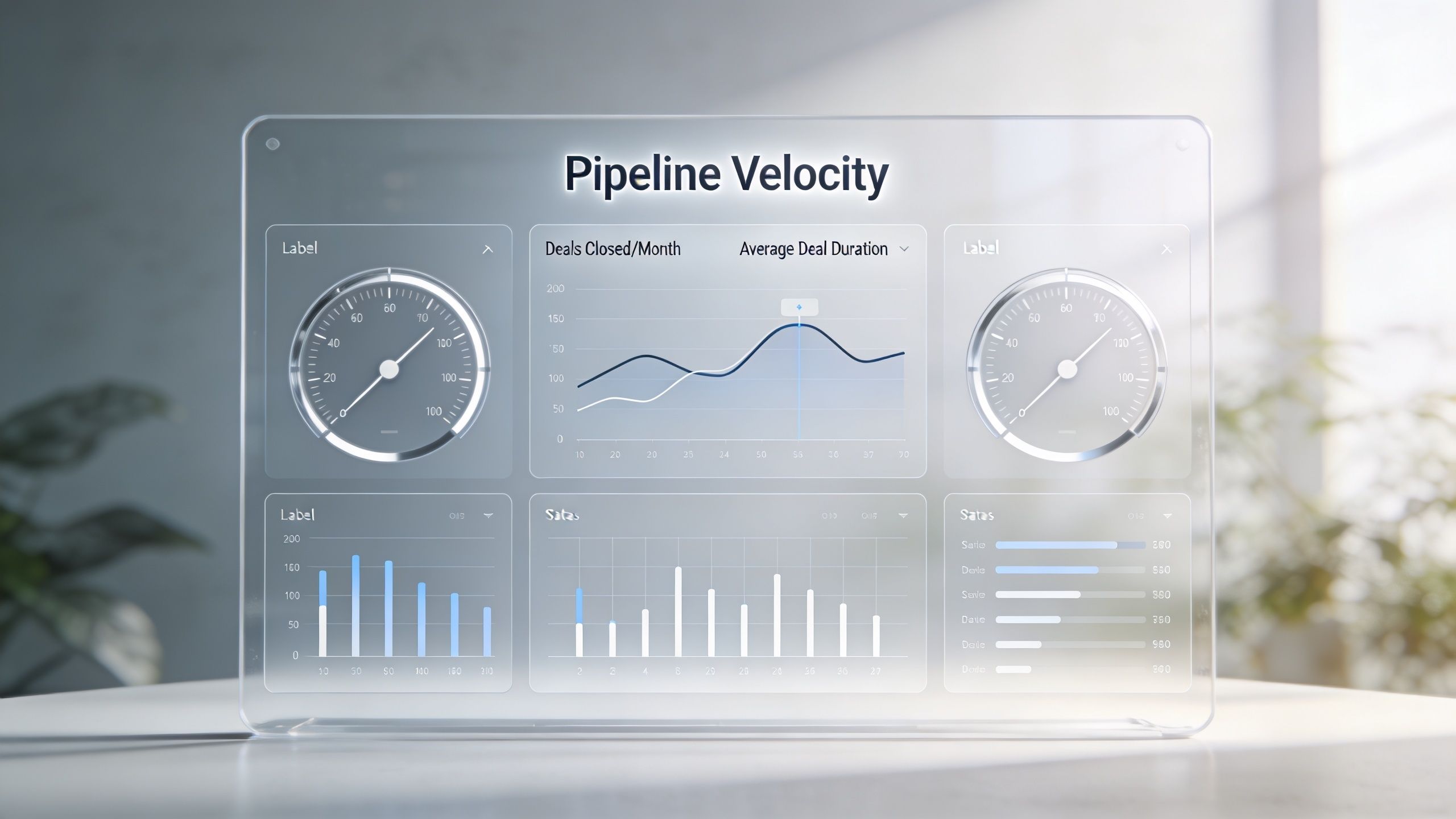
The dashboard for measuring pipeline velocity not vanity
If your weekly review starts with opens, clicks, impressions, and follower counts, you're probably diagnosing the wrong layer. Those metrics can help with channel tuning, but they don't tell you whether the engine is producing sales-ready movement.
The dashboard should tell you where pipeline slows, where handoffs break, and where quality drops.
What belongs on the dashboard
I keep this view tight. A useful dashboard for b2b sales lead generation usually includes:
Lead-to-meeting rate
Meeting-to-SQL rate
SQL-to-close rate
Average sales cycle length
Pipeline velocity
Cost per qualified meeting
Response time for high-intent leads
Organizations with tightly aligned sales and marketing teams achieve 24% faster three-year revenue growth and 27% faster sales cycles, and a good benchmark for overall lead conversion rate is 10% to 15%, while below 5% indicates serious lead quality or sales process issues, according to Volkart May's 2025 lead generation statistics roundup.
For teams building the math into their reporting layer, tools that improve sales pipeline forecasting are useful because they force consistency around the pipeline velocity formula instead of leaving each manager to interpret movement differently.
A short reference on pipeline velocity helps if your team needs common definitions before you publish dashboards.
How to read bottlenecks correctly
Bad dashboards don't just hide problems. They point teams at the wrong fix.
If lead-to-meeting rate is weak, look first at list quality and message fit. If meeting-to-SQL is weak, qualification is probably too loose. If SQL-to-close is weak, you may be filling top funnel with the wrong accounts or missing buying group coverage.
Use this interpretation grid:
Metric drop | Likely issue |
|---|---|
Lead to meeting | Message, targeting, or channel mix |
Meeting to SQL | Qualification rules are too soft |
SQL to close | ICP or multi-threading is weak |
Cycle length expands | Follow-up speed or stakeholder coverage is poor |
You don't need a prettier dashboard. You need a dashboard that creates decisions.
Your next step is a one-hour audit
Don't try to rebuild the whole machine this quarter. That usually creates new complexity before the old leaks are fixed.
Start with one hour and one worksheet. Pull your sales lead generation process apart in order and look for the biggest break in the chain.
Run the audit in this order
Check ICP clarity
Can sales, marketing, and ops describe the same target account the same way?Check list quality
Are contacts current, de-duplicated, and tied to the right accounts and roles?Check message consistency
Does LinkedIn content support outbound, or are they telling different stories?Check routing speed
How fast do positive replies and high-intent actions get handled?Check stage definitions
Does everyone agree on what counts as a meeting, an SQL, and a qualified opportunity?
The reason to do this in order is simple. Most lead generation strategies fail because marketing and sales are playing different games, and intent-led systems that unify qualification, outbound messaging, and sales workflows can reduce leads by 50% while increasing pipeline conversion 2 to 4 times, according to Launch Leads' analysis of lead generation strategy failure.
Pick the single biggest leak and fix only that over the next two weeks. If your ICP is vague, don't start by changing email copy. If routing is slow, don't buy a bigger list. Structure turns attention into pipeline when every part of the engine supports the next one.
If you want a second set of operator eyes on that audit, Grou works with revenue teams that need one connected system across LinkedIn content, list building, outbound, qualification, and reporting. The useful starting point isn't a full rebuild. It's finding the one broken handoff that's keeping activity from turning into qualified conversations.
Your team is probably doing enough activity to look busy. Sales Navigator lists are getting built, Apollo sequences are running, LinkedIn posts are going live, and HubSpot shows fresh names every week. But the calendar still looks thin, replies are weak, and pipeline reviews turn into arguments about lead quality.
That usually means your b2b sales lead generation system is fragmented. One team defines the ICP, another buys data, a third writes messaging, and sales gets whatever falls through the handoff. Volume goes up, but signal gets diluted.
The fix isn't another channel. It's a single engine where ICP, list, message, channel, qualification, and reporting stay connected.
TL;DR
Start with one ICP, not broad personas. Build around firmographics, technographics, and trigger events, then tier accounts before you source contacts.
Build one clean list into one CRM path. Sales Navigator, Apollo, Clay, and HubSpot work well when you use them as a connected workflow, not isolated tools.
Run one message across content and outbound. A disciplined 12-touch sequence over 6 to 8 weeks beats disconnected copy experiments.
Route intent fast. High-intent signals and positive replies need immediate handling, with simple rules first and scoring second.
Measure pipeline movement, not vanity. If conversion sits below benchmark, the problem is usually ICP, message, routing speed, or all three.
Your pipeline is full but your calendar is empty
Revenue organizations rarely face a top-of-funnel problem. They face a systems problem. Marketing is shipping campaigns, sales is chasing replies, and RevOps is trying to stitch attribution together after the fact.
At the same time, the market keeps pushing teams toward more scaled outreach. The global B2B lead generation market was projected to reach $32.1 billion in 2025, and 79% of B2B marketers already implement AI tools to improve campaign effectiveness, according to Pepper Content's lead generation market analysis. More automation isn't the issue by itself. Bad structure amplified by automation is the issue.
Activity is not pipeline
A common pattern looks like this.
Marketing targets broad categories like "SaaS companies" or "manufacturers in Europe"
Sales buys lists separately in Apollo or pulls contacts manually from LinkedIn
Outbound messaging drifts because reps rewrite copy for each sequence
CRM stages blur together so MQL, reply, booked meeting, and SQL are treated like the same event
That creates fake momentum. Dashboards fill with names, but buying intent stays weak because the system never agreed on who matters or what message should land.
Practical rule: if sales says the leads are bad and marketing says sales isn't following up, the problem usually sits upstream in ICP and handoff design.
You'll see a lot of useful tactical reading on modern lead generation approaches for B2B, but tactics only hold when the engine underneath is coherent. Channel choice matters. System integrity matters more.
What a unified engine looks like
A working engine has one path.
ICP definition → account sourcing → contact enrichment → message creation → multi-channel delivery → reply routing → sales handoff → pipeline reporting
That's the operating model we use when building programs from scratch. The point isn't to make outbound and content look coordinated. The point is to make them run from the same assumptions.
Here are the trade-offs that matter:
Narrow ICPs beat broad TAM slides. You lose theoretical reach and gain usable precision.
A smaller clean list beats a larger dirty one. Fewer contacts, fewer duplicates, better messaging.
One message theme beats constant copy variation. You sacrifice novelty and gain recognition.
Fast routing beats perfect enrichment. A strong reply handled late is still a lost chance.
If your pipeline is full but your calendar is empty, don't add another sequence. Tighten the engine.
The blueprint for defining your ideal customer profile
Weak ICPs waste spend before the first email goes out. If you target accounts that can technically buy, but don't have the right urgency, stack, or motion, every downstream metric gets worse.
The practical version of an ICP isn't a persona deck. It's a filtering system your team can use in Sales Navigator, Clay, Apollo, and HubSpot.
The three Ts that make an ICP usable
I build ICPs around Triggers, Technographics, and Tiering.
Triggers
Static fit is never enough. A company can match your size and industry filters and still have no reason to talk now.
Useful triggers include hiring patterns, leadership changes, expansion into a market, funding activity, product launches, or clear signs of operational change. You can track some of this in Sales Navigator, some in company news, and some through data enrichment workflows in Clay.
Technographics
The current stack tells you how a buyer works and what switching friction looks like. BuiltWith is useful here for web technologies, and account research can reveal CRM, ERP, analytics, marketing automation, or engagement tools that shape your pitch.
If you're selling into legal tech, pharma, manufacturing, or SaaS, this part matters even more because compliance, integrations, and process maturity change the buying motion.
Tiering
Not every good-fit account deserves the same level of effort. Tiering forces resource discipline.
Tier 1 gets manual research, custom messaging, and multi-threaded outreach
Tier 2 gets semi-personalized sequences with lighter account research
Tier 3 gets scaled outreach and nurture until stronger intent appears
How to turn ICP into a workable account map
A usable ICP should answer four operational questions:
Question | What you need to define |
|---|---|
Which companies fit | Industry, geography, size, operating model |
Which companies fit now | Trigger events and current priorities |
Which accounts matter most | Tiering logic and expected value |
Which contacts matter inside them | Titles, functions, seniority, buying roles |
If your team still treats ICP as a brand exercise, fix that first. A practical reference point is this ideal customer profile definition, but the true test is simple. Can ops turn it into filters, can marketing write to it, and can sales recognize it in a live account list?
An ICP is only useful when three teams can use the same one without translating it.
When that happens, your TAM stops being a slide and starts becoming a buildable target market.
The factory for building and enriching your target list
Once the ICP is tight, list building becomes an operations problem. Often, b2b sales lead generation programs fail during this phase, because teams confuse contact volume with list quality.
A good target list is not a CSV export. It's a controlled dataset with the right accounts, the right stakeholders, and enough verified detail to support outbound without creating CRM damage.
Use a sourcing workflow, not a contact dump
My default stack is LinkedIn Sales Navigator for sourcing, then Clay or Apollo for enrichment, with HubSpot as the source of truth.
The sequence matters:
Build account views in Sales Navigator using ICP filters and saved searches.
Pull likely buying roles by function, seniority, and geography.
Export into Clay or Apollo for enrichment and field normalization.
Check for duplicates before CRM sync.
Push only approved records into HubSpot with mapped owner, source, segment, and campaign fields.
That prevents the usual mess where outbound runs from one spreadsheet, paid captures another lead source, and HubSpot ends up with three versions of the same contact.
Waterfall enrichment is the practical standard
No single data vendor is complete. That's why a waterfall enrichment workflow works better than relying on one provider.
The idea is simple. Start with your most trusted source for work emails and direct dials. If fields are missing, cascade to the next source. Clay is useful here because you can orchestrate multiple providers and add logic before records are approved.
A clean workflow should handle:
Email verification before sequencing
Field standardization for job title, company name, and country
De-duplication across account and contact records
Suppression logic for current customers, open opportunities, and prior negative replies
A practical glossary entry on lead enrichment is helpful if you're formalizing this in RevOps docs, but the operating principle is more important than the definition. Every contact should enter the system once, with one owner and one messaging context.
Here's the trade-off teams usually resist. Better list hygiene slows launch speed at the start. But once sequences are running, that slower setup pays back through cleaner personalization, fewer collisions, and better reporting.
Dirty data doesn't just hurt deliverability. It breaks attribution, rep trust, and message quality in the same move.
If sales is rewriting titles, fixing company names, and asking whether a person already got another email, the list factory isn't working.
The assembly line of unified content and outbound
Content and outbound are often run like separate departments with separate goals. Content tries to build awareness. Outbound tries to get replies. Buyers see both, but they don't experience them separately.
The better approach is message discipline. One value proposition, adapted by format, repeated enough times that the buyer recognizes the problem framing before the direct ask lands.
One message across every touch
If your LinkedIn post says one thing, your cold email says another, and your connection request sounds generic, you've trained the market to ignore you.
The message needs one spine:
Problem statement the buyer already feels
Operational consequence they care about
Specific point of view on what causes it
Credible next step that doesn't ask for too much too soon
That message can then be adapted.
A LinkedIn post might frame the problem through a pattern in the market. A cold email can use the same framing but tie it to the account context. A connection request should mirror the theme without pitching.
Stacks such as Sales Navigator, Lemlist, Instantly, and HeyReach are particularly suitable. Use them to coordinate timing and channel coverage, not to produce random message variants.
One useful operating model is to treat content as preconditioning. If a prospect has seen the same argument in feed, comments, and inbox, the ask feels less cold.
High-intent accounts deserve even faster handling. Accounts showing 3+ engagement signals within 7 days warrant immediate personalized outreach within 24 hours, and teams that measure buying group coverage instead of raw lead volume achieve stronger lead-to-customer conversion rates, based on monday.com's guidance on b2b sales lead generation.
A practical 12-touch sequence
The sequence structure I trust most is 12 touches over 6 to 8 weeks. That's long enough to create recognition and short enough to stay coherent.
Touch 1
LinkedIn profile visit and account research. No message yet.Touch 2
Cold email with a direct problem statement tied to role or market context.Touch 3
Engage with a recent LinkedIn post if the account is active.Touch 4
Connection request with a light note, no hard CTA.Touch 5
Follow-up email that reframes the same problem from a different operational angle.Touch 6
Comment or react on relevant LinkedIn content, selectively.Touch 7
Email with a short proof point format, no fabricated stats, just a concrete mechanism or use case pattern.Touch 8
Direct LinkedIn message if connected.Touch 9
Email with a clear value proposition and low-friction CTA.Touch 10
Alternate-angle follow-up, often tied to team workflow or process cost.Touch 11
Final channel nudge, usually LinkedIn or a concise email.Touch 12
Breakup message that leaves the door open and recycles them into nurture.
For teams tightening this workflow, this cold email outreach guide is a useful companion because it helps keep the message consistent across sequence steps.
One note on tools. GROU, Apollo, Clay, Lemlist, Instantly, and HeyReach can all sit inside this kind of system. What matters is that content themes, audience criteria, and routing logic stay shared.
Quality control for routing replies and qualifying intent
Replies are where pipeline gets won or wasted. A positive reply that sits unworked for half a day is an operations failure, not a rep mistake.
This is also where teams overcomplicate too early. Start with simple routing rules. Add scoring once the basics are stable.
Start with binary routing rules
Every inbound response from outbound or inbound should land in one of three buckets:
Positive intent
Wants to talk, asks a question about fit, requests details, or shows buying motionNegative intent
Not interested, wrong person, no need, or explicit opt-outObjection or ambiguous
Timing issue, internal blocker, unclear ownership, soft curiosity
Those buckets should trigger actions automatically in HubSpot or your routing layer.
Positive intent goes to sales immediately with owner assignment and task creation.
Negative intent updates suppression status so the contact doesn't re-enter another sequence.
Objections route to nurture or manual review based on account value and context.
If you're formalizing this in ops, this lead routing automation glossary entry gives the framework language. The actual standard is speed and consistency.
Reply routing should be measured in minutes for real intent, not in "we'll get to it after the standup."
Layer in a fit plus intent scoring model
Once reply handling is stable, use lead scoring to separate curiosity from sales readiness. The most practical model uses two dimensions, fit and intent.
According to ZoomInfo's lead generation guide, effective b2b lead scoring combines these two signal types. Their example includes demo requests at 100 points, pricing page visits at 50 points, whitepaper downloads at 25 points, job title match at 20 points, and email engagement at 10 points. Companies using this structure saw a 35% increase in qualified leads.
A simple scoring table looks like this:
Signal (Action or Attribute) | Type | Points |
|---|---|---|
Demo request | Intent | 100 |
Pricing page visit | Intent | 50 |
Whitepaper download | Intent | 25 |
Job title match | Fit | 20 |
Email engagement | Intent | 10 |
The handoff threshold usually needs a shared rule. In simpler models, leads often move to sales after passing a threshold between 7 and 10 on a 10-point scale, using criteria agreed by sales and marketing in advance, as noted in the same ZoomInfo source.
The trade-off here is straightforward. A strict threshold protects reps from junk. A loose threshold creates meeting volume but usually restarts the "bad lead" argument.
The dashboard for measuring pipeline velocity not vanity
If your weekly review starts with opens, clicks, impressions, and follower counts, you're probably diagnosing the wrong layer. Those metrics can help with channel tuning, but they don't tell you whether the engine is producing sales-ready movement.
The dashboard should tell you where pipeline slows, where handoffs break, and where quality drops.
What belongs on the dashboard
I keep this view tight. A useful dashboard for b2b sales lead generation usually includes:
Lead-to-meeting rate
Meeting-to-SQL rate
SQL-to-close rate
Average sales cycle length
Pipeline velocity
Cost per qualified meeting
Response time for high-intent leads
Organizations with tightly aligned sales and marketing teams achieve 24% faster three-year revenue growth and 27% faster sales cycles, and a good benchmark for overall lead conversion rate is 10% to 15%, while below 5% indicates serious lead quality or sales process issues, according to Volkart May's 2025 lead generation statistics roundup.
For teams building the math into their reporting layer, tools that improve sales pipeline forecasting are useful because they force consistency around the pipeline velocity formula instead of leaving each manager to interpret movement differently.
A short reference on pipeline velocity helps if your team needs common definitions before you publish dashboards.
How to read bottlenecks correctly
Bad dashboards don't just hide problems. They point teams at the wrong fix.
If lead-to-meeting rate is weak, look first at list quality and message fit. If meeting-to-SQL is weak, qualification is probably too loose. If SQL-to-close is weak, you may be filling top funnel with the wrong accounts or missing buying group coverage.
Use this interpretation grid:
Metric drop | Likely issue |
|---|---|
Lead to meeting | Message, targeting, or channel mix |
Meeting to SQL | Qualification rules are too soft |
SQL to close | ICP or multi-threading is weak |
Cycle length expands | Follow-up speed or stakeholder coverage is poor |
You don't need a prettier dashboard. You need a dashboard that creates decisions.
Your next step is a one-hour audit
Don't try to rebuild the whole machine this quarter. That usually creates new complexity before the old leaks are fixed.
Start with one hour and one worksheet. Pull your sales lead generation process apart in order and look for the biggest break in the chain.
Run the audit in this order
Check ICP clarity
Can sales, marketing, and ops describe the same target account the same way?Check list quality
Are contacts current, de-duplicated, and tied to the right accounts and roles?Check message consistency
Does LinkedIn content support outbound, or are they telling different stories?Check routing speed
How fast do positive replies and high-intent actions get handled?Check stage definitions
Does everyone agree on what counts as a meeting, an SQL, and a qualified opportunity?
The reason to do this in order is simple. Most lead generation strategies fail because marketing and sales are playing different games, and intent-led systems that unify qualification, outbound messaging, and sales workflows can reduce leads by 50% while increasing pipeline conversion 2 to 4 times, according to Launch Leads' analysis of lead generation strategy failure.
Pick the single biggest leak and fix only that over the next two weeks. If your ICP is vague, don't start by changing email copy. If routing is slow, don't buy a bigger list. Structure turns attention into pipeline when every part of the engine supports the next one.
If you want a second set of operator eyes on that audit, Grou works with revenue teams that need one connected system across LinkedIn content, list building, outbound, qualification, and reporting. The useful starting point isn't a full rebuild. It's finding the one broken handoff that's keeping activity from turning into qualified conversations.
Your team is probably doing enough activity to look busy. Sales Navigator lists are getting built, Apollo sequences are running, LinkedIn posts are going live, and HubSpot shows fresh names every week. But the calendar still looks thin, replies are weak, and pipeline reviews turn into arguments about lead quality.
That usually means your b2b sales lead generation system is fragmented. One team defines the ICP, another buys data, a third writes messaging, and sales gets whatever falls through the handoff. Volume goes up, but signal gets diluted.
The fix isn't another channel. It's a single engine where ICP, list, message, channel, qualification, and reporting stay connected.
TL;DR
Start with one ICP, not broad personas. Build around firmographics, technographics, and trigger events, then tier accounts before you source contacts.
Build one clean list into one CRM path. Sales Navigator, Apollo, Clay, and HubSpot work well when you use them as a connected workflow, not isolated tools.
Run one message across content and outbound. A disciplined 12-touch sequence over 6 to 8 weeks beats disconnected copy experiments.
Route intent fast. High-intent signals and positive replies need immediate handling, with simple rules first and scoring second.
Measure pipeline movement, not vanity. If conversion sits below benchmark, the problem is usually ICP, message, routing speed, or all three.
Your pipeline is full but your calendar is empty
Revenue organizations rarely face a top-of-funnel problem. They face a systems problem. Marketing is shipping campaigns, sales is chasing replies, and RevOps is trying to stitch attribution together after the fact.
At the same time, the market keeps pushing teams toward more scaled outreach. The global B2B lead generation market was projected to reach $32.1 billion in 2025, and 79% of B2B marketers already implement AI tools to improve campaign effectiveness, according to Pepper Content's lead generation market analysis. More automation isn't the issue by itself. Bad structure amplified by automation is the issue.
Activity is not pipeline
A common pattern looks like this.
Marketing targets broad categories like "SaaS companies" or "manufacturers in Europe"
Sales buys lists separately in Apollo or pulls contacts manually from LinkedIn
Outbound messaging drifts because reps rewrite copy for each sequence
CRM stages blur together so MQL, reply, booked meeting, and SQL are treated like the same event
That creates fake momentum. Dashboards fill with names, but buying intent stays weak because the system never agreed on who matters or what message should land.
Practical rule: if sales says the leads are bad and marketing says sales isn't following up, the problem usually sits upstream in ICP and handoff design.
You'll see a lot of useful tactical reading on modern lead generation approaches for B2B, but tactics only hold when the engine underneath is coherent. Channel choice matters. System integrity matters more.
What a unified engine looks like
A working engine has one path.
ICP definition → account sourcing → contact enrichment → message creation → multi-channel delivery → reply routing → sales handoff → pipeline reporting
That's the operating model we use when building programs from scratch. The point isn't to make outbound and content look coordinated. The point is to make them run from the same assumptions.
Here are the trade-offs that matter:
Narrow ICPs beat broad TAM slides. You lose theoretical reach and gain usable precision.
A smaller clean list beats a larger dirty one. Fewer contacts, fewer duplicates, better messaging.
One message theme beats constant copy variation. You sacrifice novelty and gain recognition.
Fast routing beats perfect enrichment. A strong reply handled late is still a lost chance.
If your pipeline is full but your calendar is empty, don't add another sequence. Tighten the engine.
The blueprint for defining your ideal customer profile
Weak ICPs waste spend before the first email goes out. If you target accounts that can technically buy, but don't have the right urgency, stack, or motion, every downstream metric gets worse.
The practical version of an ICP isn't a persona deck. It's a filtering system your team can use in Sales Navigator, Clay, Apollo, and HubSpot.
The three Ts that make an ICP usable
I build ICPs around Triggers, Technographics, and Tiering.
Triggers
Static fit is never enough. A company can match your size and industry filters and still have no reason to talk now.
Useful triggers include hiring patterns, leadership changes, expansion into a market, funding activity, product launches, or clear signs of operational change. You can track some of this in Sales Navigator, some in company news, and some through data enrichment workflows in Clay.
Technographics
The current stack tells you how a buyer works and what switching friction looks like. BuiltWith is useful here for web technologies, and account research can reveal CRM, ERP, analytics, marketing automation, or engagement tools that shape your pitch.
If you're selling into legal tech, pharma, manufacturing, or SaaS, this part matters even more because compliance, integrations, and process maturity change the buying motion.
Tiering
Not every good-fit account deserves the same level of effort. Tiering forces resource discipline.
Tier 1 gets manual research, custom messaging, and multi-threaded outreach
Tier 2 gets semi-personalized sequences with lighter account research
Tier 3 gets scaled outreach and nurture until stronger intent appears
How to turn ICP into a workable account map
A usable ICP should answer four operational questions:
Question | What you need to define |
|---|---|
Which companies fit | Industry, geography, size, operating model |
Which companies fit now | Trigger events and current priorities |
Which accounts matter most | Tiering logic and expected value |
Which contacts matter inside them | Titles, functions, seniority, buying roles |
If your team still treats ICP as a brand exercise, fix that first. A practical reference point is this ideal customer profile definition, but the true test is simple. Can ops turn it into filters, can marketing write to it, and can sales recognize it in a live account list?
An ICP is only useful when three teams can use the same one without translating it.
When that happens, your TAM stops being a slide and starts becoming a buildable target market.
The factory for building and enriching your target list
Once the ICP is tight, list building becomes an operations problem. Often, b2b sales lead generation programs fail during this phase, because teams confuse contact volume with list quality.
A good target list is not a CSV export. It's a controlled dataset with the right accounts, the right stakeholders, and enough verified detail to support outbound without creating CRM damage.
Use a sourcing workflow, not a contact dump
My default stack is LinkedIn Sales Navigator for sourcing, then Clay or Apollo for enrichment, with HubSpot as the source of truth.
The sequence matters:
Build account views in Sales Navigator using ICP filters and saved searches.
Pull likely buying roles by function, seniority, and geography.
Export into Clay or Apollo for enrichment and field normalization.
Check for duplicates before CRM sync.
Push only approved records into HubSpot with mapped owner, source, segment, and campaign fields.
That prevents the usual mess where outbound runs from one spreadsheet, paid captures another lead source, and HubSpot ends up with three versions of the same contact.
Waterfall enrichment is the practical standard
No single data vendor is complete. That's why a waterfall enrichment workflow works better than relying on one provider.
The idea is simple. Start with your most trusted source for work emails and direct dials. If fields are missing, cascade to the next source. Clay is useful here because you can orchestrate multiple providers and add logic before records are approved.
A clean workflow should handle:
Email verification before sequencing
Field standardization for job title, company name, and country
De-duplication across account and contact records
Suppression logic for current customers, open opportunities, and prior negative replies
A practical glossary entry on lead enrichment is helpful if you're formalizing this in RevOps docs, but the operating principle is more important than the definition. Every contact should enter the system once, with one owner and one messaging context.
Here's the trade-off teams usually resist. Better list hygiene slows launch speed at the start. But once sequences are running, that slower setup pays back through cleaner personalization, fewer collisions, and better reporting.
Dirty data doesn't just hurt deliverability. It breaks attribution, rep trust, and message quality in the same move.
If sales is rewriting titles, fixing company names, and asking whether a person already got another email, the list factory isn't working.
The assembly line of unified content and outbound
Content and outbound are often run like separate departments with separate goals. Content tries to build awareness. Outbound tries to get replies. Buyers see both, but they don't experience them separately.
The better approach is message discipline. One value proposition, adapted by format, repeated enough times that the buyer recognizes the problem framing before the direct ask lands.
One message across every touch
If your LinkedIn post says one thing, your cold email says another, and your connection request sounds generic, you've trained the market to ignore you.
The message needs one spine:
Problem statement the buyer already feels
Operational consequence they care about
Specific point of view on what causes it
Credible next step that doesn't ask for too much too soon
That message can then be adapted.
A LinkedIn post might frame the problem through a pattern in the market. A cold email can use the same framing but tie it to the account context. A connection request should mirror the theme without pitching.
Stacks such as Sales Navigator, Lemlist, Instantly, and HeyReach are particularly suitable. Use them to coordinate timing and channel coverage, not to produce random message variants.
One useful operating model is to treat content as preconditioning. If a prospect has seen the same argument in feed, comments, and inbox, the ask feels less cold.
High-intent accounts deserve even faster handling. Accounts showing 3+ engagement signals within 7 days warrant immediate personalized outreach within 24 hours, and teams that measure buying group coverage instead of raw lead volume achieve stronger lead-to-customer conversion rates, based on monday.com's guidance on b2b sales lead generation.
A practical 12-touch sequence
The sequence structure I trust most is 12 touches over 6 to 8 weeks. That's long enough to create recognition and short enough to stay coherent.
Touch 1
LinkedIn profile visit and account research. No message yet.Touch 2
Cold email with a direct problem statement tied to role or market context.Touch 3
Engage with a recent LinkedIn post if the account is active.Touch 4
Connection request with a light note, no hard CTA.Touch 5
Follow-up email that reframes the same problem from a different operational angle.Touch 6
Comment or react on relevant LinkedIn content, selectively.Touch 7
Email with a short proof point format, no fabricated stats, just a concrete mechanism or use case pattern.Touch 8
Direct LinkedIn message if connected.Touch 9
Email with a clear value proposition and low-friction CTA.Touch 10
Alternate-angle follow-up, often tied to team workflow or process cost.Touch 11
Final channel nudge, usually LinkedIn or a concise email.Touch 12
Breakup message that leaves the door open and recycles them into nurture.
For teams tightening this workflow, this cold email outreach guide is a useful companion because it helps keep the message consistent across sequence steps.
One note on tools. GROU, Apollo, Clay, Lemlist, Instantly, and HeyReach can all sit inside this kind of system. What matters is that content themes, audience criteria, and routing logic stay shared.
Quality control for routing replies and qualifying intent
Replies are where pipeline gets won or wasted. A positive reply that sits unworked for half a day is an operations failure, not a rep mistake.
This is also where teams overcomplicate too early. Start with simple routing rules. Add scoring once the basics are stable.
Start with binary routing rules
Every inbound response from outbound or inbound should land in one of three buckets:
Positive intent
Wants to talk, asks a question about fit, requests details, or shows buying motionNegative intent
Not interested, wrong person, no need, or explicit opt-outObjection or ambiguous
Timing issue, internal blocker, unclear ownership, soft curiosity
Those buckets should trigger actions automatically in HubSpot or your routing layer.
Positive intent goes to sales immediately with owner assignment and task creation.
Negative intent updates suppression status so the contact doesn't re-enter another sequence.
Objections route to nurture or manual review based on account value and context.
If you're formalizing this in ops, this lead routing automation glossary entry gives the framework language. The actual standard is speed and consistency.
Reply routing should be measured in minutes for real intent, not in "we'll get to it after the standup."
Layer in a fit plus intent scoring model
Once reply handling is stable, use lead scoring to separate curiosity from sales readiness. The most practical model uses two dimensions, fit and intent.
According to ZoomInfo's lead generation guide, effective b2b lead scoring combines these two signal types. Their example includes demo requests at 100 points, pricing page visits at 50 points, whitepaper downloads at 25 points, job title match at 20 points, and email engagement at 10 points. Companies using this structure saw a 35% increase in qualified leads.
A simple scoring table looks like this:
Signal (Action or Attribute) | Type | Points |
|---|---|---|
Demo request | Intent | 100 |
Pricing page visit | Intent | 50 |
Whitepaper download | Intent | 25 |
Job title match | Fit | 20 |
Email engagement | Intent | 10 |
The handoff threshold usually needs a shared rule. In simpler models, leads often move to sales after passing a threshold between 7 and 10 on a 10-point scale, using criteria agreed by sales and marketing in advance, as noted in the same ZoomInfo source.
The trade-off here is straightforward. A strict threshold protects reps from junk. A loose threshold creates meeting volume but usually restarts the "bad lead" argument.
The dashboard for measuring pipeline velocity not vanity
If your weekly review starts with opens, clicks, impressions, and follower counts, you're probably diagnosing the wrong layer. Those metrics can help with channel tuning, but they don't tell you whether the engine is producing sales-ready movement.
The dashboard should tell you where pipeline slows, where handoffs break, and where quality drops.
What belongs on the dashboard
I keep this view tight. A useful dashboard for b2b sales lead generation usually includes:
Lead-to-meeting rate
Meeting-to-SQL rate
SQL-to-close rate
Average sales cycle length
Pipeline velocity
Cost per qualified meeting
Response time for high-intent leads
Organizations with tightly aligned sales and marketing teams achieve 24% faster three-year revenue growth and 27% faster sales cycles, and a good benchmark for overall lead conversion rate is 10% to 15%, while below 5% indicates serious lead quality or sales process issues, according to Volkart May's 2025 lead generation statistics roundup.
For teams building the math into their reporting layer, tools that improve sales pipeline forecasting are useful because they force consistency around the pipeline velocity formula instead of leaving each manager to interpret movement differently.
A short reference on pipeline velocity helps if your team needs common definitions before you publish dashboards.
How to read bottlenecks correctly
Bad dashboards don't just hide problems. They point teams at the wrong fix.
If lead-to-meeting rate is weak, look first at list quality and message fit. If meeting-to-SQL is weak, qualification is probably too loose. If SQL-to-close is weak, you may be filling top funnel with the wrong accounts or missing buying group coverage.
Use this interpretation grid:
Metric drop | Likely issue |
|---|---|
Lead to meeting | Message, targeting, or channel mix |
Meeting to SQL | Qualification rules are too soft |
SQL to close | ICP or multi-threading is weak |
Cycle length expands | Follow-up speed or stakeholder coverage is poor |
You don't need a prettier dashboard. You need a dashboard that creates decisions.
Your next step is a one-hour audit
Don't try to rebuild the whole machine this quarter. That usually creates new complexity before the old leaks are fixed.
Start with one hour and one worksheet. Pull your sales lead generation process apart in order and look for the biggest break in the chain.
Run the audit in this order
Check ICP clarity
Can sales, marketing, and ops describe the same target account the same way?Check list quality
Are contacts current, de-duplicated, and tied to the right accounts and roles?Check message consistency
Does LinkedIn content support outbound, or are they telling different stories?Check routing speed
How fast do positive replies and high-intent actions get handled?Check stage definitions
Does everyone agree on what counts as a meeting, an SQL, and a qualified opportunity?
The reason to do this in order is simple. Most lead generation strategies fail because marketing and sales are playing different games, and intent-led systems that unify qualification, outbound messaging, and sales workflows can reduce leads by 50% while increasing pipeline conversion 2 to 4 times, according to Launch Leads' analysis of lead generation strategy failure.
Pick the single biggest leak and fix only that over the next two weeks. If your ICP is vague, don't start by changing email copy. If routing is slow, don't buy a bigger list. Structure turns attention into pipeline when every part of the engine supports the next one.
If you want a second set of operator eyes on that audit, Grou works with revenue teams that need one connected system across LinkedIn content, list building, outbound, qualification, and reporting. The useful starting point isn't a full rebuild. It's finding the one broken handoff that's keeping activity from turning into qualified conversations.

Pipeline OS Newsletter
Build qualified pipeline
Get weekly tactics to generate demand, improve lead quality, and book more meetings.







Trusted by industry leaders
Trusted by industry leaders
Trusted by industry leaders
Ready to build qualified pipeline?
Ready to build qualified pipeline?
Ready to build qualified pipeline?
Book a call to see if we're the right fit, or take the 2-minute quiz to get a clear starting point.
Book a call to see if we're the right fit, or take the 2-minute quiz to get a clear starting point.
Book a call to see if we're the right fit, or take the 2-minute quiz to get a clear starting point.
" height="30.21639343089746px" id="hfGbXmQR2" width="30.216393430897455px"/></svg>)
Copyright © 2026 – All Right Reserved
Company
Resources
Copyright © 2026 – All Right Reserved
Copyright © 2026 – All Right Reserved