NEW WEBINAR: Learn how to fill your B2B webinar seatsHow to fill your B2B webinar seatsSave your seat
%22%3E%3C/path%3E%3Cpath d=%22M 63.072 7.554 C 62.258 8.022 61.577 8.689 61.092 9.493 L 61.092 7.076 L 57.158 7.076 L 57.158 22.64 L 61.089 22.64 L 61.089 14.888 C 61.089 13.446 61.403 12.434 62.03 11.853 C 62.818 11.218 63.818 10.907 64.826 10.982 L 65.868 10.982 L 65.868 6.851 C 64.891 6.834 63.926 7.076 63.073 7.554 Z%22 fill=%22rgb(17,17,17)%22%3E%3C/path%3E%3Cpath d=%22M 78.916 7.82 C 76.363 6.49 73.321 6.49 70.768 7.82 C 69.562 8.473 68.564 9.451 67.888 10.644 C 67.167 11.931 66.803 13.387 66.834 14.862 C 66.804 16.332 67.157 17.785 67.86 19.077 C 68.515 20.267 69.494 21.246 70.684 21.901 C 71.924 22.576 73.318 22.92 74.73 22.898 C 76.164 22.918 77.58 22.575 78.846 21.901 C 80.062 21.247 81.073 20.27 81.768 19.077 C 82.506 17.797 82.88 16.339 82.85 14.862 C 82.88 13.389 82.517 11.934 81.797 10.647 C 81.12 9.455 80.122 8.477 78.917 7.824 M 78.803 14.862 C 78.829 15.739 78.636 16.608 78.241 17.391 C 77.903 18.046 77.38 18.588 76.738 18.95 C 76.124 19.293 75.432 19.472 74.729 19.47 C 73.668 19.497 72.648 19.061 71.934 18.276 C 71.139 17.323 70.741 16.1 70.823 14.862 C 70.741 13.62 71.149 12.395 71.959 11.45 C 72.687 10.667 73.715 10.233 74.783 10.256 C 75.859 10.236 76.894 10.67 77.635 11.45 C 78.464 12.387 78.884 13.616 78.801 14.864%22 fill=%22rgb(17,17,17)%22%3E%3C/path%3E%3Cpath d=%22M 95.906 7.076 L 95.906 15.646 C 95.975 16.68 95.643 17.701 94.979 18.498 C 94.311 19.184 93.379 19.547 92.422 19.495 C 91.475 19.544 90.553 19.18 89.894 18.498 C 89.23 17.701 88.898 16.68 88.967 15.646 L 88.967 7.076 L 85.033 7.076 L 85.033 16.207 C 85 17.449 85.275 18.68 85.834 19.79 C 86.327 20.75 87.095 21.542 88.039 22.065 C 89.033 22.594 90.145 22.861 91.271 22.838 C 92.188 22.847 93.095 22.65 93.926 22.263 C 94.708 21.905 95.388 21.36 95.906 20.675 L 95.906 22.645 L 99.865 22.645 L 99.865 7.076 Z%22 fill=%22rgb(17,17,17)%22%3E%3C/path%3E%3Cpath d=%22M 4.513 15.626 C 4.511 10.815 7.606 6.549 12.181 5.059 C 16.756 3.57 21.77 5.195 24.601 9.086 L 27.816 5.87 C 24.074 1.186 17.981 -0.943 12.137 0.393 C 6.292 1.728 1.728 6.292 0.393 12.137 C -0.943 17.981 1.186 24.074 5.87 27.816 L 9.085 24.601 C 6.214 22.512 4.515 19.177 4.513 15.626%22 fill=%22rgb(32,62,235)%22%3E%3C/path%3E%3Cpath d=%22M 17.114 14.343 L 13.354 18.01 L 13.354 18.026 L 21.071 18.026 L 11.412 27.609 L 17.389 27.609 L 23.999 21.081 L 23.999 28.316 L 24.005 28.316 L 27.967 24.393 L 27.967 14.343 Z%22 fill=%22rgb(32,62,235)%22%3E%3C/path%3E%3C/g%3E%3C/svg%3E) ×
×
NEW WEBINAR: Learn how to fill your B2B webinar seatsHow to fill your B2B webinar seatsSave your seat
×NEW WEBINAR: Learn how to fill your B2B webinar seatsHow to fill your B2B webinar seatsSave your seat
×›
›
›
›
Expert Guide to Lead Qualification Process
Expert Guide to Lead Qualification Process
Expert Guide to Lead Qualification Process
Expert Guide to Lead Qualification Process
Expert Guide to Lead Qualification Process
Expert Guide to Lead Qualification Process

Author
Aljaz Peklaj

Your team is booking meetings, replying to inbound forms, and pushing prospects into discovery. Revenue still looks flat. The issue usually isn't top-of-funnel volume. It's that too many people reaching sales were never qualified well enough to deserve a call.
That problem gets worse when LinkedIn content, outbound, referrals, and website conversions all feed the same queue. One lead commented on a founder post, another replied to a Lemlist sequence, another downloaded a guide, and all three get treated as if intent means the same thing. It doesn't. Without one lead qualification process across channels, sales spends time sorting noise instead of working real buying conversations.
At the operational level, the damage shows up fast. Sales rejects leads that marketing thought were fine. SDRs book meetings with people who can't buy. Forecasts get padded with deals that were dead on arrival. If that sounds familiar, review why leads aren't converting and how to fix it and compare your handoff rules to your current process.
A lot of teams also underestimate how much service expectations shape qualification. Buyers expect fast, contextual follow-up, especially when they move between channels. Some useful context sits in these SupportGPT digital service insights, because the same principle applies here, speed and context beat generic response every time.
Table of Contents
Your pipeline is full but your revenue is flat
Key takeaways
What breaks first
Define your qualification baseline with hard thresholds
Set knockout rules before scoring
The 7-point baseline checklist
Implement the 7-step qualification checklist
The rule for calendar access
How the workflow runs in practice
Automate your lead scoring and routing
Why now is the routing trigger that matters most
Build the routing engine, not a lead pile
The qualification playbook for sales and SDRs
Run one qualification script across LinkedIn and outbound
Give SDRs and AEs different jobs, not different definitions
Track rep-level quality signals, not just activity
Measure quality and iterate the process
Separate bad fit from bad timing
Review quality where the process actually breaks
Run a tight feedback loop between SDRs, AEs, and RevOps
How to handle unqualified leads systematically
Build two exits, not one
What happens after disqualification
Your pipeline is full but your revenue is flat
A full pipeline can hide a broken system. Reps stay busy, calendars look healthy, and dashboards show activity. Then the calls happen, wrong persona, no budget, vague interest, no timing, no internal urgency.
The lead qualification process fixes that only when it acts like a real operating system. That means hard entry criteria, shared definitions, automation, and clean routing. If it's just a loose checklist in a Notion doc, sales will ignore it the first time the quarter gets tight.
Key takeaways
Qualification needs hard rules. If a lead doesn't meet baseline fit, it shouldn't reach a rep.
Disqualification is part of revenue operations. Time spent on bad meetings steals time from real opportunities.
Multi-channel programs need one definition of readiness. LinkedIn engagement and outbound replies can't sit in separate logic trees.
Routing matters as much as scoring. A decent score with bad routing still creates backlog and slow follow-up.
The best live qualification question is "why now?". Buyers answer it clearly. Researchers usually don't.
What breaks first
The first thing that breaks is usually definitions. Only 38.9% of companies have a formal definition of what constitutes a qualified lead, and 75% of marketing-generated leads do not qualify for direct sales engagement, according to VisionEdge Marketing's lead qualification benchmark. If that sounds close to your funnel, the issue isn't rep effort. It's upstream filtering.
The second thing that breaks is channel alignment. LinkedIn content can create soft intent. Outbound replies can show active interest. Referrals can skip early proof. If all three enter one queue with no source-aware logic, your sales team starts re-qualifying from scratch on every call.
Practical rule: If a rep has to figure out fit, authority, pain, and urgency from zero on the first live call, marketing and RevOps didn't finish the qualification job.
A working system should make sales' job narrower. Reps should confirm and deepen qualification, not perform basic screening that automation and rules should have handled earlier.
Define your qualification baseline with hard thresholds
Many ICP statements sound fine in a workshop but fail in production. "Mid-market B2B companies in growth mode" is not a qualification rule. It doesn't tell HubSpot what to reject, and it doesn't tell an SDR whether a lead deserves calendar access.
The baseline has to be explicit. The fastest way to tighten a lead qualification process is to define hard thresholds before you score behavior, before you ask discovery questions, and before anyone gets a booking link. If you need a plain-language refresher on what is a qualified lead, use that as a vocabulary check, then translate the concept into actual fit rules inside your CRM.

Set knockout rules before scoring
Hard thresholds should sit in one place, usually HubSpot properties plus a scoring layer in Clay or HubSpot. At minimum, define company size, commercial fit, geography, buying readiness, and whether the problem you solve is even present.
We use baseline rules like these:
Rule | Pass | Fail |
|---|---|---|
Company size | 10+ employees, sweet spot 30 to 500 | Smaller teams with no clear buying function |
Commercial threshold | $1M ARR minimum for SaaS, or equivalent traction for services | Early-stage interest with no buying capacity |
Budget | $3k monthly minimum for lead gen, $5k for full-stack outbound | Wants strategy help but can't fund execution |
Timeline | Ready to start within 30 to 60 days | Researching for an undefined future window |
Geography | English-speaking markets, primarily UK, US, EU, ANZ | Market requires a playbook you don't support |
Sales cycle | Under 6 months average | Long procurement motion that breaks economics |
Pain | Already tried at least one paid channel and it underperformed | Pure curiosity, no operational problem |
For teams building this in HubSpot, it helps to think in terms of fit rules instead of broad personas. A fit rule can trigger auto-disqualification. A persona description can't.
The 7-point baseline checklist
Use this as the first gate. It should run before SDR review.
ICP match
Industry, company size, and region must fit the profile.
Pass example, legal tech company in the right geography. Fail example, tiny agency outside your service area.Persona match
You're speaking with a decision-maker or someone who can pull one in.
Pass example, founder or head of sales. Fail example, junior coordinator with no path to budget owner.Trigger signal
There needs to be a real reason the account might move now.
Pass example, hiring push, funding, leadership change, or stack change. Fail example, no visible motion.Engagement weight
Not all engagement means the same thing.
Pass example, direct reply, referral, or booked call. Fail example, one passive page visit.Pain confirmation
The prospect has to name a problem you solve.
Pass example, "our outbound replies are low-quality." Fail example, "we're curious what agencies do."Authority and budget signal
Buying power has to be realistic.
Pass example, owns the initiative and has budget range. Fail example, no spend authority and no internal sponsor.Timeline
The project needs a near-term path.
Pass example, starting within the next 30 to 60 days. Fail example, maybe next quarter, maybe later.
A vague ICP creates argument. A hard threshold creates routing.
Implement the 7-step qualification checklist
A lead comments on a LinkedIn post, downloads a guide, then replies to an outbound email two days later. Another lead fills out a demo form from a company your team would never sell to. If both records hit HubSpot with the same status, sales gets noise instead of pipeline.
That is the point of the checklist. It gives every channel the same qualification logic before a meeting link ever appears. Generic BANT articles usually stop at call discovery. Real teams need the rule set earlier, across LinkedIn content, outbound tools, inbound forms, referrals, and list building workflows running through Clay and HubSpot.

The rule for calendar access
I use one hard rule. If a lead fails two or more checks, it does not get calendar access.
That rule matters because qualification breaks in the gaps between systems. LinkedIn engagement gets overrated. Apollo lists get treated as if they were intent. Inbound forms get priority even when the account is outside the ICP. A checklist fixes that only if it produces a routing decision, not just a score.
Use the seven checks as operational gates, not discussion prompts:
ICP match
Confirm industry, employee range, region, and business model. A lead from the wrong market should fail fast, even if engagement looks strong.Persona match
Check whether the contact owns the problem, controls budget, or can bring in the right stakeholder. Titles alone are not enough.Trigger signal
Look for a reason the account might act now. Hiring, new funding, a stack migration, leadership change, or an active outbound push all count.Engagement weight
Rank behaviors by buying signal. A reply, referral, or booked meeting request beats passive content consumption every time.Pain confirmation The prospect should describe a problem your team solves. Curiosity is not qualification.
Authority and budget signal
Find evidence that the deal can move. That might be direct budget control, prior vendor spend, or a clear internal sponsor.Timeline
Separate active projects from research. Near-term timing gets routed differently from “just exploring” conversations.
How the workflow runs in practice
The system should be boring. Boring systems scale.
A lead comes in from LinkedIn, an Apollo export, Sales Navigator, a website form, or a referral. Clay enriches firmographic and contact data first. HubSpot reads source, lifecycle stage, owner rules, and qualification properties. Then the checklist decides the next step.
The path looks like this:
Lead capture → Clay enrichment → HubSpot property update → checklist pass/fail review → routing
In our setup, Clay handles the data work that reps should not touch manually. It pulls headcount, industry, hiring signals, tech stack clues, and seniority. HubSpot stores the qualification fields and makes the routing decision. If you need a reference point for building that logic, this lead scoring and routing setup guide covers the mechanics well.
Then route by state:
Hot. Strong ICP fit, clear trigger, real engagement, and near-term timing. Send to Calendly or Chili Piper.
Warm. Good fit, but one key condition is missing. Send to SDR follow-up or a short nurture sequence.
Cold. Weak fit or low-intent behavior. Keep out of the rep queue and move to re-engagement.
Disqualified. Wrong account, no path to value, or no realistic buying motion. Close it cleanly.
The trade-off is simple. Strict thresholds reduce rep waste, but they can reject a small number of deals that need more education. Loose thresholds create more “opportunities” in CRM and waste hours on calls that were never going anywhere. I would rather review edge cases weekly than let every soft signal hit a sales calendar.
This matters even more in vertical campaigns. If a team is testing a niche motion, for example people searching for what is a real estate AI agent, source context can help explain intent. It should not override ICP, role, pain, and timing.
One more rule keeps the checklist honest. Behavioral signals only count inside fit. Ten email opens from the wrong account mean nothing. One direct reply from the right buyer at the right company can move a lead straight to review. That is how the checklist stays consistent across modern B2B channels instead of turning into seven subjective questions in a CRM.
Automate your lead scoring and routing
A manual lead qualification process fails the moment volume increases. Someone forgets to tag a lead, an SDR follows up late, a strong inbound waits in a mixed queue, and the rep sees it after the buying window has cooled off. The framework may be correct on paper, but the execution still collapses.
That is why scoring and routing need to run automatically. Not because automation is fashionable, but because response speed and consistency decide whether the qualification logic matters.

Why now is the routing trigger that matters most
The single best question in this whole system is why now? It cuts through fake urgency faster than any lead score. If the answer is specific, the routing gets easier. If the answer is vague, that lead probably doesn't belong on a live calendar yet.
The best responses sound operational. Missed quota. New market launch. Board pressure. A failed agency. A hiring push without enough pipeline coverage. Those answers create routing confidence because they connect pain to timing.
Use three follow-ups after that:
What have you tried before and why didn't it work?
This shows sophistication, budget history, and how much education the deal will need.What does success look like in 90 days?
This tells you whether the buyer has a measurable outcome or is still browsing.Who else is involved in this decision?
This exposes whether you have a buyer, a blocker, or just an interested participant.
For teams thinking through conversational automation in other verticals, the logic is similar to how specialized assistants qualify requests before handing them off. This explainer on what is a real estate AI agent is useful as a workflow comparison, even though the use case is different.
Build the routing engine, not a lead pile
Landbase's lead qualification statistics show that organizations targeting a 1-hour response time can achieve a 7x improvement in qualification outcomes. That only happens when automation owns the first routing action.
Here is the stack that works well in practice:
Layer | Tool | Job |
|---|---|---|
Data enrichment | Clay | Fill firmographic, technographic, and behavioral gaps |
CRM and workflow | HubSpot | Store fields, score records, trigger automation |
Prospecting | Apollo, Sales Navigator | Source target accounts and contacts |
Outreach execution | Lemlist, Instantly, HeyReach | Run channel-specific sequences |
Booking | Calendly or Chili Piper | Give hot leads immediate calendar access |
Alerts | Slack | Push context to reps the second a meeting is booked |
The routing logic should look like this:
New lead → enrich in Clay → score in HubSpot → auto-tag by industry, company size, and source channel → evaluate "why now" signal → send hot leads to booking → send warm leads into a 7-day nurture sequence → push cold or out-of-ICP leads to quarterly re-engagement
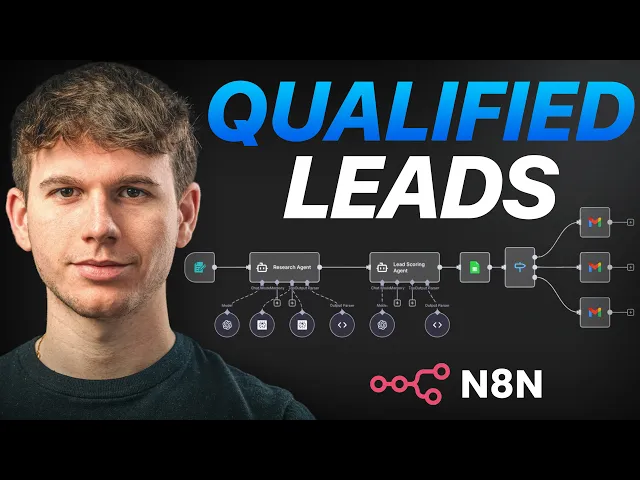
Here is a useful walk-through of routing mechanics before you build your own lead scoring and routing setup.
After the lead is scored and tagged, the rep should get a Slack alert with context. Not just "new meeting booked." The alert should include source channel, key trigger, owner, company size, relevant page activity, and the answer to "why now" if the system captured it.
This video is a good companion if you're building the operational side of the workflow.
If everything goes into one queue, nothing is qualified. It's just delayed.
The qualification playbook for sales and SDRs
A rep opens HubSpot and sees two new meetings. One came from a LinkedIn post and a demo request. The other replied to a cold email after three follow-ups. If the SDR handles those leads with two different standards, sales gets noise instead of pipeline.
The fix is a shared qualification script and a shared disposition system. I build this so SDRs, AEs, and RevOps all use the same fields, the same stage rules, and the same exit criteria. Clay can enrich the record. HubSpot can score and route it. The call still decides whether the opportunity is real.
Run one qualification script across LinkedIn and outbound
Channel should change context, not standards. A LinkedIn lead often knows the problem and trusts your brand, but may not have a live project. An outbound reply often has sharper pain, but less category awareness and less patience for vague discovery. The rep needs to normalize both paths fast.
Use a short call flow that works in either case:
Start with why now?
Look for a trigger you can verify. Hiring push, missed target, tool change, new segment, leadership mandate. If there is no trigger, route to nurture unless the account is unusually strong.Ask what are you doing today?
This tells you whether they have a process, a vendor, or nothing at all. It also shows how expensive change will be.Ask what broke or stalled?
This gets to the gap. Poor volume, bad conversion, weak attribution, no follow-up capacity, or internal handoff issues. Generic pain usually means weak urgency.Ask what outcome do you need in the next 90 days?
A qualified buyer can usually name a target, a deadline, or a team-level result.Ask who is involved once this moves forward?
You are checking buying shape, not trying to force a procurement map in minute six.
For newer reps, keep the prompts plain and tied to CRM fields. If you need a quick role reference, use this sales development representative definition.
Give SDRs and AEs different jobs, not different definitions
The SDR should confirm fit, trigger, and buying motion. The AE should test depth, risk, and deal shape. Both should use the same qualification baseline already defined in HubSpot.
That means no SDR is booking a meeting because the prospect "seemed interested," and no AE is re-qualifying from scratch because the notes were unusable. In practice, I set required handoff fields such as source channel, current process, stated pain, why now, stakeholders, and disqualify reason if the lead does not pass. If those fields are blank, the record goes back.
This matters even more when LinkedIn and outbound feed the same pipeline. LinkedIn conversations usually need stronger urgency checks. Outbound conversations usually need stronger fit checks. The baseline stays the same.
Track rep-level quality signals, not just activity
This section is where teams usually drift into vanity metrics. Call volume and meetings booked are easy to report. They do not tell you whether SDRs are sending sales opportunities or calendar filler.
Review three operating metrics every week:
Sales acceptance rate by SDR
Shows whether a rep is sending workable opportunities.Qualified meeting rate
Measures how many first calls still meet your standard after the AE runs discovery.SQL rate by source channel
Compares LinkedIn, outbound, referral, and inbound based on what survives qualification.
Pair those with structured dispositions in HubSpot and a shared Slack channel for exceptions. Reps should choose a reason code like wrong persona, no active initiative, outside ICP, duplicate account, or researching only. "Bad lead" is not a usable input.
A qualification process fails when reps can describe the problem in Slack, but the CRM cannot capture it in a field.
Measure quality and iterate the process
A qualification model breaks in a predictable way. Sales keeps getting meetings. Pipeline reports stay busy. Closed revenue does not move because the mix shifted underneath the surface.
That usually happens after a new outbound sequence starts working, a LinkedIn content push brings in more hand-raisers, or the offer changes and the old thresholds no longer sort leads cleanly. I do not rebuild the framework every quarter. I keep the baseline stable in HubSpot, then tune the scoring, routing, and reason codes around it.

Separate bad fit from bad timing
This split matters because the fix is different.
A bad-fit lead should not consume more sales time. The account is outside ICP, the economics do not work, the problem is not one you solve well, or the buying motion is wrong for your team. In HubSpot, these records need a closed status, a fixed reason code, and suppression from future SDR queues. If your team needs a clean definition, align on what counts as a disqualified lead before you start reporting on it.
Bad timing is a routing problem, not a quality failure. The account fits. The contact may even be the right person. The issue is timing, initiative strength, or internal priority. Those leads belong in a monitored re-engagement path with clear re-entry rules.
A simple operating split works:
Lead type | What it means | What to do |
|---|---|---|
Bad fit | Low strategic or commercial fit | Close out, suppress from rep queues |
Not ready yet | Good fit, weak timing | Route into re-engagement and monitor for new intent |
Review quality where the process actually breaks
Tracking lead volume is easy, but it tells you almost nothing about qualification quality.
I review four checkpoints instead: source-to-meeting conversion, sales acceptance, post-discovery qualification, and opportunity creation by channel. That shows where the model is failing. If LinkedIn leads book meetings but stall after discovery, the issue is usually urgency or buying context. If outbound leads reach AEs and get rejected fast, the issue is often account fit, persona targeting, or weak enrichment.
Clay is useful here because it lets you inspect what the automation believed about the lead at the time of routing. HubSpot is where the truth gets recorded after the call. The gap between those two systems is where iteration happens.
Run a tight feedback loop between SDRs, AEs, and RevOps
Use one Slack channel for qualification exceptions and one recurring review cadence. Weekly works if volume is high. Every two weeks is enough for smaller teams.
The review should stay narrow and mechanical:
Compare accepted vs. rejected meetings by source channel
Pull the top disqualify reasons from HubSpot
Check whether score bands in Clay match AE outcomes
Review recycled leads that later converted
Audit five to ten handoffs for note quality and field completeness
Patterns show up fast when you do this consistently. LinkedIn-sourced leads often need stronger "why now" checks. Outbound-sourced leads often need tighter firmographic filters and better persona mapping. If referrals are converting at a higher rate, do not copy that qualification standard blindly to cold channels. Referral trust masks gaps that outbound and social will expose.
Change one variable at a time. Adjust a score weight. Add a required property. Split one nurture path by segment. Rewrite one Clay enrichment rule. If you change the scoring model, handoff form, and routing logic in the same week, you will not know what fixed the issue.
The goal is simple. Keep the qualification baseline stable enough that sales trusts it, and improve the parts of the system that misread intent, fit, or timing across LinkedIn, outbound, and inbound.
How to handle unqualified leads systematically
A rep finishes a call, gets a soft no, and closes the lead out of habit. Two months later, the same account engages with a LinkedIn post, replies to outbound, or fills out a demo form through a different path. Sales sees a "dead" record. Marketing sees fresh intent. RevOps gets stuck cleaning up duplicate logic and bad reporting.
That failure usually starts with one mistake. Teams use one disqualification bucket for two very different outcomes.
Build two exits, not one
In the system I build in HubSpot, every unqualified lead has to land in one of two statuses:
Bad fit
The account fails a hard requirement. Wrong industry, unsupported geography, company too small, no realistic use case, or a buyer profile that never converts for your team.Not ready yet
The account fits, the contact is relevant, and the problem is real. Timing, priority, or internal readiness is missing.
That split matters because the workflows are different. A bad-fit lead should stop consuming SDR time. A not-ready lead should stay in the database with a clear re-entry path.
If your team needs a shared definition, document exactly what counts as a disqualified lead and tie it to required CRM fields, not rep judgment alone.
What happens after disqualification
For bad fit leads, close the record, log the reason, suppress it from SDR sequences, and keep it out of standard nurture. In HubSpot, that usually means setting lifecycle stage, disqualify reason, suppression flags, and a do-not-route property in the same workflow. If Clay is enriching new records, use the same rules there so the lead does not get reintroduced through a later import or outbound build.
For not ready yet leads, route them into a monitored holding pattern. Not a vague nurture bucket. A specific lane with entry criteria, review dates, and reactivation triggers.
A practical setup looks like this:
Add a required disqualify reason field for every closed unqualified lead
Create a separate HubSpot list for "fit confirmed, timing inactive"
Enroll that list in a light nurture sequence by segment or problem type
Re-score the lead when it shows new intent, such as repeat site visits, form fills, email replies, or meaningful LinkedIn engagement captured through your workflow stack
Return the lead to SDR review only when score, fit, and timing signals cross the threshold again
Generic BANT articles often fall short; they stop at "not qualified" and leave the team with a pile of records nobody trusts. In a modern B2B funnel, the same account can show up through outbound, paid inbound, founder-led LinkedIn content, or a recycled list from Clay. If disqualification logic is not unified across those channels, sales keeps reworking the same weak leads while good accounts get stranded in nurture.
Some leads should leave the funnel completely. Others should stay in a tracked queue that automation handles until real buying activity shows up.
The rule is simple. Remove bad-fit leads fast. Recycle good-fit leads only when the system can prove something changed.
Your team is booking meetings, replying to inbound forms, and pushing prospects into discovery. Revenue still looks flat. The issue usually isn't top-of-funnel volume. It's that too many people reaching sales were never qualified well enough to deserve a call.
That problem gets worse when LinkedIn content, outbound, referrals, and website conversions all feed the same queue. One lead commented on a founder post, another replied to a Lemlist sequence, another downloaded a guide, and all three get treated as if intent means the same thing. It doesn't. Without one lead qualification process across channels, sales spends time sorting noise instead of working real buying conversations.
At the operational level, the damage shows up fast. Sales rejects leads that marketing thought were fine. SDRs book meetings with people who can't buy. Forecasts get padded with deals that were dead on arrival. If that sounds familiar, review why leads aren't converting and how to fix it and compare your handoff rules to your current process.
A lot of teams also underestimate how much service expectations shape qualification. Buyers expect fast, contextual follow-up, especially when they move between channels. Some useful context sits in these SupportGPT digital service insights, because the same principle applies here, speed and context beat generic response every time.
Table of Contents
Your pipeline is full but your revenue is flat
Key takeaways
What breaks first
Define your qualification baseline with hard thresholds
Set knockout rules before scoring
The 7-point baseline checklist
Implement the 7-step qualification checklist
The rule for calendar access
How the workflow runs in practice
Automate your lead scoring and routing
Why now is the routing trigger that matters most
Build the routing engine, not a lead pile
The qualification playbook for sales and SDRs
Run one qualification script across LinkedIn and outbound
Give SDRs and AEs different jobs, not different definitions
Track rep-level quality signals, not just activity
Measure quality and iterate the process
Separate bad fit from bad timing
Review quality where the process actually breaks
Run a tight feedback loop between SDRs, AEs, and RevOps
How to handle unqualified leads systematically
Build two exits, not one
What happens after disqualification
Your pipeline is full but your revenue is flat
A full pipeline can hide a broken system. Reps stay busy, calendars look healthy, and dashboards show activity. Then the calls happen, wrong persona, no budget, vague interest, no timing, no internal urgency.
The lead qualification process fixes that only when it acts like a real operating system. That means hard entry criteria, shared definitions, automation, and clean routing. If it's just a loose checklist in a Notion doc, sales will ignore it the first time the quarter gets tight.
Key takeaways
Qualification needs hard rules. If a lead doesn't meet baseline fit, it shouldn't reach a rep.
Disqualification is part of revenue operations. Time spent on bad meetings steals time from real opportunities.
Multi-channel programs need one definition of readiness. LinkedIn engagement and outbound replies can't sit in separate logic trees.
Routing matters as much as scoring. A decent score with bad routing still creates backlog and slow follow-up.
The best live qualification question is "why now?". Buyers answer it clearly. Researchers usually don't.
What breaks first
The first thing that breaks is usually definitions. Only 38.9% of companies have a formal definition of what constitutes a qualified lead, and 75% of marketing-generated leads do not qualify for direct sales engagement, according to VisionEdge Marketing's lead qualification benchmark. If that sounds close to your funnel, the issue isn't rep effort. It's upstream filtering.
The second thing that breaks is channel alignment. LinkedIn content can create soft intent. Outbound replies can show active interest. Referrals can skip early proof. If all three enter one queue with no source-aware logic, your sales team starts re-qualifying from scratch on every call.
Practical rule: If a rep has to figure out fit, authority, pain, and urgency from zero on the first live call, marketing and RevOps didn't finish the qualification job.
A working system should make sales' job narrower. Reps should confirm and deepen qualification, not perform basic screening that automation and rules should have handled earlier.
Define your qualification baseline with hard thresholds
Many ICP statements sound fine in a workshop but fail in production. "Mid-market B2B companies in growth mode" is not a qualification rule. It doesn't tell HubSpot what to reject, and it doesn't tell an SDR whether a lead deserves calendar access.
The baseline has to be explicit. The fastest way to tighten a lead qualification process is to define hard thresholds before you score behavior, before you ask discovery questions, and before anyone gets a booking link. If you need a plain-language refresher on what is a qualified lead, use that as a vocabulary check, then translate the concept into actual fit rules inside your CRM.
Set knockout rules before scoring
Hard thresholds should sit in one place, usually HubSpot properties plus a scoring layer in Clay or HubSpot. At minimum, define company size, commercial fit, geography, buying readiness, and whether the problem you solve is even present.
We use baseline rules like these:
Rule | Pass | Fail |
|---|---|---|
Company size | 10+ employees, sweet spot 30 to 500 | Smaller teams with no clear buying function |
Commercial threshold | $1M ARR minimum for SaaS, or equivalent traction for services | Early-stage interest with no buying capacity |
Budget | $3k monthly minimum for lead gen, $5k for full-stack outbound | Wants strategy help but can't fund execution |
Timeline | Ready to start within 30 to 60 days | Researching for an undefined future window |
Geography | English-speaking markets, primarily UK, US, EU, ANZ | Market requires a playbook you don't support |
Sales cycle | Under 6 months average | Long procurement motion that breaks economics |
Pain | Already tried at least one paid channel and it underperformed | Pure curiosity, no operational problem |
For teams building this in HubSpot, it helps to think in terms of fit rules instead of broad personas. A fit rule can trigger auto-disqualification. A persona description can't.
The 7-point baseline checklist
Use this as the first gate. It should run before SDR review.
ICP match
Industry, company size, and region must fit the profile.
Pass example, legal tech company in the right geography. Fail example, tiny agency outside your service area.Persona match
You're speaking with a decision-maker or someone who can pull one in.
Pass example, founder or head of sales. Fail example, junior coordinator with no path to budget owner.Trigger signal
There needs to be a real reason the account might move now.
Pass example, hiring push, funding, leadership change, or stack change. Fail example, no visible motion.Engagement weight
Not all engagement means the same thing.
Pass example, direct reply, referral, or booked call. Fail example, one passive page visit.Pain confirmation
The prospect has to name a problem you solve.
Pass example, "our outbound replies are low-quality." Fail example, "we're curious what agencies do."Authority and budget signal
Buying power has to be realistic.
Pass example, owns the initiative and has budget range. Fail example, no spend authority and no internal sponsor.Timeline
The project needs a near-term path.
Pass example, starting within the next 30 to 60 days. Fail example, maybe next quarter, maybe later.
A vague ICP creates argument. A hard threshold creates routing.
Implement the 7-step qualification checklist
A lead comments on a LinkedIn post, downloads a guide, then replies to an outbound email two days later. Another lead fills out a demo form from a company your team would never sell to. If both records hit HubSpot with the same status, sales gets noise instead of pipeline.
That is the point of the checklist. It gives every channel the same qualification logic before a meeting link ever appears. Generic BANT articles usually stop at call discovery. Real teams need the rule set earlier, across LinkedIn content, outbound tools, inbound forms, referrals, and list building workflows running through Clay and HubSpot.
The rule for calendar access
I use one hard rule. If a lead fails two or more checks, it does not get calendar access.
That rule matters because qualification breaks in the gaps between systems. LinkedIn engagement gets overrated. Apollo lists get treated as if they were intent. Inbound forms get priority even when the account is outside the ICP. A checklist fixes that only if it produces a routing decision, not just a score.
Use the seven checks as operational gates, not discussion prompts:
ICP match
Confirm industry, employee range, region, and business model. A lead from the wrong market should fail fast, even if engagement looks strong.Persona match
Check whether the contact owns the problem, controls budget, or can bring in the right stakeholder. Titles alone are not enough.Trigger signal
Look for a reason the account might act now. Hiring, new funding, a stack migration, leadership change, or an active outbound push all count.Engagement weight
Rank behaviors by buying signal. A reply, referral, or booked meeting request beats passive content consumption every time.Pain confirmation The prospect should describe a problem your team solves. Curiosity is not qualification.
Authority and budget signal
Find evidence that the deal can move. That might be direct budget control, prior vendor spend, or a clear internal sponsor.Timeline
Separate active projects from research. Near-term timing gets routed differently from “just exploring” conversations.
How the workflow runs in practice
The system should be boring. Boring systems scale.
A lead comes in from LinkedIn, an Apollo export, Sales Navigator, a website form, or a referral. Clay enriches firmographic and contact data first. HubSpot reads source, lifecycle stage, owner rules, and qualification properties. Then the checklist decides the next step.
The path looks like this:
Lead capture → Clay enrichment → HubSpot property update → checklist pass/fail review → routing
In our setup, Clay handles the data work that reps should not touch manually. It pulls headcount, industry, hiring signals, tech stack clues, and seniority. HubSpot stores the qualification fields and makes the routing decision. If you need a reference point for building that logic, this lead scoring and routing setup guide covers the mechanics well.
Then route by state:
Hot. Strong ICP fit, clear trigger, real engagement, and near-term timing. Send to Calendly or Chili Piper.
Warm. Good fit, but one key condition is missing. Send to SDR follow-up or a short nurture sequence.
Cold. Weak fit or low-intent behavior. Keep out of the rep queue and move to re-engagement.
Disqualified. Wrong account, no path to value, or no realistic buying motion. Close it cleanly.
The trade-off is simple. Strict thresholds reduce rep waste, but they can reject a small number of deals that need more education. Loose thresholds create more “opportunities” in CRM and waste hours on calls that were never going anywhere. I would rather review edge cases weekly than let every soft signal hit a sales calendar.
This matters even more in vertical campaigns. If a team is testing a niche motion, for example people searching for what is a real estate AI agent, source context can help explain intent. It should not override ICP, role, pain, and timing.
One more rule keeps the checklist honest. Behavioral signals only count inside fit. Ten email opens from the wrong account mean nothing. One direct reply from the right buyer at the right company can move a lead straight to review. That is how the checklist stays consistent across modern B2B channels instead of turning into seven subjective questions in a CRM.
Automate your lead scoring and routing
A manual lead qualification process fails the moment volume increases. Someone forgets to tag a lead, an SDR follows up late, a strong inbound waits in a mixed queue, and the rep sees it after the buying window has cooled off. The framework may be correct on paper, but the execution still collapses.
That is why scoring and routing need to run automatically. Not because automation is fashionable, but because response speed and consistency decide whether the qualification logic matters.
Why now is the routing trigger that matters most
The single best question in this whole system is why now? It cuts through fake urgency faster than any lead score. If the answer is specific, the routing gets easier. If the answer is vague, that lead probably doesn't belong on a live calendar yet.
The best responses sound operational. Missed quota. New market launch. Board pressure. A failed agency. A hiring push without enough pipeline coverage. Those answers create routing confidence because they connect pain to timing.
Use three follow-ups after that:
What have you tried before and why didn't it work?
This shows sophistication, budget history, and how much education the deal will need.What does success look like in 90 days?
This tells you whether the buyer has a measurable outcome or is still browsing.Who else is involved in this decision?
This exposes whether you have a buyer, a blocker, or just an interested participant.
For teams thinking through conversational automation in other verticals, the logic is similar to how specialized assistants qualify requests before handing them off. This explainer on what is a real estate AI agent is useful as a workflow comparison, even though the use case is different.
Build the routing engine, not a lead pile
Landbase's lead qualification statistics show that organizations targeting a 1-hour response time can achieve a 7x improvement in qualification outcomes. That only happens when automation owns the first routing action.
Here is the stack that works well in practice:
Layer | Tool | Job |
|---|---|---|
Data enrichment | Clay | Fill firmographic, technographic, and behavioral gaps |
CRM and workflow | HubSpot | Store fields, score records, trigger automation |
Prospecting | Apollo, Sales Navigator | Source target accounts and contacts |
Outreach execution | Lemlist, Instantly, HeyReach | Run channel-specific sequences |
Booking | Calendly or Chili Piper | Give hot leads immediate calendar access |
Alerts | Slack | Push context to reps the second a meeting is booked |
The routing logic should look like this:
New lead → enrich in Clay → score in HubSpot → auto-tag by industry, company size, and source channel → evaluate "why now" signal → send hot leads to booking → send warm leads into a 7-day nurture sequence → push cold or out-of-ICP leads to quarterly re-engagement
Here is a useful walk-through of routing mechanics before you build your own lead scoring and routing setup.
After the lead is scored and tagged, the rep should get a Slack alert with context. Not just "new meeting booked." The alert should include source channel, key trigger, owner, company size, relevant page activity, and the answer to "why now" if the system captured it.
This video is a good companion if you're building the operational side of the workflow.
If everything goes into one queue, nothing is qualified. It's just delayed.
The qualification playbook for sales and SDRs
A rep opens HubSpot and sees two new meetings. One came from a LinkedIn post and a demo request. The other replied to a cold email after three follow-ups. If the SDR handles those leads with two different standards, sales gets noise instead of pipeline.
The fix is a shared qualification script and a shared disposition system. I build this so SDRs, AEs, and RevOps all use the same fields, the same stage rules, and the same exit criteria. Clay can enrich the record. HubSpot can score and route it. The call still decides whether the opportunity is real.
Run one qualification script across LinkedIn and outbound
Channel should change context, not standards. A LinkedIn lead often knows the problem and trusts your brand, but may not have a live project. An outbound reply often has sharper pain, but less category awareness and less patience for vague discovery. The rep needs to normalize both paths fast.
Use a short call flow that works in either case:
Start with why now?
Look for a trigger you can verify. Hiring push, missed target, tool change, new segment, leadership mandate. If there is no trigger, route to nurture unless the account is unusually strong.Ask what are you doing today?
This tells you whether they have a process, a vendor, or nothing at all. It also shows how expensive change will be.Ask what broke or stalled?
This gets to the gap. Poor volume, bad conversion, weak attribution, no follow-up capacity, or internal handoff issues. Generic pain usually means weak urgency.Ask what outcome do you need in the next 90 days?
A qualified buyer can usually name a target, a deadline, or a team-level result.Ask who is involved once this moves forward?
You are checking buying shape, not trying to force a procurement map in minute six.
For newer reps, keep the prompts plain and tied to CRM fields. If you need a quick role reference, use this sales development representative definition.
Give SDRs and AEs different jobs, not different definitions
The SDR should confirm fit, trigger, and buying motion. The AE should test depth, risk, and deal shape. Both should use the same qualification baseline already defined in HubSpot.
That means no SDR is booking a meeting because the prospect "seemed interested," and no AE is re-qualifying from scratch because the notes were unusable. In practice, I set required handoff fields such as source channel, current process, stated pain, why now, stakeholders, and disqualify reason if the lead does not pass. If those fields are blank, the record goes back.
This matters even more when LinkedIn and outbound feed the same pipeline. LinkedIn conversations usually need stronger urgency checks. Outbound conversations usually need stronger fit checks. The baseline stays the same.
Track rep-level quality signals, not just activity
This section is where teams usually drift into vanity metrics. Call volume and meetings booked are easy to report. They do not tell you whether SDRs are sending sales opportunities or calendar filler.
Review three operating metrics every week:
Sales acceptance rate by SDR
Shows whether a rep is sending workable opportunities.Qualified meeting rate
Measures how many first calls still meet your standard after the AE runs discovery.SQL rate by source channel
Compares LinkedIn, outbound, referral, and inbound based on what survives qualification.
Pair those with structured dispositions in HubSpot and a shared Slack channel for exceptions. Reps should choose a reason code like wrong persona, no active initiative, outside ICP, duplicate account, or researching only. "Bad lead" is not a usable input.
A qualification process fails when reps can describe the problem in Slack, but the CRM cannot capture it in a field.
Measure quality and iterate the process
A qualification model breaks in a predictable way. Sales keeps getting meetings. Pipeline reports stay busy. Closed revenue does not move because the mix shifted underneath the surface.
That usually happens after a new outbound sequence starts working, a LinkedIn content push brings in more hand-raisers, or the offer changes and the old thresholds no longer sort leads cleanly. I do not rebuild the framework every quarter. I keep the baseline stable in HubSpot, then tune the scoring, routing, and reason codes around it.
Separate bad fit from bad timing
This split matters because the fix is different.
A bad-fit lead should not consume more sales time. The account is outside ICP, the economics do not work, the problem is not one you solve well, or the buying motion is wrong for your team. In HubSpot, these records need a closed status, a fixed reason code, and suppression from future SDR queues. If your team needs a clean definition, align on what counts as a disqualified lead before you start reporting on it.
Bad timing is a routing problem, not a quality failure. The account fits. The contact may even be the right person. The issue is timing, initiative strength, or internal priority. Those leads belong in a monitored re-engagement path with clear re-entry rules.
A simple operating split works:
Lead type | What it means | What to do |
|---|---|---|
Bad fit | Low strategic or commercial fit | Close out, suppress from rep queues |
Not ready yet | Good fit, weak timing | Route into re-engagement and monitor for new intent |
Review quality where the process actually breaks
Tracking lead volume is easy, but it tells you almost nothing about qualification quality.
I review four checkpoints instead: source-to-meeting conversion, sales acceptance, post-discovery qualification, and opportunity creation by channel. That shows where the model is failing. If LinkedIn leads book meetings but stall after discovery, the issue is usually urgency or buying context. If outbound leads reach AEs and get rejected fast, the issue is often account fit, persona targeting, or weak enrichment.
Clay is useful here because it lets you inspect what the automation believed about the lead at the time of routing. HubSpot is where the truth gets recorded after the call. The gap between those two systems is where iteration happens.
Run a tight feedback loop between SDRs, AEs, and RevOps
Use one Slack channel for qualification exceptions and one recurring review cadence. Weekly works if volume is high. Every two weeks is enough for smaller teams.
The review should stay narrow and mechanical:
Compare accepted vs. rejected meetings by source channel
Pull the top disqualify reasons from HubSpot
Check whether score bands in Clay match AE outcomes
Review recycled leads that later converted
Audit five to ten handoffs for note quality and field completeness
Patterns show up fast when you do this consistently. LinkedIn-sourced leads often need stronger "why now" checks. Outbound-sourced leads often need tighter firmographic filters and better persona mapping. If referrals are converting at a higher rate, do not copy that qualification standard blindly to cold channels. Referral trust masks gaps that outbound and social will expose.
Change one variable at a time. Adjust a score weight. Add a required property. Split one nurture path by segment. Rewrite one Clay enrichment rule. If you change the scoring model, handoff form, and routing logic in the same week, you will not know what fixed the issue.
The goal is simple. Keep the qualification baseline stable enough that sales trusts it, and improve the parts of the system that misread intent, fit, or timing across LinkedIn, outbound, and inbound.
How to handle unqualified leads systematically
A rep finishes a call, gets a soft no, and closes the lead out of habit. Two months later, the same account engages with a LinkedIn post, replies to outbound, or fills out a demo form through a different path. Sales sees a "dead" record. Marketing sees fresh intent. RevOps gets stuck cleaning up duplicate logic and bad reporting.
That failure usually starts with one mistake. Teams use one disqualification bucket for two very different outcomes.
Build two exits, not one
In the system I build in HubSpot, every unqualified lead has to land in one of two statuses:
Bad fit
The account fails a hard requirement. Wrong industry, unsupported geography, company too small, no realistic use case, or a buyer profile that never converts for your team.Not ready yet
The account fits, the contact is relevant, and the problem is real. Timing, priority, or internal readiness is missing.
That split matters because the workflows are different. A bad-fit lead should stop consuming SDR time. A not-ready lead should stay in the database with a clear re-entry path.
If your team needs a shared definition, document exactly what counts as a disqualified lead and tie it to required CRM fields, not rep judgment alone.
What happens after disqualification
For bad fit leads, close the record, log the reason, suppress it from SDR sequences, and keep it out of standard nurture. In HubSpot, that usually means setting lifecycle stage, disqualify reason, suppression flags, and a do-not-route property in the same workflow. If Clay is enriching new records, use the same rules there so the lead does not get reintroduced through a later import or outbound build.
For not ready yet leads, route them into a monitored holding pattern. Not a vague nurture bucket. A specific lane with entry criteria, review dates, and reactivation triggers.
A practical setup looks like this:
Add a required disqualify reason field for every closed unqualified lead
Create a separate HubSpot list for "fit confirmed, timing inactive"
Enroll that list in a light nurture sequence by segment or problem type
Re-score the lead when it shows new intent, such as repeat site visits, form fills, email replies, or meaningful LinkedIn engagement captured through your workflow stack
Return the lead to SDR review only when score, fit, and timing signals cross the threshold again
Generic BANT articles often fall short; they stop at "not qualified" and leave the team with a pile of records nobody trusts. In a modern B2B funnel, the same account can show up through outbound, paid inbound, founder-led LinkedIn content, or a recycled list from Clay. If disqualification logic is not unified across those channels, sales keeps reworking the same weak leads while good accounts get stranded in nurture.
Some leads should leave the funnel completely. Others should stay in a tracked queue that automation handles until real buying activity shows up.
The rule is simple. Remove bad-fit leads fast. Recycle good-fit leads only when the system can prove something changed.
Your team is booking meetings, replying to inbound forms, and pushing prospects into discovery. Revenue still looks flat. The issue usually isn't top-of-funnel volume. It's that too many people reaching sales were never qualified well enough to deserve a call.
That problem gets worse when LinkedIn content, outbound, referrals, and website conversions all feed the same queue. One lead commented on a founder post, another replied to a Lemlist sequence, another downloaded a guide, and all three get treated as if intent means the same thing. It doesn't. Without one lead qualification process across channels, sales spends time sorting noise instead of working real buying conversations.
At the operational level, the damage shows up fast. Sales rejects leads that marketing thought were fine. SDRs book meetings with people who can't buy. Forecasts get padded with deals that were dead on arrival. If that sounds familiar, review why leads aren't converting and how to fix it and compare your handoff rules to your current process.
A lot of teams also underestimate how much service expectations shape qualification. Buyers expect fast, contextual follow-up, especially when they move between channels. Some useful context sits in these SupportGPT digital service insights, because the same principle applies here, speed and context beat generic response every time.
Table of Contents
Your pipeline is full but your revenue is flat
Key takeaways
What breaks first
Define your qualification baseline with hard thresholds
Set knockout rules before scoring
The 7-point baseline checklist
Implement the 7-step qualification checklist
The rule for calendar access
How the workflow runs in practice
Automate your lead scoring and routing
Why now is the routing trigger that matters most
Build the routing engine, not a lead pile
The qualification playbook for sales and SDRs
Run one qualification script across LinkedIn and outbound
Give SDRs and AEs different jobs, not different definitions
Track rep-level quality signals, not just activity
Measure quality and iterate the process
Separate bad fit from bad timing
Review quality where the process actually breaks
Run a tight feedback loop between SDRs, AEs, and RevOps
How to handle unqualified leads systematically
Build two exits, not one
What happens after disqualification
Your pipeline is full but your revenue is flat
A full pipeline can hide a broken system. Reps stay busy, calendars look healthy, and dashboards show activity. Then the calls happen, wrong persona, no budget, vague interest, no timing, no internal urgency.
The lead qualification process fixes that only when it acts like a real operating system. That means hard entry criteria, shared definitions, automation, and clean routing. If it's just a loose checklist in a Notion doc, sales will ignore it the first time the quarter gets tight.
Key takeaways
Qualification needs hard rules. If a lead doesn't meet baseline fit, it shouldn't reach a rep.
Disqualification is part of revenue operations. Time spent on bad meetings steals time from real opportunities.
Multi-channel programs need one definition of readiness. LinkedIn engagement and outbound replies can't sit in separate logic trees.
Routing matters as much as scoring. A decent score with bad routing still creates backlog and slow follow-up.
The best live qualification question is "why now?". Buyers answer it clearly. Researchers usually don't.
What breaks first
The first thing that breaks is usually definitions. Only 38.9% of companies have a formal definition of what constitutes a qualified lead, and 75% of marketing-generated leads do not qualify for direct sales engagement, according to VisionEdge Marketing's lead qualification benchmark. If that sounds close to your funnel, the issue isn't rep effort. It's upstream filtering.
The second thing that breaks is channel alignment. LinkedIn content can create soft intent. Outbound replies can show active interest. Referrals can skip early proof. If all three enter one queue with no source-aware logic, your sales team starts re-qualifying from scratch on every call.
Practical rule: If a rep has to figure out fit, authority, pain, and urgency from zero on the first live call, marketing and RevOps didn't finish the qualification job.
A working system should make sales' job narrower. Reps should confirm and deepen qualification, not perform basic screening that automation and rules should have handled earlier.
Define your qualification baseline with hard thresholds
Many ICP statements sound fine in a workshop but fail in production. "Mid-market B2B companies in growth mode" is not a qualification rule. It doesn't tell HubSpot what to reject, and it doesn't tell an SDR whether a lead deserves calendar access.
The baseline has to be explicit. The fastest way to tighten a lead qualification process is to define hard thresholds before you score behavior, before you ask discovery questions, and before anyone gets a booking link. If you need a plain-language refresher on what is a qualified lead, use that as a vocabulary check, then translate the concept into actual fit rules inside your CRM.
Set knockout rules before scoring
Hard thresholds should sit in one place, usually HubSpot properties plus a scoring layer in Clay or HubSpot. At minimum, define company size, commercial fit, geography, buying readiness, and whether the problem you solve is even present.
We use baseline rules like these:
Rule | Pass | Fail |
|---|---|---|
Company size | 10+ employees, sweet spot 30 to 500 | Smaller teams with no clear buying function |
Commercial threshold | $1M ARR minimum for SaaS, or equivalent traction for services | Early-stage interest with no buying capacity |
Budget | $3k monthly minimum for lead gen, $5k for full-stack outbound | Wants strategy help but can't fund execution |
Timeline | Ready to start within 30 to 60 days | Researching for an undefined future window |
Geography | English-speaking markets, primarily UK, US, EU, ANZ | Market requires a playbook you don't support |
Sales cycle | Under 6 months average | Long procurement motion that breaks economics |
Pain | Already tried at least one paid channel and it underperformed | Pure curiosity, no operational problem |
For teams building this in HubSpot, it helps to think in terms of fit rules instead of broad personas. A fit rule can trigger auto-disqualification. A persona description can't.
The 7-point baseline checklist
Use this as the first gate. It should run before SDR review.
ICP match
Industry, company size, and region must fit the profile.
Pass example, legal tech company in the right geography. Fail example, tiny agency outside your service area.Persona match
You're speaking with a decision-maker or someone who can pull one in.
Pass example, founder or head of sales. Fail example, junior coordinator with no path to budget owner.Trigger signal
There needs to be a real reason the account might move now.
Pass example, hiring push, funding, leadership change, or stack change. Fail example, no visible motion.Engagement weight
Not all engagement means the same thing.
Pass example, direct reply, referral, or booked call. Fail example, one passive page visit.Pain confirmation
The prospect has to name a problem you solve.
Pass example, "our outbound replies are low-quality." Fail example, "we're curious what agencies do."Authority and budget signal
Buying power has to be realistic.
Pass example, owns the initiative and has budget range. Fail example, no spend authority and no internal sponsor.Timeline
The project needs a near-term path.
Pass example, starting within the next 30 to 60 days. Fail example, maybe next quarter, maybe later.
A vague ICP creates argument. A hard threshold creates routing.
Implement the 7-step qualification checklist
A lead comments on a LinkedIn post, downloads a guide, then replies to an outbound email two days later. Another lead fills out a demo form from a company your team would never sell to. If both records hit HubSpot with the same status, sales gets noise instead of pipeline.
That is the point of the checklist. It gives every channel the same qualification logic before a meeting link ever appears. Generic BANT articles usually stop at call discovery. Real teams need the rule set earlier, across LinkedIn content, outbound tools, inbound forms, referrals, and list building workflows running through Clay and HubSpot.
The rule for calendar access
I use one hard rule. If a lead fails two or more checks, it does not get calendar access.
That rule matters because qualification breaks in the gaps between systems. LinkedIn engagement gets overrated. Apollo lists get treated as if they were intent. Inbound forms get priority even when the account is outside the ICP. A checklist fixes that only if it produces a routing decision, not just a score.
Use the seven checks as operational gates, not discussion prompts:
ICP match
Confirm industry, employee range, region, and business model. A lead from the wrong market should fail fast, even if engagement looks strong.Persona match
Check whether the contact owns the problem, controls budget, or can bring in the right stakeholder. Titles alone are not enough.Trigger signal
Look for a reason the account might act now. Hiring, new funding, a stack migration, leadership change, or an active outbound push all count.Engagement weight
Rank behaviors by buying signal. A reply, referral, or booked meeting request beats passive content consumption every time.Pain confirmation The prospect should describe a problem your team solves. Curiosity is not qualification.
Authority and budget signal
Find evidence that the deal can move. That might be direct budget control, prior vendor spend, or a clear internal sponsor.Timeline
Separate active projects from research. Near-term timing gets routed differently from “just exploring” conversations.
How the workflow runs in practice
The system should be boring. Boring systems scale.
A lead comes in from LinkedIn, an Apollo export, Sales Navigator, a website form, or a referral. Clay enriches firmographic and contact data first. HubSpot reads source, lifecycle stage, owner rules, and qualification properties. Then the checklist decides the next step.
The path looks like this:
Lead capture → Clay enrichment → HubSpot property update → checklist pass/fail review → routing
In our setup, Clay handles the data work that reps should not touch manually. It pulls headcount, industry, hiring signals, tech stack clues, and seniority. HubSpot stores the qualification fields and makes the routing decision. If you need a reference point for building that logic, this lead scoring and routing setup guide covers the mechanics well.
Then route by state:
Hot. Strong ICP fit, clear trigger, real engagement, and near-term timing. Send to Calendly or Chili Piper.
Warm. Good fit, but one key condition is missing. Send to SDR follow-up or a short nurture sequence.
Cold. Weak fit or low-intent behavior. Keep out of the rep queue and move to re-engagement.
Disqualified. Wrong account, no path to value, or no realistic buying motion. Close it cleanly.
The trade-off is simple. Strict thresholds reduce rep waste, but they can reject a small number of deals that need more education. Loose thresholds create more “opportunities” in CRM and waste hours on calls that were never going anywhere. I would rather review edge cases weekly than let every soft signal hit a sales calendar.
This matters even more in vertical campaigns. If a team is testing a niche motion, for example people searching for what is a real estate AI agent, source context can help explain intent. It should not override ICP, role, pain, and timing.
One more rule keeps the checklist honest. Behavioral signals only count inside fit. Ten email opens from the wrong account mean nothing. One direct reply from the right buyer at the right company can move a lead straight to review. That is how the checklist stays consistent across modern B2B channels instead of turning into seven subjective questions in a CRM.
Automate your lead scoring and routing
A manual lead qualification process fails the moment volume increases. Someone forgets to tag a lead, an SDR follows up late, a strong inbound waits in a mixed queue, and the rep sees it after the buying window has cooled off. The framework may be correct on paper, but the execution still collapses.
That is why scoring and routing need to run automatically. Not because automation is fashionable, but because response speed and consistency decide whether the qualification logic matters.
Why now is the routing trigger that matters most
The single best question in this whole system is why now? It cuts through fake urgency faster than any lead score. If the answer is specific, the routing gets easier. If the answer is vague, that lead probably doesn't belong on a live calendar yet.
The best responses sound operational. Missed quota. New market launch. Board pressure. A failed agency. A hiring push without enough pipeline coverage. Those answers create routing confidence because they connect pain to timing.
Use three follow-ups after that:
What have you tried before and why didn't it work?
This shows sophistication, budget history, and how much education the deal will need.What does success look like in 90 days?
This tells you whether the buyer has a measurable outcome or is still browsing.Who else is involved in this decision?
This exposes whether you have a buyer, a blocker, or just an interested participant.
For teams thinking through conversational automation in other verticals, the logic is similar to how specialized assistants qualify requests before handing them off. This explainer on what is a real estate AI agent is useful as a workflow comparison, even though the use case is different.
Build the routing engine, not a lead pile
Landbase's lead qualification statistics show that organizations targeting a 1-hour response time can achieve a 7x improvement in qualification outcomes. That only happens when automation owns the first routing action.
Here is the stack that works well in practice:
Layer | Tool | Job |
|---|---|---|
Data enrichment | Clay | Fill firmographic, technographic, and behavioral gaps |
CRM and workflow | HubSpot | Store fields, score records, trigger automation |
Prospecting | Apollo, Sales Navigator | Source target accounts and contacts |
Outreach execution | Lemlist, Instantly, HeyReach | Run channel-specific sequences |
Booking | Calendly or Chili Piper | Give hot leads immediate calendar access |
Alerts | Slack | Push context to reps the second a meeting is booked |
The routing logic should look like this:
New lead → enrich in Clay → score in HubSpot → auto-tag by industry, company size, and source channel → evaluate "why now" signal → send hot leads to booking → send warm leads into a 7-day nurture sequence → push cold or out-of-ICP leads to quarterly re-engagement
Here is a useful walk-through of routing mechanics before you build your own lead scoring and routing setup.
After the lead is scored and tagged, the rep should get a Slack alert with context. Not just "new meeting booked." The alert should include source channel, key trigger, owner, company size, relevant page activity, and the answer to "why now" if the system captured it.
This video is a good companion if you're building the operational side of the workflow.
If everything goes into one queue, nothing is qualified. It's just delayed.
The qualification playbook for sales and SDRs
A rep opens HubSpot and sees two new meetings. One came from a LinkedIn post and a demo request. The other replied to a cold email after three follow-ups. If the SDR handles those leads with two different standards, sales gets noise instead of pipeline.
The fix is a shared qualification script and a shared disposition system. I build this so SDRs, AEs, and RevOps all use the same fields, the same stage rules, and the same exit criteria. Clay can enrich the record. HubSpot can score and route it. The call still decides whether the opportunity is real.
Run one qualification script across LinkedIn and outbound
Channel should change context, not standards. A LinkedIn lead often knows the problem and trusts your brand, but may not have a live project. An outbound reply often has sharper pain, but less category awareness and less patience for vague discovery. The rep needs to normalize both paths fast.
Use a short call flow that works in either case:
Start with why now?
Look for a trigger you can verify. Hiring push, missed target, tool change, new segment, leadership mandate. If there is no trigger, route to nurture unless the account is unusually strong.Ask what are you doing today?
This tells you whether they have a process, a vendor, or nothing at all. It also shows how expensive change will be.Ask what broke or stalled?
This gets to the gap. Poor volume, bad conversion, weak attribution, no follow-up capacity, or internal handoff issues. Generic pain usually means weak urgency.Ask what outcome do you need in the next 90 days?
A qualified buyer can usually name a target, a deadline, or a team-level result.Ask who is involved once this moves forward?
You are checking buying shape, not trying to force a procurement map in minute six.
For newer reps, keep the prompts plain and tied to CRM fields. If you need a quick role reference, use this sales development representative definition.
Give SDRs and AEs different jobs, not different definitions
The SDR should confirm fit, trigger, and buying motion. The AE should test depth, risk, and deal shape. Both should use the same qualification baseline already defined in HubSpot.
That means no SDR is booking a meeting because the prospect "seemed interested," and no AE is re-qualifying from scratch because the notes were unusable. In practice, I set required handoff fields such as source channel, current process, stated pain, why now, stakeholders, and disqualify reason if the lead does not pass. If those fields are blank, the record goes back.
This matters even more when LinkedIn and outbound feed the same pipeline. LinkedIn conversations usually need stronger urgency checks. Outbound conversations usually need stronger fit checks. The baseline stays the same.
Track rep-level quality signals, not just activity
This section is where teams usually drift into vanity metrics. Call volume and meetings booked are easy to report. They do not tell you whether SDRs are sending sales opportunities or calendar filler.
Review three operating metrics every week:
Sales acceptance rate by SDR
Shows whether a rep is sending workable opportunities.Qualified meeting rate
Measures how many first calls still meet your standard after the AE runs discovery.SQL rate by source channel
Compares LinkedIn, outbound, referral, and inbound based on what survives qualification.
Pair those with structured dispositions in HubSpot and a shared Slack channel for exceptions. Reps should choose a reason code like wrong persona, no active initiative, outside ICP, duplicate account, or researching only. "Bad lead" is not a usable input.
A qualification process fails when reps can describe the problem in Slack, but the CRM cannot capture it in a field.
Measure quality and iterate the process
A qualification model breaks in a predictable way. Sales keeps getting meetings. Pipeline reports stay busy. Closed revenue does not move because the mix shifted underneath the surface.
That usually happens after a new outbound sequence starts working, a LinkedIn content push brings in more hand-raisers, or the offer changes and the old thresholds no longer sort leads cleanly. I do not rebuild the framework every quarter. I keep the baseline stable in HubSpot, then tune the scoring, routing, and reason codes around it.
Separate bad fit from bad timing
This split matters because the fix is different.
A bad-fit lead should not consume more sales time. The account is outside ICP, the economics do not work, the problem is not one you solve well, or the buying motion is wrong for your team. In HubSpot, these records need a closed status, a fixed reason code, and suppression from future SDR queues. If your team needs a clean definition, align on what counts as a disqualified lead before you start reporting on it.
Bad timing is a routing problem, not a quality failure. The account fits. The contact may even be the right person. The issue is timing, initiative strength, or internal priority. Those leads belong in a monitored re-engagement path with clear re-entry rules.
A simple operating split works:
Lead type | What it means | What to do |
|---|---|---|
Bad fit | Low strategic or commercial fit | Close out, suppress from rep queues |
Not ready yet | Good fit, weak timing | Route into re-engagement and monitor for new intent |
Review quality where the process actually breaks
Tracking lead volume is easy, but it tells you almost nothing about qualification quality.
I review four checkpoints instead: source-to-meeting conversion, sales acceptance, post-discovery qualification, and opportunity creation by channel. That shows where the model is failing. If LinkedIn leads book meetings but stall after discovery, the issue is usually urgency or buying context. If outbound leads reach AEs and get rejected fast, the issue is often account fit, persona targeting, or weak enrichment.
Clay is useful here because it lets you inspect what the automation believed about the lead at the time of routing. HubSpot is where the truth gets recorded after the call. The gap between those two systems is where iteration happens.
Run a tight feedback loop between SDRs, AEs, and RevOps
Use one Slack channel for qualification exceptions and one recurring review cadence. Weekly works if volume is high. Every two weeks is enough for smaller teams.
The review should stay narrow and mechanical:
Compare accepted vs. rejected meetings by source channel
Pull the top disqualify reasons from HubSpot
Check whether score bands in Clay match AE outcomes
Review recycled leads that later converted
Audit five to ten handoffs for note quality and field completeness
Patterns show up fast when you do this consistently. LinkedIn-sourced leads often need stronger "why now" checks. Outbound-sourced leads often need tighter firmographic filters and better persona mapping. If referrals are converting at a higher rate, do not copy that qualification standard blindly to cold channels. Referral trust masks gaps that outbound and social will expose.
Change one variable at a time. Adjust a score weight. Add a required property. Split one nurture path by segment. Rewrite one Clay enrichment rule. If you change the scoring model, handoff form, and routing logic in the same week, you will not know what fixed the issue.
The goal is simple. Keep the qualification baseline stable enough that sales trusts it, and improve the parts of the system that misread intent, fit, or timing across LinkedIn, outbound, and inbound.
How to handle unqualified leads systematically
A rep finishes a call, gets a soft no, and closes the lead out of habit. Two months later, the same account engages with a LinkedIn post, replies to outbound, or fills out a demo form through a different path. Sales sees a "dead" record. Marketing sees fresh intent. RevOps gets stuck cleaning up duplicate logic and bad reporting.
That failure usually starts with one mistake. Teams use one disqualification bucket for two very different outcomes.
Build two exits, not one
In the system I build in HubSpot, every unqualified lead has to land in one of two statuses:
Bad fit
The account fails a hard requirement. Wrong industry, unsupported geography, company too small, no realistic use case, or a buyer profile that never converts for your team.Not ready yet
The account fits, the contact is relevant, and the problem is real. Timing, priority, or internal readiness is missing.
That split matters because the workflows are different. A bad-fit lead should stop consuming SDR time. A not-ready lead should stay in the database with a clear re-entry path.
If your team needs a shared definition, document exactly what counts as a disqualified lead and tie it to required CRM fields, not rep judgment alone.
What happens after disqualification
For bad fit leads, close the record, log the reason, suppress it from SDR sequences, and keep it out of standard nurture. In HubSpot, that usually means setting lifecycle stage, disqualify reason, suppression flags, and a do-not-route property in the same workflow. If Clay is enriching new records, use the same rules there so the lead does not get reintroduced through a later import or outbound build.
For not ready yet leads, route them into a monitored holding pattern. Not a vague nurture bucket. A specific lane with entry criteria, review dates, and reactivation triggers.
A practical setup looks like this:
Add a required disqualify reason field for every closed unqualified lead
Create a separate HubSpot list for "fit confirmed, timing inactive"
Enroll that list in a light nurture sequence by segment or problem type
Re-score the lead when it shows new intent, such as repeat site visits, form fills, email replies, or meaningful LinkedIn engagement captured through your workflow stack
Return the lead to SDR review only when score, fit, and timing signals cross the threshold again
Generic BANT articles often fall short; they stop at "not qualified" and leave the team with a pile of records nobody trusts. In a modern B2B funnel, the same account can show up through outbound, paid inbound, founder-led LinkedIn content, or a recycled list from Clay. If disqualification logic is not unified across those channels, sales keeps reworking the same weak leads while good accounts get stranded in nurture.
Some leads should leave the funnel completely. Others should stay in a tracked queue that automation handles until real buying activity shows up.
The rule is simple. Remove bad-fit leads fast. Recycle good-fit leads only when the system can prove something changed.

Pipeline OS Newsletter
Build qualified pipeline
Get weekly tactics to generate demand, improve lead quality, and book more meetings.





Trusted by industry leaders
Trusted by industry leaders
Trusted by industry leaders
Ready to build qualified pipeline?
Ready to build qualified pipeline?
Ready to build qualified pipeline?
Book a call to see if we're the right fit, or take the 2-minute quiz to get a clear starting point.
Book a call to see if we're the right fit, or take the 2-minute quiz to get a clear starting point.
Book a call to see if we're the right fit, or take the 2-minute quiz to get a clear starting point.
" height="30.21639343089746px" id="hfGbXmQR2" width="30.216393430897455px"/></svg>)
Copyright © 2026 – All Right Reserved
Copyright © 2026 – All Right Reserved
Copyright © 2026 – All Right Reserved