%22%3E%3C/path%3E%3Cpath d=%22M 63.072 7.554 C 62.258 8.022 61.577 8.689 61.092 9.493 L 61.092 7.076 L 57.158 7.076 L 57.158 22.64 L 61.089 22.64 L 61.089 14.888 C 61.089 13.446 61.403 12.434 62.03 11.853 C 62.818 11.218 63.818 10.907 64.826 10.982 L 65.868 10.982 L 65.868 6.851 C 64.891 6.834 63.926 7.076 63.073 7.554 Z%22 fill=%22rgb(17,17,17)%22%3E%3C/path%3E%3Cpath d=%22M 78.916 7.82 C 76.363 6.49 73.321 6.49 70.768 7.82 C 69.562 8.473 68.564 9.451 67.888 10.644 C 67.167 11.931 66.803 13.387 66.834 14.862 C 66.804 16.332 67.157 17.785 67.86 19.077 C 68.515 20.267 69.494 21.246 70.684 21.901 C 71.924 22.576 73.318 22.92 74.73 22.898 C 76.164 22.918 77.58 22.575 78.846 21.901 C 80.062 21.247 81.073 20.27 81.768 19.077 C 82.506 17.797 82.88 16.339 82.85 14.862 C 82.88 13.389 82.517 11.934 81.797 10.647 C 81.12 9.455 80.122 8.477 78.917 7.824 M 78.803 14.862 C 78.829 15.739 78.636 16.608 78.241 17.391 C 77.903 18.046 77.38 18.588 76.738 18.95 C 76.124 19.293 75.432 19.472 74.729 19.47 C 73.668 19.497 72.648 19.061 71.934 18.276 C 71.139 17.323 70.741 16.1 70.823 14.862 C 70.741 13.62 71.149 12.395 71.959 11.45 C 72.687 10.667 73.715 10.233 74.783 10.256 C 75.859 10.236 76.894 10.67 77.635 11.45 C 78.464 12.387 78.884 13.616 78.801 14.864%22 fill=%22rgb(17,17,17)%22%3E%3C/path%3E%3Cpath d=%22M 95.906 7.076 L 95.906 15.646 C 95.975 16.68 95.643 17.701 94.979 18.498 C 94.311 19.184 93.379 19.547 92.422 19.495 C 91.475 19.544 90.553 19.18 89.894 18.498 C 89.23 17.701 88.898 16.68 88.967 15.646 L 88.967 7.076 L 85.033 7.076 L 85.033 16.207 C 85 17.449 85.275 18.68 85.834 19.79 C 86.327 20.75 87.095 21.542 88.039 22.065 C 89.033 22.594 90.145 22.861 91.271 22.838 C 92.188 22.847 93.095 22.65 93.926 22.263 C 94.708 21.905 95.388 21.36 95.906 20.675 L 95.906 22.645 L 99.865 22.645 L 99.865 7.076 Z%22 fill=%22rgb(17,17,17)%22%3E%3C/path%3E%3Cpath d=%22M 4.513 15.626 C 4.511 10.815 7.606 6.549 12.181 5.059 C 16.756 3.57 21.77 5.195 24.601 9.086 L 27.816 5.87 C 24.074 1.186 17.981 -0.943 12.137 0.393 C 6.292 1.728 1.728 6.292 0.393 12.137 C -0.943 17.981 1.186 24.074 5.87 27.816 L 9.085 24.601 C 6.214 22.512 4.515 19.177 4.513 15.626%22 fill=%22rgb(32,62,235)%22%3E%3C/path%3E%3Cpath d=%22M 17.114 14.343 L 13.354 18.01 L 13.354 18.026 L 21.071 18.026 L 11.412 27.609 L 17.389 27.609 L 23.999 21.081 L 23.999 28.316 L 24.005 28.316 L 27.967 24.393 L 27.967 14.343 Z%22 fill=%22rgb(32,62,235)%22%3E%3C/path%3E%3C/g%3E%3C/svg%3E) ×
× ××
××›
›
›
›
Best web scraping tools for lead generation
Best web scraping tools for lead generation
Best web scraping tools for lead generation
Best web scraping tools for lead generation
Best web scraping tools for lead generation
Best web scraping tools for lead generation

Author
Aljaz Peklaj

Best web scraping tools for lead generation
The best web scraping tool for lead generation depends on how technical your team is. Octoparse and Browse AI suit non-technical teams, Apify has thousands of ready-made scrapers for sites like Google Maps and LinkedIn, PhantomBuster focuses on social prospecting, and ScraperAPI and Bright Data suit developers working at scale. Most start free or under $100 a month. Before you scrape, check the site's terms and your data protection obligations.
TL;DR
No-code: Octoparse (free, paid from about $69 to $83 a month) and Browse AI (free, then about $48).
Ready-made scrapers: Apify (free, Starter $29 a month).
Developer APIs: ScraperAPI (about $49 a month), Firecrawl (from $16), Bright Data (pay as you go and enterprise plans).
Scraped personal data in the EU still falls under the GDPR, including the duty to tell people where you got their data.
Web scraping tools at a glance

Starting prices from vendor pages and pricing guides checked between May and September 2026. Scraping tools often bill by usage, so real costs depend on volume.
What scraping is good for in lead generation
Scraping is useful when the data you need is public but scattered:
Directories and marketplaces: exhibitor lists, member directories, app marketplaces.
Google Maps and local listings: for local and regional B2B targeting.
Job boards: hiring signals that show a company is growing a function you serve.
Company websites: technology used, team pages, locations.
Review sites: companies reviewing competitors in your category.
It's not a replacement for a proper B2B database when you need verified contacts. Most teams scrape to build or enrich account lists, then use a data provider to find and verify people. See our B2B data providers comparison for that step.
The best web scraping tools
No-code tools
1. Octoparse. A visual, point-and-click scraper with hundreds of templates for sites like Google Maps and LinkedIn. Free plan, Standard at $83 a month and Professional at $299 (PixieBrix), or about $69 a month billed annually (Apify guide).
2. Browse AI. A no-code tool for extracting and monitoring data, free to start and then about $48 a month (Olostep).
3. WebScraper.io. A lightweight browser-based scraper for one-off jobs, around $49 a month for cloud plans (same source).
Ready-made scrapers
4. Apify. A marketplace of 3,000+ ready-made scrapers ("Actors") for sites like Amazon, LinkedIn and Google Maps, with a free tier and a Starter plan at $29 a month in credits (Apify pricing guide). Watch proxy and compute usage, which can add to the bill.
5. PhantomBuster. Automations for LinkedIn and other social platforms, popular for prospecting workflows. Paid plans only. See our LinkedIn automation tools guide for alternatives.
Developer APIs
6. ScraperAPI. A simple proxy and rendering API, from about $49 a month (Olostep).
7. Firecrawl. Turns pages into clean Markdown or JSON for AI workflows, with 1,000 free credits and paid plans from $16 a month (same source).
8. Bright Data. An enterprise proxy network and scraping platform with pay-as-you-go and monthly plans; its Web Unlocker handles JavaScript rendering and blocks (CostBench). See our Bright Data review.
Scraping and the law
Two questions matter before you scrape:
Terms of use. Many sites restrict automated access. Breaching terms can get your accounts banned or create legal risk.
Personal data. If you collect data about people in the EU, the GDPR applies. You need a lawful basis, and when data isn't collected from the person directly you must tell them where it came from (GDPR Article 14).
Company-level data (names, sizes, locations, technologies) is lower risk than personal data. This isn't legal advice; check with counsel for your use case.
A simple scraping workflow for lead generation
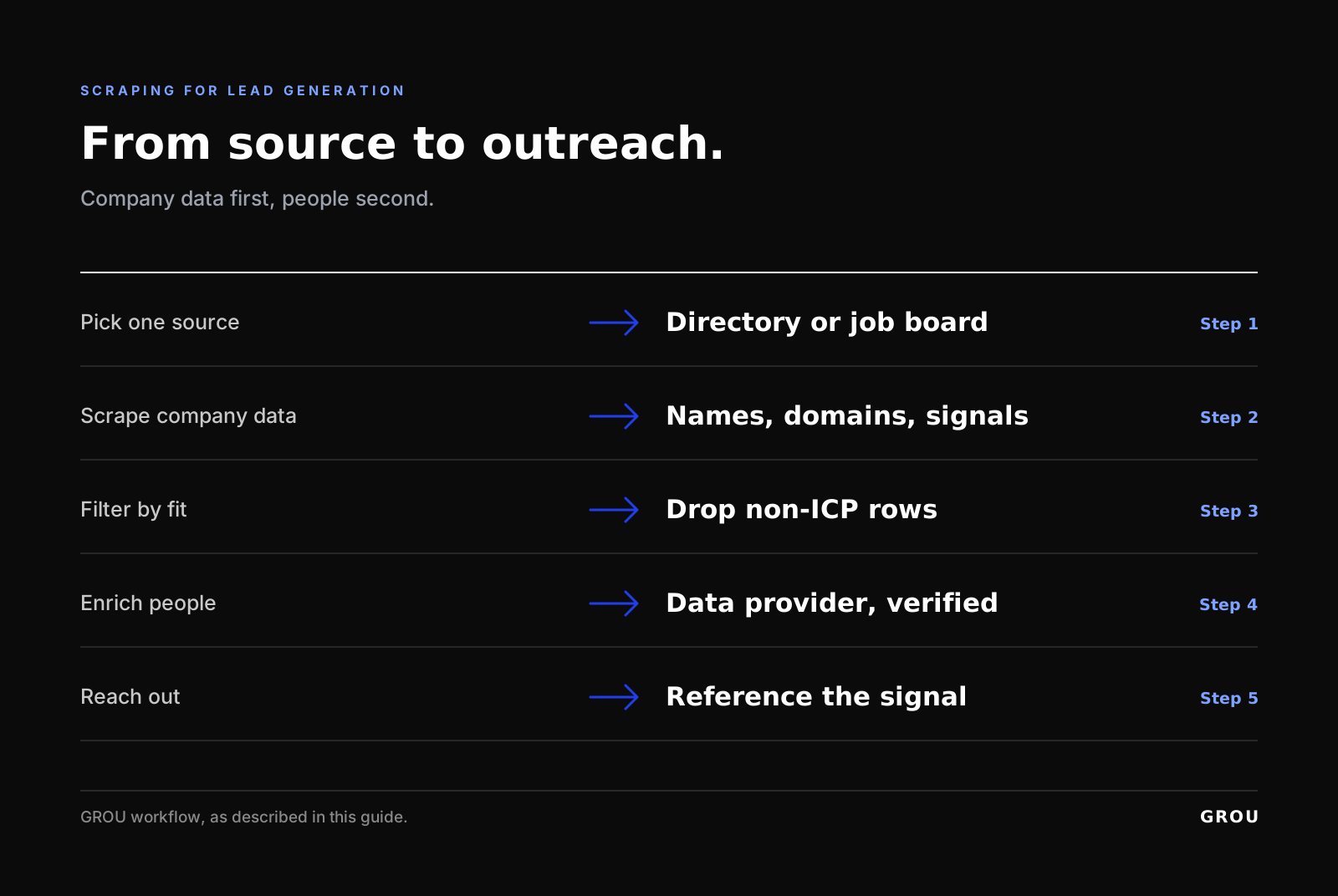
Pick one source. A directory, marketplace or job board where your ICP clusters.
Scrape company data first. Names, domains, sizes and signals.
Filter by fit. Remove companies outside your ICP.
Enrich people with a data provider. Find and verify contacts.
Reach out with the signal. Reference why they're on your list.
For email finding, see our email finder tools test. For the scraping side of contact data, see how to scrape a website for emails, and Scrupp review for a LinkedIn-focused option.
FAQ
What is the best web scraping tool for lead generation?
For non-technical teams, Octoparse or Browse AI. For ready-made scrapers, Apify. For developers at scale, ScraperAPI or Bright Data.
Is web scraping legal?
It depends on the site's terms, the data and your jurisdiction. Personal data in the EU falls under the GDPR. Company-level public data is lower risk. Check with counsel.
How much do web scraping tools cost?
Most start free or under $100 a month. Usage-based billing for proxies and compute can raise costs at volume.
Can I scrape LinkedIn for leads?
LinkedIn restricts automated access in its terms. Many teams use Sales Navigator and approved tools instead. Weigh the account and legal risk carefully.
Should I scrape or buy data?
Scrape to build account lists from niche sources. Use a data provider for verified contacts. Most teams use both.
About this listicle
We are GROU, a B2B pipeline agency that runs lead generation, outbound, and LinkedIn content for clients across manufacturing, fintech, iGaming, software, and professional services. Pricing comes from the vendor pages and guides linked inline, checked September 2026.
Some links in this article may be affiliate links. We may earn a small commission at no extra cost to you.
Best web scraping tools for lead generation
The best web scraping tool for lead generation depends on how technical your team is. Octoparse and Browse AI suit non-technical teams, Apify has thousands of ready-made scrapers for sites like Google Maps and LinkedIn, PhantomBuster focuses on social prospecting, and ScraperAPI and Bright Data suit developers working at scale. Most start free or under $100 a month. Before you scrape, check the site's terms and your data protection obligations.
TL;DR
No-code: Octoparse (free, paid from about $69 to $83 a month) and Browse AI (free, then about $48).
Ready-made scrapers: Apify (free, Starter $29 a month).
Developer APIs: ScraperAPI (about $49 a month), Firecrawl (from $16), Bright Data (pay as you go and enterprise plans).
Scraped personal data in the EU still falls under the GDPR, including the duty to tell people where you got their data.
Web scraping tools at a glance
Starting prices from vendor pages and pricing guides checked between May and September 2026. Scraping tools often bill by usage, so real costs depend on volume.
What scraping is good for in lead generation
Scraping is useful when the data you need is public but scattered:
Directories and marketplaces: exhibitor lists, member directories, app marketplaces.
Google Maps and local listings: for local and regional B2B targeting.
Job boards: hiring signals that show a company is growing a function you serve.
Company websites: technology used, team pages, locations.
Review sites: companies reviewing competitors in your category.
It's not a replacement for a proper B2B database when you need verified contacts. Most teams scrape to build or enrich account lists, then use a data provider to find and verify people. See our B2B data providers comparison for that step.
The best web scraping tools
No-code tools
1. Octoparse. A visual, point-and-click scraper with hundreds of templates for sites like Google Maps and LinkedIn. Free plan, Standard at $83 a month and Professional at $299 (PixieBrix), or about $69 a month billed annually (Apify guide).
2. Browse AI. A no-code tool for extracting and monitoring data, free to start and then about $48 a month (Olostep).
3. WebScraper.io. A lightweight browser-based scraper for one-off jobs, around $49 a month for cloud plans (same source).
Ready-made scrapers
4. Apify. A marketplace of 3,000+ ready-made scrapers ("Actors") for sites like Amazon, LinkedIn and Google Maps, with a free tier and a Starter plan at $29 a month in credits (Apify pricing guide). Watch proxy and compute usage, which can add to the bill.
5. PhantomBuster. Automations for LinkedIn and other social platforms, popular for prospecting workflows. Paid plans only. See our LinkedIn automation tools guide for alternatives.
Developer APIs
6. ScraperAPI. A simple proxy and rendering API, from about $49 a month (Olostep).
7. Firecrawl. Turns pages into clean Markdown or JSON for AI workflows, with 1,000 free credits and paid plans from $16 a month (same source).
8. Bright Data. An enterprise proxy network and scraping platform with pay-as-you-go and monthly plans; its Web Unlocker handles JavaScript rendering and blocks (CostBench). See our Bright Data review.
Scraping and the law
Two questions matter before you scrape:
Terms of use. Many sites restrict automated access. Breaching terms can get your accounts banned or create legal risk.
Personal data. If you collect data about people in the EU, the GDPR applies. You need a lawful basis, and when data isn't collected from the person directly you must tell them where it came from (GDPR Article 14).
Company-level data (names, sizes, locations, technologies) is lower risk than personal data. This isn't legal advice; check with counsel for your use case.
A simple scraping workflow for lead generation
Pick one source. A directory, marketplace or job board where your ICP clusters.
Scrape company data first. Names, domains, sizes and signals.
Filter by fit. Remove companies outside your ICP.
Enrich people with a data provider. Find and verify contacts.
Reach out with the signal. Reference why they're on your list.
For email finding, see our email finder tools test. For the scraping side of contact data, see how to scrape a website for emails, and Scrupp review for a LinkedIn-focused option.
FAQ
What is the best web scraping tool for lead generation?
For non-technical teams, Octoparse or Browse AI. For ready-made scrapers, Apify. For developers at scale, ScraperAPI or Bright Data.
Is web scraping legal?
It depends on the site's terms, the data and your jurisdiction. Personal data in the EU falls under the GDPR. Company-level public data is lower risk. Check with counsel.
How much do web scraping tools cost?
Most start free or under $100 a month. Usage-based billing for proxies and compute can raise costs at volume.
Can I scrape LinkedIn for leads?
LinkedIn restricts automated access in its terms. Many teams use Sales Navigator and approved tools instead. Weigh the account and legal risk carefully.
Should I scrape or buy data?
Scrape to build account lists from niche sources. Use a data provider for verified contacts. Most teams use both.
About this listicle
We are GROU, a B2B pipeline agency that runs lead generation, outbound, and LinkedIn content for clients across manufacturing, fintech, iGaming, software, and professional services. Pricing comes from the vendor pages and guides linked inline, checked September 2026.
Some links in this article may be affiliate links. We may earn a small commission at no extra cost to you.
Best web scraping tools for lead generation
The best web scraping tool for lead generation depends on how technical your team is. Octoparse and Browse AI suit non-technical teams, Apify has thousands of ready-made scrapers for sites like Google Maps and LinkedIn, PhantomBuster focuses on social prospecting, and ScraperAPI and Bright Data suit developers working at scale. Most start free or under $100 a month. Before you scrape, check the site's terms and your data protection obligations.
TL;DR
No-code: Octoparse (free, paid from about $69 to $83 a month) and Browse AI (free, then about $48).
Ready-made scrapers: Apify (free, Starter $29 a month).
Developer APIs: ScraperAPI (about $49 a month), Firecrawl (from $16), Bright Data (pay as you go and enterprise plans).
Scraped personal data in the EU still falls under the GDPR, including the duty to tell people where you got their data.
Web scraping tools at a glance
Starting prices from vendor pages and pricing guides checked between May and September 2026. Scraping tools often bill by usage, so real costs depend on volume.
What scraping is good for in lead generation
Scraping is useful when the data you need is public but scattered:
Directories and marketplaces: exhibitor lists, member directories, app marketplaces.
Google Maps and local listings: for local and regional B2B targeting.
Job boards: hiring signals that show a company is growing a function you serve.
Company websites: technology used, team pages, locations.
Review sites: companies reviewing competitors in your category.
It's not a replacement for a proper B2B database when you need verified contacts. Most teams scrape to build or enrich account lists, then use a data provider to find and verify people. See our B2B data providers comparison for that step.
The best web scraping tools
No-code tools
1. Octoparse. A visual, point-and-click scraper with hundreds of templates for sites like Google Maps and LinkedIn. Free plan, Standard at $83 a month and Professional at $299 (PixieBrix), or about $69 a month billed annually (Apify guide).
2. Browse AI. A no-code tool for extracting and monitoring data, free to start and then about $48 a month (Olostep).
3. WebScraper.io. A lightweight browser-based scraper for one-off jobs, around $49 a month for cloud plans (same source).
Ready-made scrapers
4. Apify. A marketplace of 3,000+ ready-made scrapers ("Actors") for sites like Amazon, LinkedIn and Google Maps, with a free tier and a Starter plan at $29 a month in credits (Apify pricing guide). Watch proxy and compute usage, which can add to the bill.
5. PhantomBuster. Automations for LinkedIn and other social platforms, popular for prospecting workflows. Paid plans only. See our LinkedIn automation tools guide for alternatives.
Developer APIs
6. ScraperAPI. A simple proxy and rendering API, from about $49 a month (Olostep).
7. Firecrawl. Turns pages into clean Markdown or JSON for AI workflows, with 1,000 free credits and paid plans from $16 a month (same source).
8. Bright Data. An enterprise proxy network and scraping platform with pay-as-you-go and monthly plans; its Web Unlocker handles JavaScript rendering and blocks (CostBench). See our Bright Data review.
Scraping and the law
Two questions matter before you scrape:
Terms of use. Many sites restrict automated access. Breaching terms can get your accounts banned or create legal risk.
Personal data. If you collect data about people in the EU, the GDPR applies. You need a lawful basis, and when data isn't collected from the person directly you must tell them where it came from (GDPR Article 14).
Company-level data (names, sizes, locations, technologies) is lower risk than personal data. This isn't legal advice; check with counsel for your use case.
A simple scraping workflow for lead generation
Pick one source. A directory, marketplace or job board where your ICP clusters.
Scrape company data first. Names, domains, sizes and signals.
Filter by fit. Remove companies outside your ICP.
Enrich people with a data provider. Find and verify contacts.
Reach out with the signal. Reference why they're on your list.
For email finding, see our email finder tools test. For the scraping side of contact data, see how to scrape a website for emails, and Scrupp review for a LinkedIn-focused option.
FAQ
What is the best web scraping tool for lead generation?
For non-technical teams, Octoparse or Browse AI. For ready-made scrapers, Apify. For developers at scale, ScraperAPI or Bright Data.
Is web scraping legal?
It depends on the site's terms, the data and your jurisdiction. Personal data in the EU falls under the GDPR. Company-level public data is lower risk. Check with counsel.
How much do web scraping tools cost?
Most start free or under $100 a month. Usage-based billing for proxies and compute can raise costs at volume.
Can I scrape LinkedIn for leads?
LinkedIn restricts automated access in its terms. Many teams use Sales Navigator and approved tools instead. Weigh the account and legal risk carefully.
Should I scrape or buy data?
Scrape to build account lists from niche sources. Use a data provider for verified contacts. Most teams use both.
About this listicle
We are GROU, a B2B pipeline agency that runs lead generation, outbound, and LinkedIn content for clients across manufacturing, fintech, iGaming, software, and professional services. Pricing comes from the vendor pages and guides linked inline, checked September 2026.
Some links in this article may be affiliate links. We may earn a small commission at no extra cost to you.

Pipeline OS Newsletter
Build qualified pipeline
Get weekly tactics to generate demand, improve lead quality, and book more meetings.





Trusted by industry leaders
Trusted by industry leaders
Trusted by industry leaders
Ready to build qualified pipeline?
Ready to build qualified pipeline?
Ready to build qualified pipeline?
Book a call to see if we're the right fit, or take the 2-minute quiz to get a clear starting point.
Book a call to see if we're the right fit, or take the 2-minute quiz to get a clear starting point.
Book a call to see if we're the right fit, or take the 2-minute quiz to get a clear starting point.
" height="30.21639343089746px" id="hfGbXmQR2" width="30.216393430897455px"/></svg>)
Copyright © 2026 – All Right Reserved
Copyright © 2026 – All Right Reserved
Copyright © 2026 – All Right Reserved