%22%3E%3C/path%3E%3Cpath d=%22M 63.072 7.554 C 62.258 8.022 61.577 8.689 61.092 9.493 L 61.092 7.076 L 57.158 7.076 L 57.158 22.64 L 61.089 22.64 L 61.089 14.888 C 61.089 13.446 61.403 12.434 62.03 11.853 C 62.818 11.218 63.818 10.907 64.826 10.982 L 65.868 10.982 L 65.868 6.851 C 64.891 6.834 63.926 7.076 63.073 7.554 Z%22 fill=%22rgb(17,17,17)%22%3E%3C/path%3E%3Cpath d=%22M 78.916 7.82 C 76.363 6.49 73.321 6.49 70.768 7.82 C 69.562 8.473 68.564 9.451 67.888 10.644 C 67.167 11.931 66.803 13.387 66.834 14.862 C 66.804 16.332 67.157 17.785 67.86 19.077 C 68.515 20.267 69.494 21.246 70.684 21.901 C 71.924 22.576 73.318 22.92 74.73 22.898 C 76.164 22.918 77.58 22.575 78.846 21.901 C 80.062 21.247 81.073 20.27 81.768 19.077 C 82.506 17.797 82.88 16.339 82.85 14.862 C 82.88 13.389 82.517 11.934 81.797 10.647 C 81.12 9.455 80.122 8.477 78.917 7.824 M 78.803 14.862 C 78.829 15.739 78.636 16.608 78.241 17.391 C 77.903 18.046 77.38 18.588 76.738 18.95 C 76.124 19.293 75.432 19.472 74.729 19.47 C 73.668 19.497 72.648 19.061 71.934 18.276 C 71.139 17.323 70.741 16.1 70.823 14.862 C 70.741 13.62 71.149 12.395 71.959 11.45 C 72.687 10.667 73.715 10.233 74.783 10.256 C 75.859 10.236 76.894 10.67 77.635 11.45 C 78.464 12.387 78.884 13.616 78.801 14.864%22 fill=%22rgb(17,17,17)%22%3E%3C/path%3E%3Cpath d=%22M 95.906 7.076 L 95.906 15.646 C 95.975 16.68 95.643 17.701 94.979 18.498 C 94.311 19.184 93.379 19.547 92.422 19.495 C 91.475 19.544 90.553 19.18 89.894 18.498 C 89.23 17.701 88.898 16.68 88.967 15.646 L 88.967 7.076 L 85.033 7.076 L 85.033 16.207 C 85 17.449 85.275 18.68 85.834 19.79 C 86.327 20.75 87.095 21.542 88.039 22.065 C 89.033 22.594 90.145 22.861 91.271 22.838 C 92.188 22.847 93.095 22.65 93.926 22.263 C 94.708 21.905 95.388 21.36 95.906 20.675 L 95.906 22.645 L 99.865 22.645 L 99.865 7.076 Z%22 fill=%22rgb(17,17,17)%22%3E%3C/path%3E%3Cpath d=%22M 4.513 15.626 C 4.511 10.815 7.606 6.549 12.181 5.059 C 16.756 3.57 21.77 5.195 24.601 9.086 L 27.816 5.87 C 24.074 1.186 17.981 -0.943 12.137 0.393 C 6.292 1.728 1.728 6.292 0.393 12.137 C -0.943 17.981 1.186 24.074 5.87 27.816 L 9.085 24.601 C 6.214 22.512 4.515 19.177 4.513 15.626%22 fill=%22rgb(32,62,235)%22%3E%3C/path%3E%3Cpath d=%22M 17.114 14.343 L 13.354 18.01 L 13.354 18.026 L 21.071 18.026 L 11.412 27.609 L 17.389 27.609 L 23.999 21.081 L 23.999 28.316 L 24.005 28.316 L 27.967 24.393 L 27.967 14.343 Z%22 fill=%22rgb(32,62,235)%22%3E%3C/path%3E%3C/g%3E%3C/svg%3E) ×
× ××
××›
›
›
›
How much is LinkedIn Sales Navigator? 2026 pricing guide
How much is LinkedIn Sales Navigator? 2026 pricing guide
How much is LinkedIn Sales Navigator? 2026 pricing guide
How much is LinkedIn Sales Navigator? 2026 pricing guide
How much is LinkedIn Sales Navigator? 2026 pricing guide
How much is LinkedIn Sales Navigator? 2026 pricing guide

Author
Aljaz Peklaj

Sales Navigator Core starts at US$119.99 per seat per month, or US$1,079.88 per year on annual billing, which LinkedIn says is a 25% saving. Advanced is US$159.99 per month, and Advanced Plus sits above that on a quote.
If you're staring at a stack of outbound tools and trying to decide whether LinkedIn deserves another seat, the question is simple: are you paying for sourcing, or paying for a system that turns sourcing into pipeline? Sales Navigator is worth it only when the seat is attached to a disciplined workflow, not when it's bought as a shiny add-on.
Core fits solo sellers and lean SDR pods that live inside LinkedIn and don't need CRM sync.
Advanced is the sensible default for most B2B teams, because it removes the biggest workflow gaps without jumping to enterprise pricing.
Advanced Plus is for RevOps-heavy orgs that need governance, reporting, and admin control across a larger seat base.
If your team already runs outbound through Apollo, Clay, Lemlist, Instantly, or HeyReach, Sales Navigator should be one input in the stack, not the stack itself.
Table of Contents
What Sales Navigator actually costs in 2026
The budgeting decision starts with a seat count, then the billing term. Core is US$119.99 per seat per month billed monthly, or US$1,079.88 per year billed annually, and LinkedIn says annual billing reflects a 25% saving. Advanced is US$159.99 per seat per month or US$1,799.88 per year, with LinkedIn stating a 6% annual-billing saving. Advanced Plus is higher and sold through a quote.
If you only look at the monthly sticker price, you'll underbuild the actual budget. The annual Core number matters because it turns one seat into a predictable line item, and it tells you exactly how quickly a pod gets expensive once you add more reps. For a practical price walk-through, I'd keep this Sales Navigator pricing breakdown open while you compare terms.
Monthly billing is the expensive default
Monthly billing is the easy button, but it costs more over the year. On Core, the gap between US$119.99 monthly and US$1,079.88 annually is about US$360 per seat per year. That difference is trivial for one founder seat, then gets annoying fast across an SDR pod.
Practical rule: buy monthly only when you're still proving usage. Once reps are relying on the tool every week, annual pricing is the cleaner budget choice.
The internal glossary entry on Sales Navigator is useful if you need the shorthand before you brief finance. The bigger point is that LinkedIn prices this as a per-seat subscription, not a company license you can casually share across the team.
Direct purchase and reseller terms are not the same thing
Buying directly from LinkedIn is the cleanest route for small seat counts. A reseller can change the economics when you're committing to more seats or a longer term, and multi-year terms can lower the effective seat cost further. That matters if your team is large enough to care about contract structure instead of just clicking buy.
Use this as your gut-check. If you choose monthly Core instead of annual, you're paying about US$360 more per seat per year for the same core seat. Across a team, that's real cash, not accounting noise.
What each tier includes and what is gated
Sales Navigator is not a single all-in seat. LinkedIn gates key functions behind Advanced and Advanced Plus, so the tier you choose changes the workflow you can run. That is the part buyers miss when they compare only the sticker price.
Core gives you the sourcing layer
Core covers advanced search, lead and account alerts, tags, notes, and a limited monthly InMail allowance. It works for an SDR team that works warm segments, keeps tight lists, and does not need team reporting. Once a manager wants CRM visibility, Core starts to feel narrow.
Advanced is the middle tier that matters
Advanced adds the functions that mid-market teams feel immediately. CRM sync with Salesforce or HubSpot cuts out the copy-paste mess, and lead recommendations help reps work the graph instead of living in the search bar. Smart Links help when you send decks or proposals to gated prospects and want to see who opened them. If you are comparing seat cost against other outbound tools, the LinkedIn Premium vs Sales Navigator comparison is the right reference point.
Advanced Plus is where governance shows up
Advanced Plus is for larger revenue teams that need team-wide usage reporting, governance controls, custom profile extenders, and API access for downstream routing. Buy this tier when RevOps owns assignment rules, compliance matters, and managers need clean reporting across many reps. If that is not your operating model, you are paying for infrastructure you will not use.
CRM sync is the dividing line for mid-market teams still exporting lists by hand. Once reps stop manually moving data, the seat starts paying for itself in time saved and fewer broken handoffs.
Feature | Core | Advanced | Advanced Plus |
|---|---|---|---|
Advanced search | Yes | Yes | Yes |
Lead and account alerts | Yes | Yes | Yes |
Notes and tags | Yes | Yes | Yes |
CRM sync | No | Yes | Yes |
Smart Links | No | Yes | Yes |
Team-wide reporting | No | Limited | Yes |
Governance controls | No | Limited | Yes |
Custom profile extenders | No | No | Yes |
API access | No | No | Yes |
Localized pricing across major markets
LinkedIn localizes list prices across regions, but the product itself stays the same. That means finance can budget per seat in local currency without assuming the feature set changes underneath it. The numbers below are the practical anchors buyers use when they sit down with procurement.
US pricing is the baseline at US$119.99 monthly for Core and US$159.99 for Advanced. The euro area shows €120.99 and €159.99, while the UK list price is £94.99 and £129.99. Canada and Australia also follow the same per-seat pattern with localized list pricing.
If your team buys across regions, budget the local annual rate and then add tax. VAT and GST can push the invoice higher, so don't plan off the sticker alone. Annual billing remains the cheaper path across regions, and LinkedIn's published savings logic is consistent enough that finance shouldn't treat each market as a special case.
For distributed teams, the mistake is overthinking FX and underthinking seat governance. Put the contract in one place, keep assignment rules consistent, and stop letting each region invent its own buying standard. That's how seat sprawl starts.
InMail, profile views, and the mechanics that drive cost
The seat price is only half the story. The other half is usage mechanics, because a rep can burn through the channel without ever building a repeatable workflow. Independent 2026 coverage reports that each Sales Navigator tier includes 50 InMail credits per month, which makes InMail a fixed mechanic rather than a pricing lever between Core and Advanced. I'd read more about the messaging layer in this LinkedIn outreach guide if your team uses InMail as a real motion.
InMail is capped, not elastic
Once a rep uses the monthly credits, they're done until the next cycle. That's why I'd never let a team treat InMail like a dump channel for bad list hygiene. If the list is weak, the credits disappear and nothing improves.
A Core SDR doing steady outbound should ration those credits hard, and the same logic applies to Advanced. The tool doesn't care how eager the rep feels on Monday morning. The budget is still the budget.
Profile views are a signal, and a warning
Sales Navigator also changes how your profile activity shows up. That can warm a cold account, but it can also tip off a competitor or prospect that you're working the deal. Teams that ignore that tradeoff tend to prospect noisily and still miss the point.
Search and list limits shape behavior
The product also puts structure around searches, saved leads, and account lists. That's a feature when a manager wants discipline, and a drag when a rep tries to build a giant unscoped list and call it strategy. The best teams keep lists tight, rotate targets, and use the tool for account selection instead of random browsing.
If your reps are using Sales Navigator without a search discipline, you're paying for cleaner browsing, not pipeline.
Which tier fits your sales motion
The right tier depends on how your team sells. A founder-led team, a mid-market AE pod, and an ABM-heavy enterprise team do not need the same seat. That's why I'd stop asking which plan is “better” and ask which motion it supports.
Core for SDR-heavy SMB outbound
Core fits high-volume SDRs working smaller deals, usually where the buying committee is thin and the list quality matters more than admin depth. If the rep needs advanced search, alerts, and enough InMail to keep warm accounts moving, Core does the job. It's the cheapest seat that still feels like a real sourcing product.
Advanced for AE-led mid-market selling
Advanced is the sane default for most B2B teams. It's the tier I'd buy when managers care about CRM context, shared workflow, and usage visibility without jumping into enterprise procurement. It also saves you from paying for a bunch of manual list handling that a team shouldn't be doing in spreadsheets.
Advanced Plus for enterprise and ABM
Advanced Plus belongs in organizations that run named-account programs, multi-rep coverage, and governance-heavy operations. If the team is coordinating across many seats and needs admin control, the higher tier earns its keep. If not, it's a budget drag.
For a 25-person team buying Navigator for the first time, I'd still start with Advanced. It sits in the middle on price, removes the worst Core friction, and gives one admin enough control to keep the system orderly. If you want the role-based view from a sales leadership lens, the GROU guide for sales leaders is the right companion piece.
Tier | Monthly price, US seat | Best for | Deal size range | Main reason to choose it |
|---|---|---|---|---|
Core | US$119.99 | SDRs | Smaller deals | Cheapest seat with real sourcing value |
Advanced | US$159.99 | AEs and mid-market reps | Mid-market deals | CRM sync and team visibility |
Advanced Plus | Quote-based | Enterprise and ABM teams | Larger, named-account motions | Governance and admin control |
Sales Navigator versus Apollo, ZoomInfo, and Hunter
Navigator is not the only line item in the outbound stack, and that's the comparison. Apollo, ZoomInfo, and Hunter solve adjacent problems, then teams layer LinkedIn on top when the motion needs first-party social data. The winner depends on whether you're buying a database, a sending tool, or a LinkedIn-native workflow.
If you want a deeper external comparison of this stack, Lead Printer's prospecting outsourcing guide is a useful reference point for how teams think about replacing parts of the outbound system.
The clean verdict
Apollo is the cheaper all-in-one option for lean teams that want prospecting and execution in one tab. ZoomInfo is the stronger data backbone when contact coverage and direct dials matter more than native LinkedIn activity. Hunter is the budget pick for email-only prospecting. Sales Navigator wins when LinkedIn-native intent, warm paths, and profile visibility are central to the motion.
The Navigator versus Apollo comparison matters most for teams under 20 reps, because they feel the seat cost faster than larger orgs do. At that size, simplicity usually beats platform sprawl. Past that point, the stack becomes more about coordination and reporting.
Tool | Starting price | Core strength | Beats Navigator on | Loses to Navigator on |
|---|---|---|---|---|
Sales Navigator | US$119.99 per seat per month | LinkedIn-native sourcing | CRM-lite workflows are not its job | Native social signals |
Apollo | US$49 to US$99 per user per month | Prospecting plus execution | One-platform outbound | LinkedIn-first intent |
ZoomInfo | US$14,995 per year and up | Data coverage | Raw contact and company data | Native LinkedIn engagement |
Hunter | US$49 to US$99 per month | Email finding | Cheap email discovery | Social selling context |
Navigator is the middle layer, not the whole engine. If your team needs LinkedIn behavior as part of the targeting logic, this seat makes sense. If not, you're probably overpaying.
When a managed outbound system replaces Navigator
There's a point where buying another seat is the wrong move. If a five-rep team is also paying a RevOps manager to maintain lists, a CRM to sync, and a Clay or Zapier layer to stitch the system together, Sales Navigator becomes just one bill in a bigger machine. At that stage, the question is whether you want software ownership or qualified meetings.
The math changes once labor enters the bill
A five-person team with five Core seats and two Advanced seats is already facing a meaningful annual outlay before support tools and labor. Then you add the hours spent maintaining lists, cleaning saved searches, fixing routing, and keeping data current. That operational work is the hidden line item commonly forgotten when pricing the total cost.
A managed outbound system like Grou comes in as an alternative. Grou is a B2B pipeline agency that runs LinkedIn content, lead generation, and outbound as one system, so the team buying it is buying a managed motion, not just a seat. If you're comparing platform ownership to outsourced execution, that distinction matters.
When Navigator still wins
Navigator still wins when your revenue team is in-house, your CRM is already wired tightly, and your RevOps function wants direct control over account selection. It also wins when the team needs deep integration discipline and the buyer's journey depends on LinkedIn-native research every day. In those cases, outsourcing the layer would remove too much control.
When the managed model wins
The managed model wins for Series A to C teams that need pipeline this quarter without adding headcount. It also wins when the internal team is too small to keep lists clean and routing current, or when no one wants to own the operational mess that sits behind the seat. That's where the outbound system becomes a service, not a software shopping list.
The operational answer isn't emotional. If your team wants control, buy the seats. If your team wants meetings, compare the fully-loaded cost against a managed system and stop pretending the seat is the whole story.
Your next step and common buyer questions
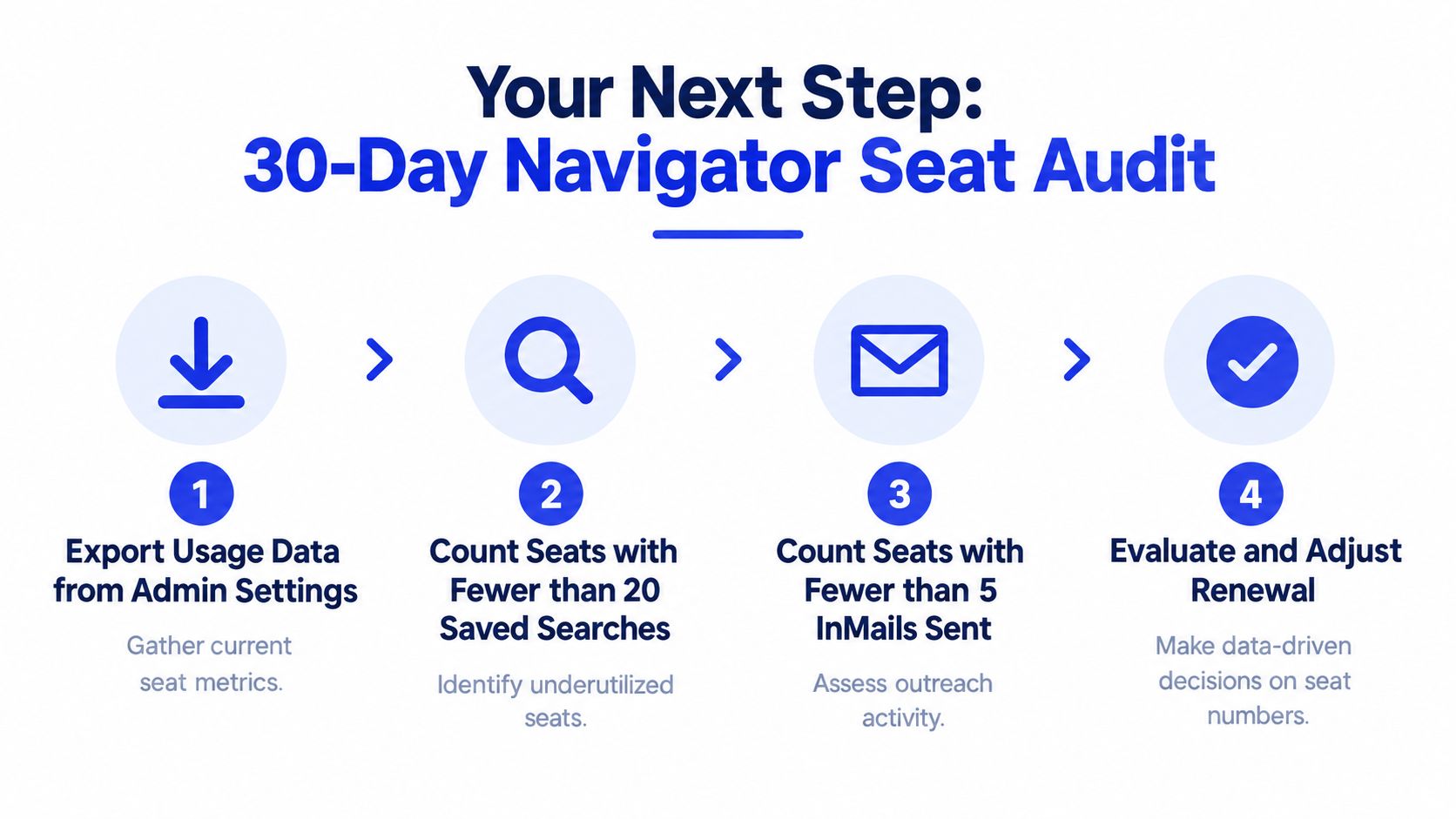
Run a 30-day seat audit before your next renewal. Export usage from admin settings, count the seats with fewer than 20 saved searches, count the seats with fewer than 5 InMails sent in 60 days, and cut or downgrade the dead weight. If you're under 10 reps, also compare that cost against one managed outbound engagement, because small teams feel seat waste fastest.
Export usage data from admin settings to see who uses the tool.
Count low-search seats and flag the ones below your threshold.
Count low-InMail seats and separate real usage from vanity access.
Adjust renewal scope before the next billing cycle closes.
If you need a short answer on the purchase questions everyone asks, here it is.
Trials: LinkedIn doesn't run a universal free tier, and annual plans can include money-back terms depending on how you buy.
Canceling: Monthly plans are harder to unwind cleanly, while annual terms depend on the contract window and admin process.
Enterprise contracts: Expect negotiated terms when the seat count gets large, plus custom governance and SSO language.
Seat assignment: A seat belongs to one rep at a time, and mid-cycle handoffs are not something to assume.
Upgrades: Core to Advanced is the cleanest step-up. Advanced Plus is a sales conversation.
GROU sits in the middle of this decision tree as a complement when you want managed execution, or as an alternative when the seat count no longer justifies the internal overhead. The right answer depends on how mature your revenue engine is, not on how many tabs your team can open.
GROU builds B2B pipeline systems for teams that need structure, not more disconnected tools, and this topic is exactly where that matters. If you want to compare Sales Navigator seats against a managed outbound model, visit Grou and map your current stack before the next renewal hits.
Sales Navigator Core starts at US$119.99 per seat per month, or US$1,079.88 per year on annual billing, which LinkedIn says is a 25% saving. Advanced is US$159.99 per month, and Advanced Plus sits above that on a quote.
If you're staring at a stack of outbound tools and trying to decide whether LinkedIn deserves another seat, the question is simple: are you paying for sourcing, or paying for a system that turns sourcing into pipeline? Sales Navigator is worth it only when the seat is attached to a disciplined workflow, not when it's bought as a shiny add-on.
Core fits solo sellers and lean SDR pods that live inside LinkedIn and don't need CRM sync.
Advanced is the sensible default for most B2B teams, because it removes the biggest workflow gaps without jumping to enterprise pricing.
Advanced Plus is for RevOps-heavy orgs that need governance, reporting, and admin control across a larger seat base.
If your team already runs outbound through Apollo, Clay, Lemlist, Instantly, or HeyReach, Sales Navigator should be one input in the stack, not the stack itself.
Table of Contents
What Sales Navigator actually costs in 2026
The budgeting decision starts with a seat count, then the billing term. Core is US$119.99 per seat per month billed monthly, or US$1,079.88 per year billed annually, and LinkedIn says annual billing reflects a 25% saving. Advanced is US$159.99 per seat per month or US$1,799.88 per year, with LinkedIn stating a 6% annual-billing saving. Advanced Plus is higher and sold through a quote.
If you only look at the monthly sticker price, you'll underbuild the actual budget. The annual Core number matters because it turns one seat into a predictable line item, and it tells you exactly how quickly a pod gets expensive once you add more reps. For a practical price walk-through, I'd keep this Sales Navigator pricing breakdown open while you compare terms.
Monthly billing is the expensive default
Monthly billing is the easy button, but it costs more over the year. On Core, the gap between US$119.99 monthly and US$1,079.88 annually is about US$360 per seat per year. That difference is trivial for one founder seat, then gets annoying fast across an SDR pod.
Practical rule: buy monthly only when you're still proving usage. Once reps are relying on the tool every week, annual pricing is the cleaner budget choice.
The internal glossary entry on Sales Navigator is useful if you need the shorthand before you brief finance. The bigger point is that LinkedIn prices this as a per-seat subscription, not a company license you can casually share across the team.
Direct purchase and reseller terms are not the same thing
Buying directly from LinkedIn is the cleanest route for small seat counts. A reseller can change the economics when you're committing to more seats or a longer term, and multi-year terms can lower the effective seat cost further. That matters if your team is large enough to care about contract structure instead of just clicking buy.
Use this as your gut-check. If you choose monthly Core instead of annual, you're paying about US$360 more per seat per year for the same core seat. Across a team, that's real cash, not accounting noise.
What each tier includes and what is gated
Sales Navigator is not a single all-in seat. LinkedIn gates key functions behind Advanced and Advanced Plus, so the tier you choose changes the workflow you can run. That is the part buyers miss when they compare only the sticker price.
Core gives you the sourcing layer
Core covers advanced search, lead and account alerts, tags, notes, and a limited monthly InMail allowance. It works for an SDR team that works warm segments, keeps tight lists, and does not need team reporting. Once a manager wants CRM visibility, Core starts to feel narrow.
Advanced is the middle tier that matters
Advanced adds the functions that mid-market teams feel immediately. CRM sync with Salesforce or HubSpot cuts out the copy-paste mess, and lead recommendations help reps work the graph instead of living in the search bar. Smart Links help when you send decks or proposals to gated prospects and want to see who opened them. If you are comparing seat cost against other outbound tools, the LinkedIn Premium vs Sales Navigator comparison is the right reference point.
Advanced Plus is where governance shows up
Advanced Plus is for larger revenue teams that need team-wide usage reporting, governance controls, custom profile extenders, and API access for downstream routing. Buy this tier when RevOps owns assignment rules, compliance matters, and managers need clean reporting across many reps. If that is not your operating model, you are paying for infrastructure you will not use.
CRM sync is the dividing line for mid-market teams still exporting lists by hand. Once reps stop manually moving data, the seat starts paying for itself in time saved and fewer broken handoffs.
Feature | Core | Advanced | Advanced Plus |
|---|---|---|---|
Advanced search | Yes | Yes | Yes |
Lead and account alerts | Yes | Yes | Yes |
Notes and tags | Yes | Yes | Yes |
CRM sync | No | Yes | Yes |
Smart Links | No | Yes | Yes |
Team-wide reporting | No | Limited | Yes |
Governance controls | No | Limited | Yes |
Custom profile extenders | No | No | Yes |
API access | No | No | Yes |
Localized pricing across major markets
LinkedIn localizes list prices across regions, but the product itself stays the same. That means finance can budget per seat in local currency without assuming the feature set changes underneath it. The numbers below are the practical anchors buyers use when they sit down with procurement.
US pricing is the baseline at US$119.99 monthly for Core and US$159.99 for Advanced. The euro area shows €120.99 and €159.99, while the UK list price is £94.99 and £129.99. Canada and Australia also follow the same per-seat pattern with localized list pricing.
If your team buys across regions, budget the local annual rate and then add tax. VAT and GST can push the invoice higher, so don't plan off the sticker alone. Annual billing remains the cheaper path across regions, and LinkedIn's published savings logic is consistent enough that finance shouldn't treat each market as a special case.
For distributed teams, the mistake is overthinking FX and underthinking seat governance. Put the contract in one place, keep assignment rules consistent, and stop letting each region invent its own buying standard. That's how seat sprawl starts.
InMail, profile views, and the mechanics that drive cost
The seat price is only half the story. The other half is usage mechanics, because a rep can burn through the channel without ever building a repeatable workflow. Independent 2026 coverage reports that each Sales Navigator tier includes 50 InMail credits per month, which makes InMail a fixed mechanic rather than a pricing lever between Core and Advanced. I'd read more about the messaging layer in this LinkedIn outreach guide if your team uses InMail as a real motion.
InMail is capped, not elastic
Once a rep uses the monthly credits, they're done until the next cycle. That's why I'd never let a team treat InMail like a dump channel for bad list hygiene. If the list is weak, the credits disappear and nothing improves.
A Core SDR doing steady outbound should ration those credits hard, and the same logic applies to Advanced. The tool doesn't care how eager the rep feels on Monday morning. The budget is still the budget.
Profile views are a signal, and a warning
Sales Navigator also changes how your profile activity shows up. That can warm a cold account, but it can also tip off a competitor or prospect that you're working the deal. Teams that ignore that tradeoff tend to prospect noisily and still miss the point.
Search and list limits shape behavior
The product also puts structure around searches, saved leads, and account lists. That's a feature when a manager wants discipline, and a drag when a rep tries to build a giant unscoped list and call it strategy. The best teams keep lists tight, rotate targets, and use the tool for account selection instead of random browsing.
If your reps are using Sales Navigator without a search discipline, you're paying for cleaner browsing, not pipeline.
Which tier fits your sales motion
The right tier depends on how your team sells. A founder-led team, a mid-market AE pod, and an ABM-heavy enterprise team do not need the same seat. That's why I'd stop asking which plan is “better” and ask which motion it supports.
Core for SDR-heavy SMB outbound
Core fits high-volume SDRs working smaller deals, usually where the buying committee is thin and the list quality matters more than admin depth. If the rep needs advanced search, alerts, and enough InMail to keep warm accounts moving, Core does the job. It's the cheapest seat that still feels like a real sourcing product.
Advanced for AE-led mid-market selling
Advanced is the sane default for most B2B teams. It's the tier I'd buy when managers care about CRM context, shared workflow, and usage visibility without jumping into enterprise procurement. It also saves you from paying for a bunch of manual list handling that a team shouldn't be doing in spreadsheets.
Advanced Plus for enterprise and ABM
Advanced Plus belongs in organizations that run named-account programs, multi-rep coverage, and governance-heavy operations. If the team is coordinating across many seats and needs admin control, the higher tier earns its keep. If not, it's a budget drag.
For a 25-person team buying Navigator for the first time, I'd still start with Advanced. It sits in the middle on price, removes the worst Core friction, and gives one admin enough control to keep the system orderly. If you want the role-based view from a sales leadership lens, the GROU guide for sales leaders is the right companion piece.
Tier | Monthly price, US seat | Best for | Deal size range | Main reason to choose it |
|---|---|---|---|---|
Core | US$119.99 | SDRs | Smaller deals | Cheapest seat with real sourcing value |
Advanced | US$159.99 | AEs and mid-market reps | Mid-market deals | CRM sync and team visibility |
Advanced Plus | Quote-based | Enterprise and ABM teams | Larger, named-account motions | Governance and admin control |
Sales Navigator versus Apollo, ZoomInfo, and Hunter
Navigator is not the only line item in the outbound stack, and that's the comparison. Apollo, ZoomInfo, and Hunter solve adjacent problems, then teams layer LinkedIn on top when the motion needs first-party social data. The winner depends on whether you're buying a database, a sending tool, or a LinkedIn-native workflow.
If you want a deeper external comparison of this stack, Lead Printer's prospecting outsourcing guide is a useful reference point for how teams think about replacing parts of the outbound system.
The clean verdict
Apollo is the cheaper all-in-one option for lean teams that want prospecting and execution in one tab. ZoomInfo is the stronger data backbone when contact coverage and direct dials matter more than native LinkedIn activity. Hunter is the budget pick for email-only prospecting. Sales Navigator wins when LinkedIn-native intent, warm paths, and profile visibility are central to the motion.
The Navigator versus Apollo comparison matters most for teams under 20 reps, because they feel the seat cost faster than larger orgs do. At that size, simplicity usually beats platform sprawl. Past that point, the stack becomes more about coordination and reporting.
Tool | Starting price | Core strength | Beats Navigator on | Loses to Navigator on |
|---|---|---|---|---|
Sales Navigator | US$119.99 per seat per month | LinkedIn-native sourcing | CRM-lite workflows are not its job | Native social signals |
Apollo | US$49 to US$99 per user per month | Prospecting plus execution | One-platform outbound | LinkedIn-first intent |
ZoomInfo | US$14,995 per year and up | Data coverage | Raw contact and company data | Native LinkedIn engagement |
Hunter | US$49 to US$99 per month | Email finding | Cheap email discovery | Social selling context |
Navigator is the middle layer, not the whole engine. If your team needs LinkedIn behavior as part of the targeting logic, this seat makes sense. If not, you're probably overpaying.
When a managed outbound system replaces Navigator
There's a point where buying another seat is the wrong move. If a five-rep team is also paying a RevOps manager to maintain lists, a CRM to sync, and a Clay or Zapier layer to stitch the system together, Sales Navigator becomes just one bill in a bigger machine. At that stage, the question is whether you want software ownership or qualified meetings.
The math changes once labor enters the bill
A five-person team with five Core seats and two Advanced seats is already facing a meaningful annual outlay before support tools and labor. Then you add the hours spent maintaining lists, cleaning saved searches, fixing routing, and keeping data current. That operational work is the hidden line item commonly forgotten when pricing the total cost.
A managed outbound system like Grou comes in as an alternative. Grou is a B2B pipeline agency that runs LinkedIn content, lead generation, and outbound as one system, so the team buying it is buying a managed motion, not just a seat. If you're comparing platform ownership to outsourced execution, that distinction matters.
When Navigator still wins
Navigator still wins when your revenue team is in-house, your CRM is already wired tightly, and your RevOps function wants direct control over account selection. It also wins when the team needs deep integration discipline and the buyer's journey depends on LinkedIn-native research every day. In those cases, outsourcing the layer would remove too much control.
When the managed model wins
The managed model wins for Series A to C teams that need pipeline this quarter without adding headcount. It also wins when the internal team is too small to keep lists clean and routing current, or when no one wants to own the operational mess that sits behind the seat. That's where the outbound system becomes a service, not a software shopping list.
The operational answer isn't emotional. If your team wants control, buy the seats. If your team wants meetings, compare the fully-loaded cost against a managed system and stop pretending the seat is the whole story.
Your next step and common buyer questions
Run a 30-day seat audit before your next renewal. Export usage from admin settings, count the seats with fewer than 20 saved searches, count the seats with fewer than 5 InMails sent in 60 days, and cut or downgrade the dead weight. If you're under 10 reps, also compare that cost against one managed outbound engagement, because small teams feel seat waste fastest.
Export usage data from admin settings to see who uses the tool.
Count low-search seats and flag the ones below your threshold.
Count low-InMail seats and separate real usage from vanity access.
Adjust renewal scope before the next billing cycle closes.
If you need a short answer on the purchase questions everyone asks, here it is.
Trials: LinkedIn doesn't run a universal free tier, and annual plans can include money-back terms depending on how you buy.
Canceling: Monthly plans are harder to unwind cleanly, while annual terms depend on the contract window and admin process.
Enterprise contracts: Expect negotiated terms when the seat count gets large, plus custom governance and SSO language.
Seat assignment: A seat belongs to one rep at a time, and mid-cycle handoffs are not something to assume.
Upgrades: Core to Advanced is the cleanest step-up. Advanced Plus is a sales conversation.
GROU sits in the middle of this decision tree as a complement when you want managed execution, or as an alternative when the seat count no longer justifies the internal overhead. The right answer depends on how mature your revenue engine is, not on how many tabs your team can open.
GROU builds B2B pipeline systems for teams that need structure, not more disconnected tools, and this topic is exactly where that matters. If you want to compare Sales Navigator seats against a managed outbound model, visit Grou and map your current stack before the next renewal hits.
Sales Navigator Core starts at US$119.99 per seat per month, or US$1,079.88 per year on annual billing, which LinkedIn says is a 25% saving. Advanced is US$159.99 per month, and Advanced Plus sits above that on a quote.
If you're staring at a stack of outbound tools and trying to decide whether LinkedIn deserves another seat, the question is simple: are you paying for sourcing, or paying for a system that turns sourcing into pipeline? Sales Navigator is worth it only when the seat is attached to a disciplined workflow, not when it's bought as a shiny add-on.
Core fits solo sellers and lean SDR pods that live inside LinkedIn and don't need CRM sync.
Advanced is the sensible default for most B2B teams, because it removes the biggest workflow gaps without jumping to enterprise pricing.
Advanced Plus is for RevOps-heavy orgs that need governance, reporting, and admin control across a larger seat base.
If your team already runs outbound through Apollo, Clay, Lemlist, Instantly, or HeyReach, Sales Navigator should be one input in the stack, not the stack itself.
Table of Contents
What Sales Navigator actually costs in 2026
The budgeting decision starts with a seat count, then the billing term. Core is US$119.99 per seat per month billed monthly, or US$1,079.88 per year billed annually, and LinkedIn says annual billing reflects a 25% saving. Advanced is US$159.99 per seat per month or US$1,799.88 per year, with LinkedIn stating a 6% annual-billing saving. Advanced Plus is higher and sold through a quote.
If you only look at the monthly sticker price, you'll underbuild the actual budget. The annual Core number matters because it turns one seat into a predictable line item, and it tells you exactly how quickly a pod gets expensive once you add more reps. For a practical price walk-through, I'd keep this Sales Navigator pricing breakdown open while you compare terms.
Monthly billing is the expensive default
Monthly billing is the easy button, but it costs more over the year. On Core, the gap between US$119.99 monthly and US$1,079.88 annually is about US$360 per seat per year. That difference is trivial for one founder seat, then gets annoying fast across an SDR pod.
Practical rule: buy monthly only when you're still proving usage. Once reps are relying on the tool every week, annual pricing is the cleaner budget choice.
The internal glossary entry on Sales Navigator is useful if you need the shorthand before you brief finance. The bigger point is that LinkedIn prices this as a per-seat subscription, not a company license you can casually share across the team.
Direct purchase and reseller terms are not the same thing
Buying directly from LinkedIn is the cleanest route for small seat counts. A reseller can change the economics when you're committing to more seats or a longer term, and multi-year terms can lower the effective seat cost further. That matters if your team is large enough to care about contract structure instead of just clicking buy.
Use this as your gut-check. If you choose monthly Core instead of annual, you're paying about US$360 more per seat per year for the same core seat. Across a team, that's real cash, not accounting noise.
What each tier includes and what is gated
Sales Navigator is not a single all-in seat. LinkedIn gates key functions behind Advanced and Advanced Plus, so the tier you choose changes the workflow you can run. That is the part buyers miss when they compare only the sticker price.
Core gives you the sourcing layer
Core covers advanced search, lead and account alerts, tags, notes, and a limited monthly InMail allowance. It works for an SDR team that works warm segments, keeps tight lists, and does not need team reporting. Once a manager wants CRM visibility, Core starts to feel narrow.
Advanced is the middle tier that matters
Advanced adds the functions that mid-market teams feel immediately. CRM sync with Salesforce or HubSpot cuts out the copy-paste mess, and lead recommendations help reps work the graph instead of living in the search bar. Smart Links help when you send decks or proposals to gated prospects and want to see who opened them. If you are comparing seat cost against other outbound tools, the LinkedIn Premium vs Sales Navigator comparison is the right reference point.
Advanced Plus is where governance shows up
Advanced Plus is for larger revenue teams that need team-wide usage reporting, governance controls, custom profile extenders, and API access for downstream routing. Buy this tier when RevOps owns assignment rules, compliance matters, and managers need clean reporting across many reps. If that is not your operating model, you are paying for infrastructure you will not use.
CRM sync is the dividing line for mid-market teams still exporting lists by hand. Once reps stop manually moving data, the seat starts paying for itself in time saved and fewer broken handoffs.
Feature | Core | Advanced | Advanced Plus |
|---|---|---|---|
Advanced search | Yes | Yes | Yes |
Lead and account alerts | Yes | Yes | Yes |
Notes and tags | Yes | Yes | Yes |
CRM sync | No | Yes | Yes |
Smart Links | No | Yes | Yes |
Team-wide reporting | No | Limited | Yes |
Governance controls | No | Limited | Yes |
Custom profile extenders | No | No | Yes |
API access | No | No | Yes |
Localized pricing across major markets
LinkedIn localizes list prices across regions, but the product itself stays the same. That means finance can budget per seat in local currency without assuming the feature set changes underneath it. The numbers below are the practical anchors buyers use when they sit down with procurement.
US pricing is the baseline at US$119.99 monthly for Core and US$159.99 for Advanced. The euro area shows €120.99 and €159.99, while the UK list price is £94.99 and £129.99. Canada and Australia also follow the same per-seat pattern with localized list pricing.
If your team buys across regions, budget the local annual rate and then add tax. VAT and GST can push the invoice higher, so don't plan off the sticker alone. Annual billing remains the cheaper path across regions, and LinkedIn's published savings logic is consistent enough that finance shouldn't treat each market as a special case.
For distributed teams, the mistake is overthinking FX and underthinking seat governance. Put the contract in one place, keep assignment rules consistent, and stop letting each region invent its own buying standard. That's how seat sprawl starts.
InMail, profile views, and the mechanics that drive cost
The seat price is only half the story. The other half is usage mechanics, because a rep can burn through the channel without ever building a repeatable workflow. Independent 2026 coverage reports that each Sales Navigator tier includes 50 InMail credits per month, which makes InMail a fixed mechanic rather than a pricing lever between Core and Advanced. I'd read more about the messaging layer in this LinkedIn outreach guide if your team uses InMail as a real motion.
InMail is capped, not elastic
Once a rep uses the monthly credits, they're done until the next cycle. That's why I'd never let a team treat InMail like a dump channel for bad list hygiene. If the list is weak, the credits disappear and nothing improves.
A Core SDR doing steady outbound should ration those credits hard, and the same logic applies to Advanced. The tool doesn't care how eager the rep feels on Monday morning. The budget is still the budget.
Profile views are a signal, and a warning
Sales Navigator also changes how your profile activity shows up. That can warm a cold account, but it can also tip off a competitor or prospect that you're working the deal. Teams that ignore that tradeoff tend to prospect noisily and still miss the point.
Search and list limits shape behavior
The product also puts structure around searches, saved leads, and account lists. That's a feature when a manager wants discipline, and a drag when a rep tries to build a giant unscoped list and call it strategy. The best teams keep lists tight, rotate targets, and use the tool for account selection instead of random browsing.
If your reps are using Sales Navigator without a search discipline, you're paying for cleaner browsing, not pipeline.
Which tier fits your sales motion
The right tier depends on how your team sells. A founder-led team, a mid-market AE pod, and an ABM-heavy enterprise team do not need the same seat. That's why I'd stop asking which plan is “better” and ask which motion it supports.
Core for SDR-heavy SMB outbound
Core fits high-volume SDRs working smaller deals, usually where the buying committee is thin and the list quality matters more than admin depth. If the rep needs advanced search, alerts, and enough InMail to keep warm accounts moving, Core does the job. It's the cheapest seat that still feels like a real sourcing product.
Advanced for AE-led mid-market selling
Advanced is the sane default for most B2B teams. It's the tier I'd buy when managers care about CRM context, shared workflow, and usage visibility without jumping into enterprise procurement. It also saves you from paying for a bunch of manual list handling that a team shouldn't be doing in spreadsheets.
Advanced Plus for enterprise and ABM
Advanced Plus belongs in organizations that run named-account programs, multi-rep coverage, and governance-heavy operations. If the team is coordinating across many seats and needs admin control, the higher tier earns its keep. If not, it's a budget drag.
For a 25-person team buying Navigator for the first time, I'd still start with Advanced. It sits in the middle on price, removes the worst Core friction, and gives one admin enough control to keep the system orderly. If you want the role-based view from a sales leadership lens, the GROU guide for sales leaders is the right companion piece.
Tier | Monthly price, US seat | Best for | Deal size range | Main reason to choose it |
|---|---|---|---|---|
Core | US$119.99 | SDRs | Smaller deals | Cheapest seat with real sourcing value |
Advanced | US$159.99 | AEs and mid-market reps | Mid-market deals | CRM sync and team visibility |
Advanced Plus | Quote-based | Enterprise and ABM teams | Larger, named-account motions | Governance and admin control |
Sales Navigator versus Apollo, ZoomInfo, and Hunter
Navigator is not the only line item in the outbound stack, and that's the comparison. Apollo, ZoomInfo, and Hunter solve adjacent problems, then teams layer LinkedIn on top when the motion needs first-party social data. The winner depends on whether you're buying a database, a sending tool, or a LinkedIn-native workflow.
If you want a deeper external comparison of this stack, Lead Printer's prospecting outsourcing guide is a useful reference point for how teams think about replacing parts of the outbound system.
The clean verdict
Apollo is the cheaper all-in-one option for lean teams that want prospecting and execution in one tab. ZoomInfo is the stronger data backbone when contact coverage and direct dials matter more than native LinkedIn activity. Hunter is the budget pick for email-only prospecting. Sales Navigator wins when LinkedIn-native intent, warm paths, and profile visibility are central to the motion.
The Navigator versus Apollo comparison matters most for teams under 20 reps, because they feel the seat cost faster than larger orgs do. At that size, simplicity usually beats platform sprawl. Past that point, the stack becomes more about coordination and reporting.
Tool | Starting price | Core strength | Beats Navigator on | Loses to Navigator on |
|---|---|---|---|---|
Sales Navigator | US$119.99 per seat per month | LinkedIn-native sourcing | CRM-lite workflows are not its job | Native social signals |
Apollo | US$49 to US$99 per user per month | Prospecting plus execution | One-platform outbound | LinkedIn-first intent |
ZoomInfo | US$14,995 per year and up | Data coverage | Raw contact and company data | Native LinkedIn engagement |
Hunter | US$49 to US$99 per month | Email finding | Cheap email discovery | Social selling context |
Navigator is the middle layer, not the whole engine. If your team needs LinkedIn behavior as part of the targeting logic, this seat makes sense. If not, you're probably overpaying.
When a managed outbound system replaces Navigator
There's a point where buying another seat is the wrong move. If a five-rep team is also paying a RevOps manager to maintain lists, a CRM to sync, and a Clay or Zapier layer to stitch the system together, Sales Navigator becomes just one bill in a bigger machine. At that stage, the question is whether you want software ownership or qualified meetings.
The math changes once labor enters the bill
A five-person team with five Core seats and two Advanced seats is already facing a meaningful annual outlay before support tools and labor. Then you add the hours spent maintaining lists, cleaning saved searches, fixing routing, and keeping data current. That operational work is the hidden line item commonly forgotten when pricing the total cost.
A managed outbound system like Grou comes in as an alternative. Grou is a B2B pipeline agency that runs LinkedIn content, lead generation, and outbound as one system, so the team buying it is buying a managed motion, not just a seat. If you're comparing platform ownership to outsourced execution, that distinction matters.
When Navigator still wins
Navigator still wins when your revenue team is in-house, your CRM is already wired tightly, and your RevOps function wants direct control over account selection. It also wins when the team needs deep integration discipline and the buyer's journey depends on LinkedIn-native research every day. In those cases, outsourcing the layer would remove too much control.
When the managed model wins
The managed model wins for Series A to C teams that need pipeline this quarter without adding headcount. It also wins when the internal team is too small to keep lists clean and routing current, or when no one wants to own the operational mess that sits behind the seat. That's where the outbound system becomes a service, not a software shopping list.
The operational answer isn't emotional. If your team wants control, buy the seats. If your team wants meetings, compare the fully-loaded cost against a managed system and stop pretending the seat is the whole story.
Your next step and common buyer questions
Run a 30-day seat audit before your next renewal. Export usage from admin settings, count the seats with fewer than 20 saved searches, count the seats with fewer than 5 InMails sent in 60 days, and cut or downgrade the dead weight. If you're under 10 reps, also compare that cost against one managed outbound engagement, because small teams feel seat waste fastest.
Export usage data from admin settings to see who uses the tool.
Count low-search seats and flag the ones below your threshold.
Count low-InMail seats and separate real usage from vanity access.
Adjust renewal scope before the next billing cycle closes.
If you need a short answer on the purchase questions everyone asks, here it is.
Trials: LinkedIn doesn't run a universal free tier, and annual plans can include money-back terms depending on how you buy.
Canceling: Monthly plans are harder to unwind cleanly, while annual terms depend on the contract window and admin process.
Enterprise contracts: Expect negotiated terms when the seat count gets large, plus custom governance and SSO language.
Seat assignment: A seat belongs to one rep at a time, and mid-cycle handoffs are not something to assume.
Upgrades: Core to Advanced is the cleanest step-up. Advanced Plus is a sales conversation.
GROU sits in the middle of this decision tree as a complement when you want managed execution, or as an alternative when the seat count no longer justifies the internal overhead. The right answer depends on how mature your revenue engine is, not on how many tabs your team can open.
GROU builds B2B pipeline systems for teams that need structure, not more disconnected tools, and this topic is exactly where that matters. If you want to compare Sales Navigator seats against a managed outbound model, visit Grou and map your current stack before the next renewal hits.

Pipeline OS Newsletter
Build qualified pipeline
Get weekly tactics to generate demand, improve lead quality, and book more meetings.





Trusted by industry leaders
Trusted by industry leaders
Trusted by industry leaders
Ready to build qualified pipeline?
Ready to build qualified pipeline?
Ready to build qualified pipeline?
Book a call to see if we're the right fit, or take the 2-minute quiz to get a clear starting point.
Book a call to see if we're the right fit, or take the 2-minute quiz to get a clear starting point.
Book a call to see if we're the right fit, or take the 2-minute quiz to get a clear starting point.
" height="30.21639343089746px" id="hfGbXmQR2" width="30.216393430897455px"/></svg>)
Copyright © 2026 – All Right Reserved
Copyright © 2026 – All Right Reserved
Copyright © 2026 – All Right Reserved