%22%3E%3C/path%3E%3Cpath d=%22M 63.072 7.554 C 62.258 8.022 61.577 8.689 61.092 9.493 L 61.092 7.076 L 57.158 7.076 L 57.158 22.64 L 61.089 22.64 L 61.089 14.888 C 61.089 13.446 61.403 12.434 62.03 11.853 C 62.818 11.218 63.818 10.907 64.826 10.982 L 65.868 10.982 L 65.868 6.851 C 64.891 6.834 63.926 7.076 63.073 7.554 Z%22 fill=%22rgb(17,17,17)%22%3E%3C/path%3E%3Cpath d=%22M 78.916 7.82 C 76.363 6.49 73.321 6.49 70.768 7.82 C 69.562 8.473 68.564 9.451 67.888 10.644 C 67.167 11.931 66.803 13.387 66.834 14.862 C 66.804 16.332 67.157 17.785 67.86 19.077 C 68.515 20.267 69.494 21.246 70.684 21.901 C 71.924 22.576 73.318 22.92 74.73 22.898 C 76.164 22.918 77.58 22.575 78.846 21.901 C 80.062 21.247 81.073 20.27 81.768 19.077 C 82.506 17.797 82.88 16.339 82.85 14.862 C 82.88 13.389 82.517 11.934 81.797 10.647 C 81.12 9.455 80.122 8.477 78.917 7.824 M 78.803 14.862 C 78.829 15.739 78.636 16.608 78.241 17.391 C 77.903 18.046 77.38 18.588 76.738 18.95 C 76.124 19.293 75.432 19.472 74.729 19.47 C 73.668 19.497 72.648 19.061 71.934 18.276 C 71.139 17.323 70.741 16.1 70.823 14.862 C 70.741 13.62 71.149 12.395 71.959 11.45 C 72.687 10.667 73.715 10.233 74.783 10.256 C 75.859 10.236 76.894 10.67 77.635 11.45 C 78.464 12.387 78.884 13.616 78.801 14.864%22 fill=%22rgb(17,17,17)%22%3E%3C/path%3E%3Cpath d=%22M 95.906 7.076 L 95.906 15.646 C 95.975 16.68 95.643 17.701 94.979 18.498 C 94.311 19.184 93.379 19.547 92.422 19.495 C 91.475 19.544 90.553 19.18 89.894 18.498 C 89.23 17.701 88.898 16.68 88.967 15.646 L 88.967 7.076 L 85.033 7.076 L 85.033 16.207 C 85 17.449 85.275 18.68 85.834 19.79 C 86.327 20.75 87.095 21.542 88.039 22.065 C 89.033 22.594 90.145 22.861 91.271 22.838 C 92.188 22.847 93.095 22.65 93.926 22.263 C 94.708 21.905 95.388 21.36 95.906 20.675 L 95.906 22.645 L 99.865 22.645 L 99.865 7.076 Z%22 fill=%22rgb(17,17,17)%22%3E%3C/path%3E%3Cpath d=%22M 4.513 15.626 C 4.511 10.815 7.606 6.549 12.181 5.059 C 16.756 3.57 21.77 5.195 24.601 9.086 L 27.816 5.87 C 24.074 1.186 17.981 -0.943 12.137 0.393 C 6.292 1.728 1.728 6.292 0.393 12.137 C -0.943 17.981 1.186 24.074 5.87 27.816 L 9.085 24.601 C 6.214 22.512 4.515 19.177 4.513 15.626%22 fill=%22rgb(32,62,235)%22%3E%3C/path%3E%3Cpath d=%22M 17.114 14.343 L 13.354 18.01 L 13.354 18.026 L 21.071 18.026 L 11.412 27.609 L 17.389 27.609 L 23.999 21.081 L 23.999 28.316 L 24.005 28.316 L 27.967 24.393 L 27.967 14.343 Z%22 fill=%22rgb(32,62,235)%22%3E%3C/path%3E%3C/g%3E%3C/svg%3E) ×
× ××
××›
›
›
›
Proposal templates for B2B: 10 that close deals in 2026
Proposal templates for B2B: 10 that close deals in 2026
Proposal templates for B2B: 10 that close deals in 2026
Proposal templates for B2B: 10 that close deals in 2026
Proposal templates for B2B: 10 that close deals in 2026
Proposal templates for B2B: 10 that close deals in 2026

Author
Aljaz Peklaj

Your last three pitches got attention, but none became qualified meetings. The problem probably isn't a lack of activity. Your proposal process still depends on one-off PDFs, disconnected follow-up, and messaging that changes from deal to deal. Structure turns attention into pipeline, when the proposal, outreach sequence, CRM record, and review criteria work together.
10 downloadable proposal templates for sales, agency, SaaS, and RFP responses across iGaming, SaaS, manufacturing, legal tech, and pharma
Customization guidance for subject lines, outreach pairings, and proposal snippets
Measurement guidance for finding which templates support qualified pipeline
A clear #1 pick for the fastest pipeline acceleration
The broader sales stack matters too. Review these proposal tools alongside top B2B sales tools, then pick the system your team can govern, not the one with the prettiest gallery.
Table of Contents
1. PandaDoc
PandaDoc is the strongest overall choice when your proposal process includes quotes, pricing, approvals, contracts, and signatures. It puts those steps in one workflow, which matters when a deal moves from an opportunity in HubSpot to a proposal, then into negotiation and signature.
Its proposal library, variables, reusable content, drag-and-drop editor, product catalog, and pricing tables help reps create a customized document without asking marketing to rebuild every page. Tracking shows buyer engagement, while e-signature keeps the next step close to the commercial decision. The trade-off is cost and administration. Advanced CPQ capabilities sit on higher-tier plans, and the exact package needs a careful review before purchase.
Practical rule: Keep the structure fixed, then customize the buyer's problem, recommendation, proof, and next step.
Pair the proposal with a short sequence in Lemlist or Smartlead. Use a subject line such as “[Company] proposal for [priority]”, then send a plain-text follow-up that references one specific decision criterion. A useful snippet is: “I've mapped the recommendation to the review points we discussed, including the handoff your RevOps team flagged.”
Track proposal sent → viewed → meeting held → accepted in HubSpot. Store the proposal type and template ID on the deal, so you can compare pipeline quality rather than counting document opens alone. PandaDoc is the #1 pick for teams that want the proposal to function as part of the commercial system, not as a separate document task.
2. Proposify
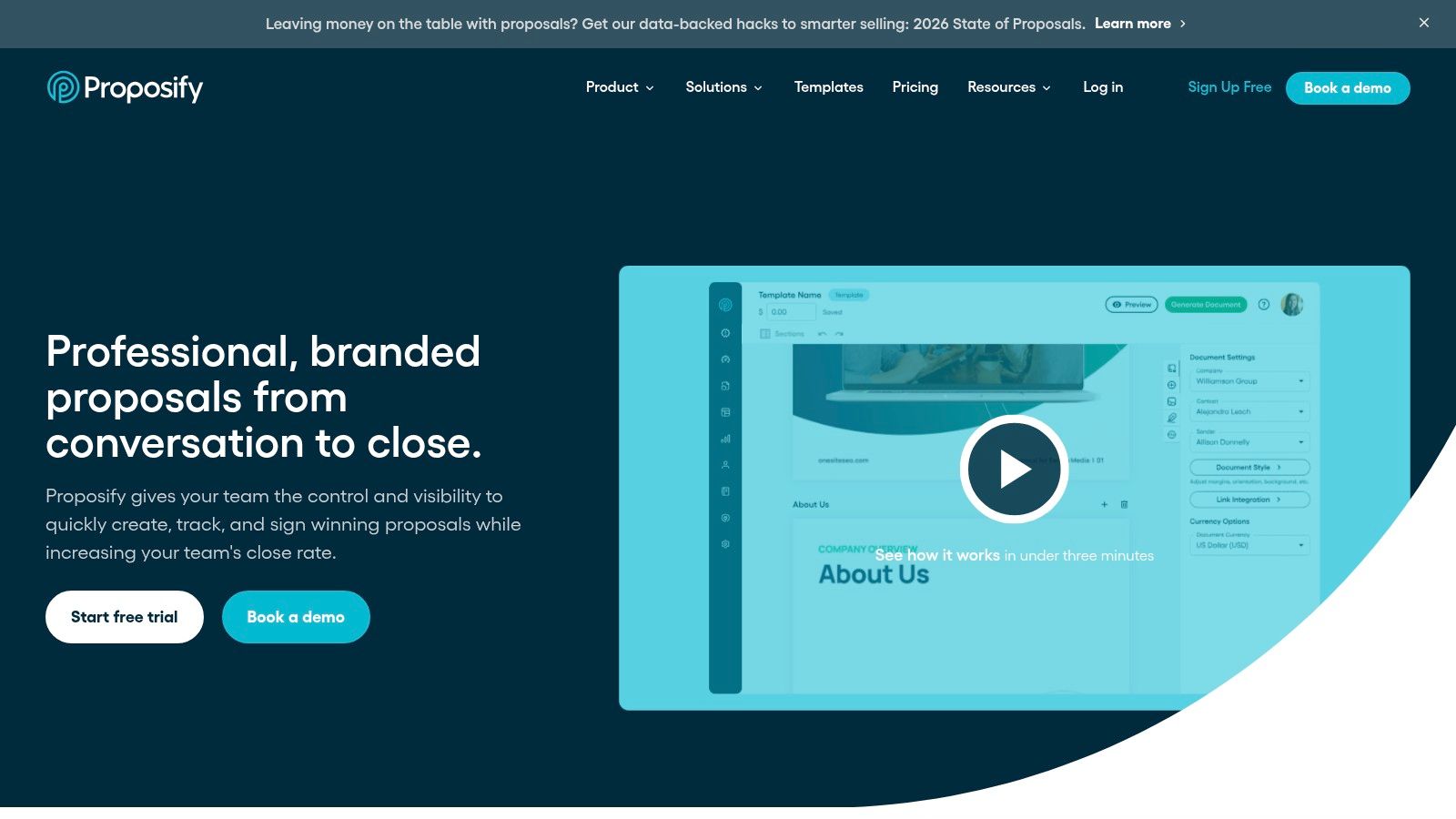
Proposify works well for sales teams that need repeatable, brand-consistent proposals without adopting a full quote-to-cash platform. Its large template collection, content controls, permissions, collaboration features, and custom proposal domains give sales and marketing a shared operating layer.
The advantage is governance. Marketing can maintain approved sections, while sales can adapt the relevant pages for a SaaS buyer, manufacturing procurement team, or legal tech committee. That reduces the familiar problem of a rep copying an old proposal and leaving behind another customer's name, outdated positioning, or irrelevant proof.
Build the outreach around the buying committee, not just the person who requested pricing. A subject line for a committee-led deal could be “Review path for [initiative]”. The proposal snippet should make the internal handoff easy: “The first page gives your sponsor the recommendation, while the later sections cover implementation, risk, and commercial terms.”
Some premium capabilities require higher-tier plans, so confirm permissions, domain settings, and collaboration features against the plan your team will buy. Measure time from discovery call to first draft, then compare meeting-held rate by template. Proposify is a good fit when brand control and sales adoption matter more than complex CPQ.
3. Qwilr
Qwilr is for teams that need the proposal itself to carry the narrative. Instead of sending a static PDF, you create a web-native page that can include embedded content, interactive pricing, rich media, and engagement analytics. That format suits consultative sales, especially when the buyer needs to understand a multi-stage recommendation before approving a commercial path.
For a pharma services proposal, the page can separate scientific scope, compliance considerations, delivery stages, and governance. For iGaming or SaaS, interactive pricing can help a buyer compare packages without forcing the rep to produce another document. Template permissions, global defaults, and expiry rules help sales operations keep the system controlled as more reps contribute content.
Use the page as the destination for a focused outreach sequence in Instantly or Smartlead. Subject line: “A visual scope for [business priority]”. Follow-up snippet: “The pricing section lets your team compare the options without another revision cycle.”
Qwilr's trade-offs are commercial commitment and planning. Some plans have seat minimums or annual terms, and larger teams may need higher-tier commitments. Before rollout, define who owns the master templates, which sections require approval, and how analytics will be written back to the CRM.
A proposal should support lead qualification, not replace it. Qwilr is best for teams with a qualified opportunity and a story that benefits from interactive presentation. It's a weaker choice for simple, low-context quotes.
4. Better Proposals
Better Proposals favors speed over a heavy administrative layer. The interface is easy for reps to learn, the templates are modern, and responsive pages help the proposal remain readable when a buyer reviews it on a phone or forwards it internally.
That makes it practical for small and mid-sized sales teams, agencies, and services firms. A demand generation agency could create a core proposal with fixed methodology pages, editable ICP language, a modular delivery plan, and a simple pricing table. A sales manager can review the structure without becoming the owner of a complicated CPQ implementation.
Pair each proposal with a short, human follow-up. Subject line: “Next step on [project]”. Snippet: “I've kept the scope focused on the two outcomes your team prioritized, with the assumptions listed beside pricing.” If the buyer hasn't engaged, don't send a generic reminder. Ask which section needs internal review.
The limitation is clear. Better Proposals isn't designed for complex quote-to-cash workflows, advanced approvals, or enterprise CPQ. You'll need another layer for intricate product rules, discount governance, or finance-heavy handoffs.
Measure draft completion time, revision count, and meeting-held rate. If the tool helps reps send a clear proposal quickly but finance still rebuilds every quote, the system is only solving the front half of the process.
5. GetAccept
GetAccept suits sales teams where pricing accuracy and approval control carry more weight than visual experimentation. It combines proposal templates with CPQ functions, product libraries, pricing tables, e-signature, and CRM integrations, giving RevOps a way to keep commercial documents tied to approved rules.
That matters in manufacturing, pharma, and larger SaaS deals. The proposal needs to show the buyer what they're buying, while the internal process needs to protect discount thresholds, product selection, and approval paths. Reusable templates reduce production work, but the value comes from connecting them to current commercial data.
For outreach, use a subject line tied to the approval concern: “Commercial structure for [initiative]”. A useful proposal snippet is: “The options below separate scope, pricing, and approval assumptions so your procurement team can review them without decoding the recommendation.”
The drawback is implementation effort. To get the full benefit of CPQ, someone must maintain products, pricing, permissions, and workflow rules. That's work for RevOps, not a task to hand to an occasional proposal writer.
Map the process before buying. Start with CRM opportunity data, product selection, approval thresholds, signature, and post-sale handoff. Then compare the platform's capabilities with your actual process. GetAccept belongs on the shortlist for teams that need proposal and quoting tools, but it's unnecessary if your deals use simple, manually approved pricing.
6. HubSpot
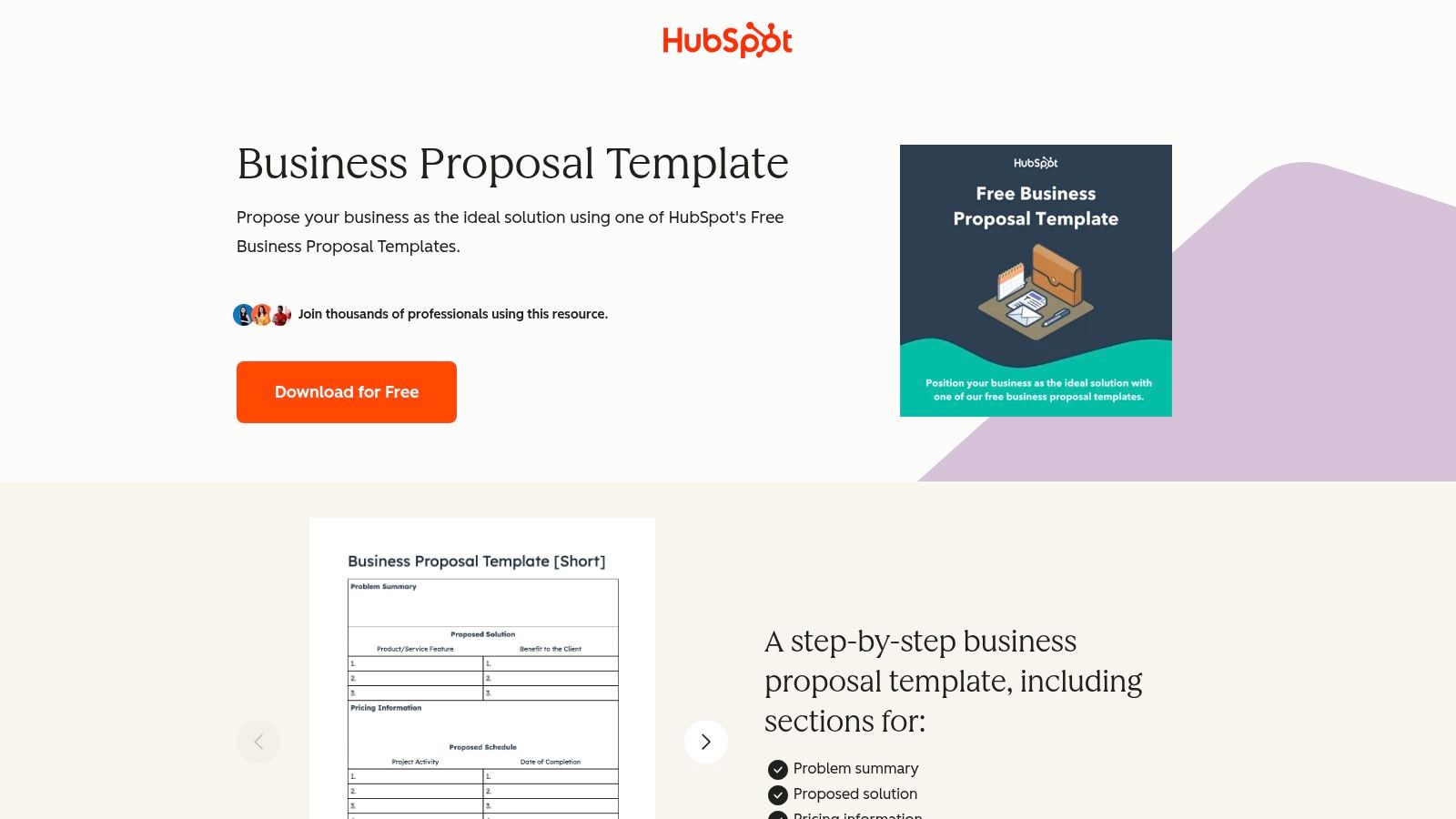
HubSpot gives you two useful paths. You can start with free downloadable business and marketing proposal templates, or use Revenue Hub for CRM-native quote templates, CPQ features, approvals, discount rules, and payment options.
The second path is where pipeline teams should pay attention. When the proposal pulls from the deal record, the rep isn't retyping company details, products, or commercial terms. The handoff from sales activity to quote becomes easier to inspect, especially when the rest of the team already works in HubSpot.
Use a sales sequence in HubSpot, Apollo, or Lemlist that mirrors the proposal logic. Subject line: “[Company] recommendation and next step”. Snippet: “I've tied the recommendation to the opportunity record, with the assumptions and approval points separated for internal review.”
The downside is plan dependency. Advanced quote templates and CPQ features require paid Revenue Hub tiers, and payment availability can vary by region and plan. Confirm those details before designing a process around them.
Your CRM should record the proposal version, reviewer, stage, and outcome. A clear flow chart of the sales process helps the team define when a proposal is appropriate. Don't send one merely because a prospect asks for a document. Send it when qualification, scope, and decision criteria are clear enough to support a commercial conversation.
7. Canva
Canva wins when visual polish is central to the sale and quoting complexity is low. Its proposal library includes editable documents and presentations, with brand controls, collaboration, and AI writing features inside the editor. Canva lists 4,112 proposal templates overall and 3,244 business proposal templates, while Visme offers 200+ business proposal templates and Adobe Express maintains a dedicated proposal collection. Those libraries show how central template variety has become in this category, as reflected by Canva's proposal templates, Canva's business proposal collection, Visme's business proposal templates, and Adobe Express proposal templates.
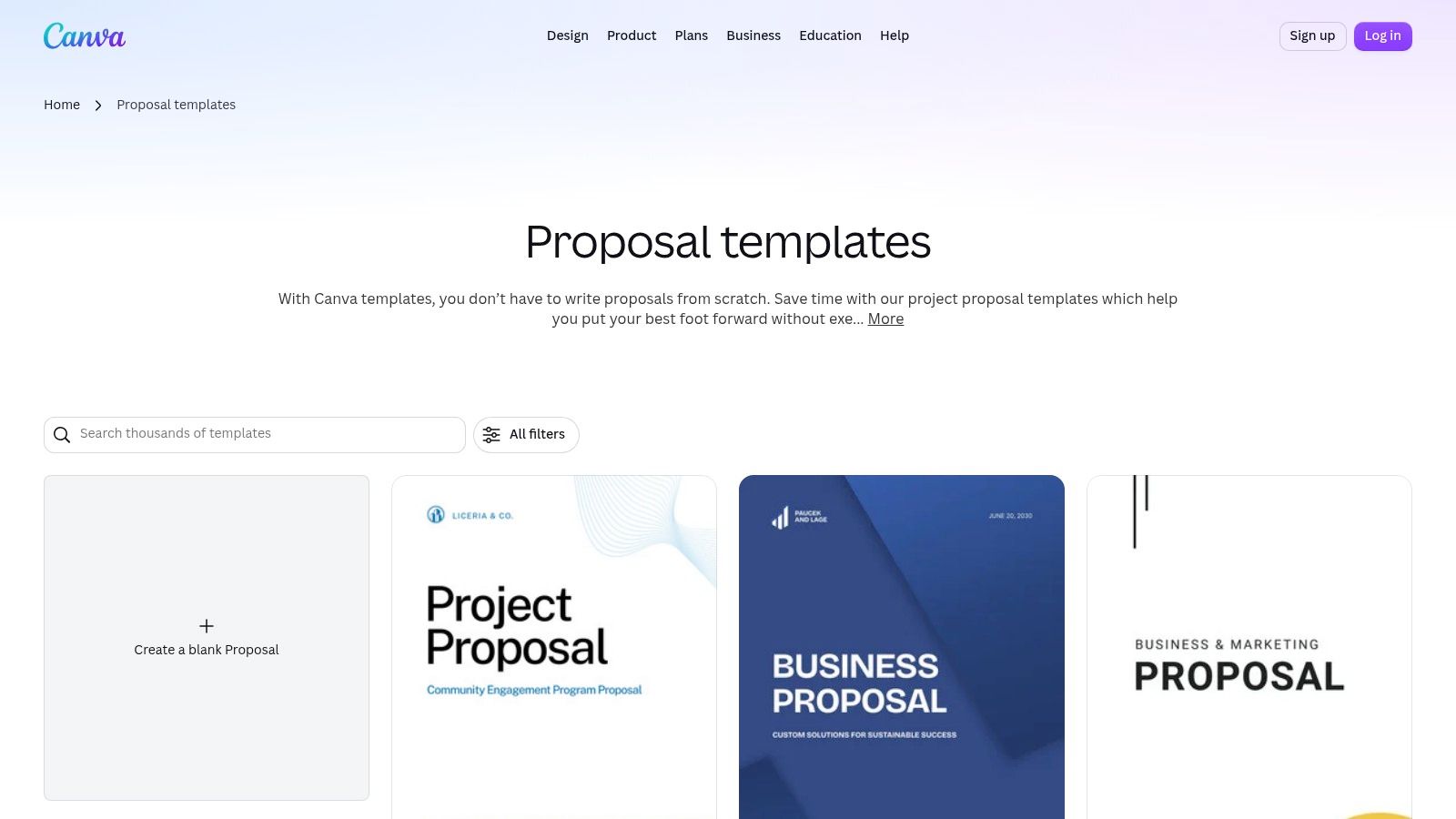
The tool is useful for a manufacturing capability deck, an iGaming partnership proposal, or a pharma services narrative where diagrams and visual hierarchy help a committee understand the offer. It's also convenient when marketing and sales need to edit one master asset together.
The limitation is commercial control. Canva isn't a CPQ system. Pricing tables are maintained manually or inserted as graphics, and there's no native quote-to-cash workflow or proposal analytics layer.
Pair it with Sales Navigator and a simple outbound sequence. Subject line: “A customized view of [capability]”. Snippet: “I've condensed the relevant scope into a short visual proposal, with the commercial assumptions separated from the delivery plan.”
Canva works as a design layer. It shouldn't be your source of truth for price, approvals, or deal attribution. For teams exploring AI writing and content tools, keep human review in the workflow, especially in regulated industries.
8. Jotform
Jotform is practical when you need a branded, signable PDF and a form-driven process. Its proposal generator, drag-and-drop builder, templates, approvals, and e-signature options make it accessible for teams that don't need interactive web pages or full CPQ.
A legal tech provider could use it for a scoped implementation proposal, with fields for client details, selected services, assumptions, and signature. An agency could use conditional form inputs to produce a consistent first draft before a salesperson adds account-specific context.
A simple outreach pairing keeps the process moving. Subject line: “Scope and approval form for [project]”. Snippet: “The document separates the selected services from the assumptions, so your team can approve the right version without a long email thread.”
Jotform's trade-off is depth. Usage caps and higher-end automation require paid plans, while advanced pricing logic and quote-to-cash controls sit outside its core strength. If every proposal needs custom packaging, approval routing, and detailed commercial analytics, you'll outgrow the setup.
Use Jotform when consistency and signing matter more than complex sales operations. Connect submissions to HubSpot, record the template ID, and create a task for a rep when a completed proposal reaches the system. That turns a document into a managed pipeline event.
9. Microsoft Word
Microsoft Word remains the right answer when stakeholders need a familiar document, legal redlines, or a low-friction internal review. The Microsoft 365 template gallery provides pre-built proposal formats, Word for the web supports browser-based access, and teams can save controlled master templates as .dotx or .dotm files.
This model works particularly well in manufacturing procurement, legal tech, and pharma, where reviewers may need to annotate language, circulate a document, or compare revisions in a format they already trust. It also avoids introducing another platform to buyers who only need a formal proposal document.

Create one corporate master with locked guidance, approved boilerplate, variables, and a clear owner. The outreach subject line can stay direct: “Proposal for [initiative]”. Snippet: “I've included the requested scope, assumptions, and review points in the order your team specified.”
Word doesn't provide native CPQ, engagement analytics, interactive pricing, or built-in proposal tracking. Reps can also create uncontrolled copies, which makes version management difficult. If you want AI agents to work with proposal content, establish naming conventions and permissions before uploading documents. This guide on how to ensure AI agents use your Word content is relevant to that governance question.
Measure document turnaround, revision cycles, and proposal-to-meeting conversion through CRM fields. Word is a sound choice when document control wins. It's a weak choice when you need buyer engagement data or automated commercial rules.
10. Google Docs
Google Docs is the most practical collaboration-first option on this list. Its Template Gallery, real-time comments, suggesting mode, version history, and custom organizational templates make it useful when sales, marketing, solutions, legal, and executives all need to contribute before submission.
It works especially well for complex RFP responses. The team can assign sections, comment on unclear requirements, and keep a visible revision history without emailing attachments. A SaaS or manufacturing team can maintain a master proposal, duplicate it for the account, then bring in subject matter experts without losing the original.
Use a coordinated sequence while the document is under review. Subject line: “Open points in the [company] proposal”. Snippet: “I've marked the sections that need your team's confirmation, so we can resolve scope questions before the commercial review.”
The weakness is the handoff. Google Docs has no native CPQ or proposal analytics, and signing or exporting generally requires another tool. That can create a gap between collaborative drafting and measurable pipeline progression.
Define the handoff explicitly: approved document → PDF or proposal platform → signature → CRM update. Google's proposal template guidance can support the document setup, but your RevOps process must own the fields, status changes, and follow-up tasks. Choose Google Docs when collaboration is the bottleneck. Choose something else when buyer analytics or automated pricing is the bottleneck.
Top 10 Proposal Template Tools Comparison
Tool | Core features | UX & quality | Ideal for | Value / USP & Pricing |
|---|---|---|---|---|
PandaDoc | Templates, drag‑drop editor, pricing tables/CPQ, tracking, e‑sign | ★★★★ (4/5) | 👥 Sales & RevOps; mid‑market → enterprise | 🏆 All‑in‑one CPQ+e‑sign; ✨ reduces tool sprawl; 💰 Tiered (best CPQ on higher plans) |
Proposify | Fully customizable template library, role permissions, custom domains | ★★★★ (4/5) | 👥 Sales teams, agencies focused on brand consistency | ✨ Brand guardrails & collaboration; 💰 Mid‑tier with clear upgrade path |
Qwilr | Web‑native interactive proposal pages, analytics, interactive pricing | ★★★★☆ (4.5/5) | 👥 Story‑led sales; marketing‑heavy deals; enterprise templates | 🏆 Differentiated buyer experience; ✨ rich media + analytics; 💰 Annual plans, seat minimums |
Better Proposals | Responsive templates, pricing tables, template marketplace, simple UI | ★★★★ (4/5) | 👥 Small → mid teams needing speed & polish | ✨ Fast to onboard; clean designs; 💰 Generally more affordable |
GetAccept | Proposal templates, CPQ, product library, CRM integrations | ★★★★ (4/5) | 👥 Sales teams requiring pricing accuracy & approvals | 🏆 CPQ + approvals; ✨ CRM integrations; 💰 Mid‑high, implementation required |
HubSpot (Templates + Revenue Hub) | Free proposal templates; CRM‑tied quotes/CPQ, approvals, payments | ★★★★ (4/5) | 👥 HubSpot users; RevOps & deal‑centric teams | ✨ CRM‑native quoting; 🏆 RevOps control; 💰 Free templates; CPQ in paid Revenue Hub |
Canva | Design‑first templates, brand kits, AI writing, collaboration | ★★★★ (4/5) | 👥 Marketing, design‑led sales collateral | ✨ High visual polish & easy branding; 💰 Low cost; not CPQ |
Jotform (Proposal Generator) | Prebuilt proposal PDFs, drag‑drop PDF builder, e‑sign, no‑code generator | ★★★ (3/5) | 👥 Small teams needing form‑driven signable PDFs | ✨ No‑code proposal generation; 💰 Free tier available; limited CPQ |
Microsoft Word (M365) | Built‑in templates, familiar editor, org template governance | ★★★ (3/5) | 👥 Legal, enterprise stakeholders; low‑complexity workflows | 💰 Zero‑cost / familiar; ✨ Easy redlines & master templates; lacks CPQ/analytics |
Google Docs (Template Gallery) | Template gallery, real‑time collaboration, version history | ★★★★ (4/5) | 👥 Collaborative multi‑stakeholder teams | 💰 Free & fast iteration; ✨ Live co‑editing; no native CPQ or analytics |
Run an audit on your proposal performance
A common approach is to measure whether a proposal was sent. That's an activity metric, not a pipeline metric. Your audit should connect the document to the opportunity, the outreach sequence, the buying committee, and the decision that followed.
Start by adding a template ID field to your CRM by Monday. Use a controlled value such as PD-SAAS-01, QWILR-RFP-02, or WORD-PHARMA-01, then require the rep to select it before moving the deal into the proposal stage. Record the proposal date, primary reviewer, proposal status, next meeting date, and final outcome in the same deal record.
The core structure should answer five questions:
Which template was used? This shows whether the problem sits in the document, the offer, or the qualification process.
Who reviewed it? A founder, procurement lead, security reviewer, and finance stakeholder won't evaluate the same pages.
What happened next? Track meeting held, revision requested, stalled, won, or lost.
Which sequence supported it? Tie the proposal to Apollo, Lemlist, Instantly, Smartlead, HeyReach, or HubSpot activity.
What changed after review? Capture objections about price, scope, proof, risk, timing, or internal ownership.
Keep the reporting practical. Compare templates by proposal-to-qualified-meeting rate, meeting-held rate, revision count, time from discovery to send, and win rate. The source material shows that templated creation is already dominant: 92% of proposals and other sales documents were created from templates or duplicates, while 8% were created from scratch, and the same source associated template-driven creation with an 8x improvement in a key performance measure. The referenced proposal workflow data supports treating templates as an operating lever, not a formatting preference.
Your executive summary deserves its own audit. It should state the buyer's problem, your recommendation, and the headline outcome in less than one page, as described in Vtiger's business proposal guidance. If the summary reads like a company biography, rewrite it. The buyer should understand the decision before reading the supporting detail.
For longer proposals, use a table of contents as a navigation layer. One guide recommends omitting it only when the document is 10 pages or fewer, while another positions it as useful navigation for longer proposals. Cite the rule in your internal template notes through Webtonic's proposal guidance, then adapt it to the committee's review habits.
Finally, test consumption. Proposal templates are now designed for distributed review, and one proposal report recorded 58% of proposals opened on mobile devices in 2022, up 24% versus 2019. The mobile proposal data also cites a DocuSign survey in which 75% of 1,000 companies reported higher customer satisfaction after adopting digital proposal software. Don't treat those figures as a reason to buy software by themselves. Treat them as a reason to check whether your proposal renders clearly, opens quickly, and gives each reviewer a useful next step.
Run the audit on your last ten proposals. Identify the template, sequence, reviewer, next action, and outcome for each. By the end of the review, you should know which structure creates qualified conversations and which one merely produces polished documents.
GROU is a global B2B pipeline agency trusted by 50+ companies across iGaming, SaaS, manufacturing, and professional services. Its method unifies ICP-aligned list building, LinkedIn content, outbound sequences, reply routing, qualification rules, and transparent pipeline reporting in bi-weekly sprints.
Add the CRM field, review the last ten proposal records, and remove any template that cannot be connected to a clear next step. Then send the winning structure through your next Apollo, Sales Navigator, or HubSpot motion and compare qualified meetings, not document volume.
Grou helps B2B teams connect proposal structure with LinkedIn content, lead generation, outbound, and CRM reporting so attention turns into qualified pipeline. Visit Grou to see how the team can build and manage that system around your ICP, messaging, and sales process.
Your last three pitches got attention, but none became qualified meetings. The problem probably isn't a lack of activity. Your proposal process still depends on one-off PDFs, disconnected follow-up, and messaging that changes from deal to deal. Structure turns attention into pipeline, when the proposal, outreach sequence, CRM record, and review criteria work together.
10 downloadable proposal templates for sales, agency, SaaS, and RFP responses across iGaming, SaaS, manufacturing, legal tech, and pharma
Customization guidance for subject lines, outreach pairings, and proposal snippets
Measurement guidance for finding which templates support qualified pipeline
A clear #1 pick for the fastest pipeline acceleration
The broader sales stack matters too. Review these proposal tools alongside top B2B sales tools, then pick the system your team can govern, not the one with the prettiest gallery.
Table of Contents
1. PandaDoc
PandaDoc is the strongest overall choice when your proposal process includes quotes, pricing, approvals, contracts, and signatures. It puts those steps in one workflow, which matters when a deal moves from an opportunity in HubSpot to a proposal, then into negotiation and signature.
Its proposal library, variables, reusable content, drag-and-drop editor, product catalog, and pricing tables help reps create a customized document without asking marketing to rebuild every page. Tracking shows buyer engagement, while e-signature keeps the next step close to the commercial decision. The trade-off is cost and administration. Advanced CPQ capabilities sit on higher-tier plans, and the exact package needs a careful review before purchase.
Practical rule: Keep the structure fixed, then customize the buyer's problem, recommendation, proof, and next step.
Pair the proposal with a short sequence in Lemlist or Smartlead. Use a subject line such as “[Company] proposal for [priority]”, then send a plain-text follow-up that references one specific decision criterion. A useful snippet is: “I've mapped the recommendation to the review points we discussed, including the handoff your RevOps team flagged.”
Track proposal sent → viewed → meeting held → accepted in HubSpot. Store the proposal type and template ID on the deal, so you can compare pipeline quality rather than counting document opens alone. PandaDoc is the #1 pick for teams that want the proposal to function as part of the commercial system, not as a separate document task.
2. Proposify
Proposify works well for sales teams that need repeatable, brand-consistent proposals without adopting a full quote-to-cash platform. Its large template collection, content controls, permissions, collaboration features, and custom proposal domains give sales and marketing a shared operating layer.
The advantage is governance. Marketing can maintain approved sections, while sales can adapt the relevant pages for a SaaS buyer, manufacturing procurement team, or legal tech committee. That reduces the familiar problem of a rep copying an old proposal and leaving behind another customer's name, outdated positioning, or irrelevant proof.
Build the outreach around the buying committee, not just the person who requested pricing. A subject line for a committee-led deal could be “Review path for [initiative]”. The proposal snippet should make the internal handoff easy: “The first page gives your sponsor the recommendation, while the later sections cover implementation, risk, and commercial terms.”
Some premium capabilities require higher-tier plans, so confirm permissions, domain settings, and collaboration features against the plan your team will buy. Measure time from discovery call to first draft, then compare meeting-held rate by template. Proposify is a good fit when brand control and sales adoption matter more than complex CPQ.
3. Qwilr
Qwilr is for teams that need the proposal itself to carry the narrative. Instead of sending a static PDF, you create a web-native page that can include embedded content, interactive pricing, rich media, and engagement analytics. That format suits consultative sales, especially when the buyer needs to understand a multi-stage recommendation before approving a commercial path.
For a pharma services proposal, the page can separate scientific scope, compliance considerations, delivery stages, and governance. For iGaming or SaaS, interactive pricing can help a buyer compare packages without forcing the rep to produce another document. Template permissions, global defaults, and expiry rules help sales operations keep the system controlled as more reps contribute content.
Use the page as the destination for a focused outreach sequence in Instantly or Smartlead. Subject line: “A visual scope for [business priority]”. Follow-up snippet: “The pricing section lets your team compare the options without another revision cycle.”
Qwilr's trade-offs are commercial commitment and planning. Some plans have seat minimums or annual terms, and larger teams may need higher-tier commitments. Before rollout, define who owns the master templates, which sections require approval, and how analytics will be written back to the CRM.
A proposal should support lead qualification, not replace it. Qwilr is best for teams with a qualified opportunity and a story that benefits from interactive presentation. It's a weaker choice for simple, low-context quotes.
4. Better Proposals
Better Proposals favors speed over a heavy administrative layer. The interface is easy for reps to learn, the templates are modern, and responsive pages help the proposal remain readable when a buyer reviews it on a phone or forwards it internally.
That makes it practical for small and mid-sized sales teams, agencies, and services firms. A demand generation agency could create a core proposal with fixed methodology pages, editable ICP language, a modular delivery plan, and a simple pricing table. A sales manager can review the structure without becoming the owner of a complicated CPQ implementation.
Pair each proposal with a short, human follow-up. Subject line: “Next step on [project]”. Snippet: “I've kept the scope focused on the two outcomes your team prioritized, with the assumptions listed beside pricing.” If the buyer hasn't engaged, don't send a generic reminder. Ask which section needs internal review.
The limitation is clear. Better Proposals isn't designed for complex quote-to-cash workflows, advanced approvals, or enterprise CPQ. You'll need another layer for intricate product rules, discount governance, or finance-heavy handoffs.
Measure draft completion time, revision count, and meeting-held rate. If the tool helps reps send a clear proposal quickly but finance still rebuilds every quote, the system is only solving the front half of the process.
5. GetAccept
GetAccept suits sales teams where pricing accuracy and approval control carry more weight than visual experimentation. It combines proposal templates with CPQ functions, product libraries, pricing tables, e-signature, and CRM integrations, giving RevOps a way to keep commercial documents tied to approved rules.
That matters in manufacturing, pharma, and larger SaaS deals. The proposal needs to show the buyer what they're buying, while the internal process needs to protect discount thresholds, product selection, and approval paths. Reusable templates reduce production work, but the value comes from connecting them to current commercial data.
For outreach, use a subject line tied to the approval concern: “Commercial structure for [initiative]”. A useful proposal snippet is: “The options below separate scope, pricing, and approval assumptions so your procurement team can review them without decoding the recommendation.”
The drawback is implementation effort. To get the full benefit of CPQ, someone must maintain products, pricing, permissions, and workflow rules. That's work for RevOps, not a task to hand to an occasional proposal writer.
Map the process before buying. Start with CRM opportunity data, product selection, approval thresholds, signature, and post-sale handoff. Then compare the platform's capabilities with your actual process. GetAccept belongs on the shortlist for teams that need proposal and quoting tools, but it's unnecessary if your deals use simple, manually approved pricing.
6. HubSpot
HubSpot gives you two useful paths. You can start with free downloadable business and marketing proposal templates, or use Revenue Hub for CRM-native quote templates, CPQ features, approvals, discount rules, and payment options.
The second path is where pipeline teams should pay attention. When the proposal pulls from the deal record, the rep isn't retyping company details, products, or commercial terms. The handoff from sales activity to quote becomes easier to inspect, especially when the rest of the team already works in HubSpot.
Use a sales sequence in HubSpot, Apollo, or Lemlist that mirrors the proposal logic. Subject line: “[Company] recommendation and next step”. Snippet: “I've tied the recommendation to the opportunity record, with the assumptions and approval points separated for internal review.”
The downside is plan dependency. Advanced quote templates and CPQ features require paid Revenue Hub tiers, and payment availability can vary by region and plan. Confirm those details before designing a process around them.
Your CRM should record the proposal version, reviewer, stage, and outcome. A clear flow chart of the sales process helps the team define when a proposal is appropriate. Don't send one merely because a prospect asks for a document. Send it when qualification, scope, and decision criteria are clear enough to support a commercial conversation.
7. Canva
Canva wins when visual polish is central to the sale and quoting complexity is low. Its proposal library includes editable documents and presentations, with brand controls, collaboration, and AI writing features inside the editor. Canva lists 4,112 proposal templates overall and 3,244 business proposal templates, while Visme offers 200+ business proposal templates and Adobe Express maintains a dedicated proposal collection. Those libraries show how central template variety has become in this category, as reflected by Canva's proposal templates, Canva's business proposal collection, Visme's business proposal templates, and Adobe Express proposal templates.
The tool is useful for a manufacturing capability deck, an iGaming partnership proposal, or a pharma services narrative where diagrams and visual hierarchy help a committee understand the offer. It's also convenient when marketing and sales need to edit one master asset together.
The limitation is commercial control. Canva isn't a CPQ system. Pricing tables are maintained manually or inserted as graphics, and there's no native quote-to-cash workflow or proposal analytics layer.
Pair it with Sales Navigator and a simple outbound sequence. Subject line: “A customized view of [capability]”. Snippet: “I've condensed the relevant scope into a short visual proposal, with the commercial assumptions separated from the delivery plan.”
Canva works as a design layer. It shouldn't be your source of truth for price, approvals, or deal attribution. For teams exploring AI writing and content tools, keep human review in the workflow, especially in regulated industries.
8. Jotform
Jotform is practical when you need a branded, signable PDF and a form-driven process. Its proposal generator, drag-and-drop builder, templates, approvals, and e-signature options make it accessible for teams that don't need interactive web pages or full CPQ.
A legal tech provider could use it for a scoped implementation proposal, with fields for client details, selected services, assumptions, and signature. An agency could use conditional form inputs to produce a consistent first draft before a salesperson adds account-specific context.
A simple outreach pairing keeps the process moving. Subject line: “Scope and approval form for [project]”. Snippet: “The document separates the selected services from the assumptions, so your team can approve the right version without a long email thread.”
Jotform's trade-off is depth. Usage caps and higher-end automation require paid plans, while advanced pricing logic and quote-to-cash controls sit outside its core strength. If every proposal needs custom packaging, approval routing, and detailed commercial analytics, you'll outgrow the setup.
Use Jotform when consistency and signing matter more than complex sales operations. Connect submissions to HubSpot, record the template ID, and create a task for a rep when a completed proposal reaches the system. That turns a document into a managed pipeline event.
9. Microsoft Word
Microsoft Word remains the right answer when stakeholders need a familiar document, legal redlines, or a low-friction internal review. The Microsoft 365 template gallery provides pre-built proposal formats, Word for the web supports browser-based access, and teams can save controlled master templates as .dotx or .dotm files.
This model works particularly well in manufacturing procurement, legal tech, and pharma, where reviewers may need to annotate language, circulate a document, or compare revisions in a format they already trust. It also avoids introducing another platform to buyers who only need a formal proposal document.
Create one corporate master with locked guidance, approved boilerplate, variables, and a clear owner. The outreach subject line can stay direct: “Proposal for [initiative]”. Snippet: “I've included the requested scope, assumptions, and review points in the order your team specified.”
Word doesn't provide native CPQ, engagement analytics, interactive pricing, or built-in proposal tracking. Reps can also create uncontrolled copies, which makes version management difficult. If you want AI agents to work with proposal content, establish naming conventions and permissions before uploading documents. This guide on how to ensure AI agents use your Word content is relevant to that governance question.
Measure document turnaround, revision cycles, and proposal-to-meeting conversion through CRM fields. Word is a sound choice when document control wins. It's a weak choice when you need buyer engagement data or automated commercial rules.
10. Google Docs
Google Docs is the most practical collaboration-first option on this list. Its Template Gallery, real-time comments, suggesting mode, version history, and custom organizational templates make it useful when sales, marketing, solutions, legal, and executives all need to contribute before submission.
It works especially well for complex RFP responses. The team can assign sections, comment on unclear requirements, and keep a visible revision history without emailing attachments. A SaaS or manufacturing team can maintain a master proposal, duplicate it for the account, then bring in subject matter experts without losing the original.
Use a coordinated sequence while the document is under review. Subject line: “Open points in the [company] proposal”. Snippet: “I've marked the sections that need your team's confirmation, so we can resolve scope questions before the commercial review.”
The weakness is the handoff. Google Docs has no native CPQ or proposal analytics, and signing or exporting generally requires another tool. That can create a gap between collaborative drafting and measurable pipeline progression.
Define the handoff explicitly: approved document → PDF or proposal platform → signature → CRM update. Google's proposal template guidance can support the document setup, but your RevOps process must own the fields, status changes, and follow-up tasks. Choose Google Docs when collaboration is the bottleneck. Choose something else when buyer analytics or automated pricing is the bottleneck.
Top 10 Proposal Template Tools Comparison
Tool | Core features | UX & quality | Ideal for | Value / USP & Pricing |
|---|---|---|---|---|
PandaDoc | Templates, drag‑drop editor, pricing tables/CPQ, tracking, e‑sign | ★★★★ (4/5) | 👥 Sales & RevOps; mid‑market → enterprise | 🏆 All‑in‑one CPQ+e‑sign; ✨ reduces tool sprawl; 💰 Tiered (best CPQ on higher plans) |
Proposify | Fully customizable template library, role permissions, custom domains | ★★★★ (4/5) | 👥 Sales teams, agencies focused on brand consistency | ✨ Brand guardrails & collaboration; 💰 Mid‑tier with clear upgrade path |
Qwilr | Web‑native interactive proposal pages, analytics, interactive pricing | ★★★★☆ (4.5/5) | 👥 Story‑led sales; marketing‑heavy deals; enterprise templates | 🏆 Differentiated buyer experience; ✨ rich media + analytics; 💰 Annual plans, seat minimums |
Better Proposals | Responsive templates, pricing tables, template marketplace, simple UI | ★★★★ (4/5) | 👥 Small → mid teams needing speed & polish | ✨ Fast to onboard; clean designs; 💰 Generally more affordable |
GetAccept | Proposal templates, CPQ, product library, CRM integrations | ★★★★ (4/5) | 👥 Sales teams requiring pricing accuracy & approvals | 🏆 CPQ + approvals; ✨ CRM integrations; 💰 Mid‑high, implementation required |
HubSpot (Templates + Revenue Hub) | Free proposal templates; CRM‑tied quotes/CPQ, approvals, payments | ★★★★ (4/5) | 👥 HubSpot users; RevOps & deal‑centric teams | ✨ CRM‑native quoting; 🏆 RevOps control; 💰 Free templates; CPQ in paid Revenue Hub |
Canva | Design‑first templates, brand kits, AI writing, collaboration | ★★★★ (4/5) | 👥 Marketing, design‑led sales collateral | ✨ High visual polish & easy branding; 💰 Low cost; not CPQ |
Jotform (Proposal Generator) | Prebuilt proposal PDFs, drag‑drop PDF builder, e‑sign, no‑code generator | ★★★ (3/5) | 👥 Small teams needing form‑driven signable PDFs | ✨ No‑code proposal generation; 💰 Free tier available; limited CPQ |
Microsoft Word (M365) | Built‑in templates, familiar editor, org template governance | ★★★ (3/5) | 👥 Legal, enterprise stakeholders; low‑complexity workflows | 💰 Zero‑cost / familiar; ✨ Easy redlines & master templates; lacks CPQ/analytics |
Google Docs (Template Gallery) | Template gallery, real‑time collaboration, version history | ★★★★ (4/5) | 👥 Collaborative multi‑stakeholder teams | 💰 Free & fast iteration; ✨ Live co‑editing; no native CPQ or analytics |
Run an audit on your proposal performance
A common approach is to measure whether a proposal was sent. That's an activity metric, not a pipeline metric. Your audit should connect the document to the opportunity, the outreach sequence, the buying committee, and the decision that followed.
Start by adding a template ID field to your CRM by Monday. Use a controlled value such as PD-SAAS-01, QWILR-RFP-02, or WORD-PHARMA-01, then require the rep to select it before moving the deal into the proposal stage. Record the proposal date, primary reviewer, proposal status, next meeting date, and final outcome in the same deal record.
The core structure should answer five questions:
Which template was used? This shows whether the problem sits in the document, the offer, or the qualification process.
Who reviewed it? A founder, procurement lead, security reviewer, and finance stakeholder won't evaluate the same pages.
What happened next? Track meeting held, revision requested, stalled, won, or lost.
Which sequence supported it? Tie the proposal to Apollo, Lemlist, Instantly, Smartlead, HeyReach, or HubSpot activity.
What changed after review? Capture objections about price, scope, proof, risk, timing, or internal ownership.
Keep the reporting practical. Compare templates by proposal-to-qualified-meeting rate, meeting-held rate, revision count, time from discovery to send, and win rate. The source material shows that templated creation is already dominant: 92% of proposals and other sales documents were created from templates or duplicates, while 8% were created from scratch, and the same source associated template-driven creation with an 8x improvement in a key performance measure. The referenced proposal workflow data supports treating templates as an operating lever, not a formatting preference.
Your executive summary deserves its own audit. It should state the buyer's problem, your recommendation, and the headline outcome in less than one page, as described in Vtiger's business proposal guidance. If the summary reads like a company biography, rewrite it. The buyer should understand the decision before reading the supporting detail.
For longer proposals, use a table of contents as a navigation layer. One guide recommends omitting it only when the document is 10 pages or fewer, while another positions it as useful navigation for longer proposals. Cite the rule in your internal template notes through Webtonic's proposal guidance, then adapt it to the committee's review habits.
Finally, test consumption. Proposal templates are now designed for distributed review, and one proposal report recorded 58% of proposals opened on mobile devices in 2022, up 24% versus 2019. The mobile proposal data also cites a DocuSign survey in which 75% of 1,000 companies reported higher customer satisfaction after adopting digital proposal software. Don't treat those figures as a reason to buy software by themselves. Treat them as a reason to check whether your proposal renders clearly, opens quickly, and gives each reviewer a useful next step.
Run the audit on your last ten proposals. Identify the template, sequence, reviewer, next action, and outcome for each. By the end of the review, you should know which structure creates qualified conversations and which one merely produces polished documents.
GROU is a global B2B pipeline agency trusted by 50+ companies across iGaming, SaaS, manufacturing, and professional services. Its method unifies ICP-aligned list building, LinkedIn content, outbound sequences, reply routing, qualification rules, and transparent pipeline reporting in bi-weekly sprints.
Add the CRM field, review the last ten proposal records, and remove any template that cannot be connected to a clear next step. Then send the winning structure through your next Apollo, Sales Navigator, or HubSpot motion and compare qualified meetings, not document volume.
Grou helps B2B teams connect proposal structure with LinkedIn content, lead generation, outbound, and CRM reporting so attention turns into qualified pipeline. Visit Grou to see how the team can build and manage that system around your ICP, messaging, and sales process.
Your last three pitches got attention, but none became qualified meetings. The problem probably isn't a lack of activity. Your proposal process still depends on one-off PDFs, disconnected follow-up, and messaging that changes from deal to deal. Structure turns attention into pipeline, when the proposal, outreach sequence, CRM record, and review criteria work together.
10 downloadable proposal templates for sales, agency, SaaS, and RFP responses across iGaming, SaaS, manufacturing, legal tech, and pharma
Customization guidance for subject lines, outreach pairings, and proposal snippets
Measurement guidance for finding which templates support qualified pipeline
A clear #1 pick for the fastest pipeline acceleration
The broader sales stack matters too. Review these proposal tools alongside top B2B sales tools, then pick the system your team can govern, not the one with the prettiest gallery.
Table of Contents
1. PandaDoc
PandaDoc is the strongest overall choice when your proposal process includes quotes, pricing, approvals, contracts, and signatures. It puts those steps in one workflow, which matters when a deal moves from an opportunity in HubSpot to a proposal, then into negotiation and signature.
Its proposal library, variables, reusable content, drag-and-drop editor, product catalog, and pricing tables help reps create a customized document without asking marketing to rebuild every page. Tracking shows buyer engagement, while e-signature keeps the next step close to the commercial decision. The trade-off is cost and administration. Advanced CPQ capabilities sit on higher-tier plans, and the exact package needs a careful review before purchase.
Practical rule: Keep the structure fixed, then customize the buyer's problem, recommendation, proof, and next step.
Pair the proposal with a short sequence in Lemlist or Smartlead. Use a subject line such as “[Company] proposal for [priority]”, then send a plain-text follow-up that references one specific decision criterion. A useful snippet is: “I've mapped the recommendation to the review points we discussed, including the handoff your RevOps team flagged.”
Track proposal sent → viewed → meeting held → accepted in HubSpot. Store the proposal type and template ID on the deal, so you can compare pipeline quality rather than counting document opens alone. PandaDoc is the #1 pick for teams that want the proposal to function as part of the commercial system, not as a separate document task.
2. Proposify
Proposify works well for sales teams that need repeatable, brand-consistent proposals without adopting a full quote-to-cash platform. Its large template collection, content controls, permissions, collaboration features, and custom proposal domains give sales and marketing a shared operating layer.
The advantage is governance. Marketing can maintain approved sections, while sales can adapt the relevant pages for a SaaS buyer, manufacturing procurement team, or legal tech committee. That reduces the familiar problem of a rep copying an old proposal and leaving behind another customer's name, outdated positioning, or irrelevant proof.
Build the outreach around the buying committee, not just the person who requested pricing. A subject line for a committee-led deal could be “Review path for [initiative]”. The proposal snippet should make the internal handoff easy: “The first page gives your sponsor the recommendation, while the later sections cover implementation, risk, and commercial terms.”
Some premium capabilities require higher-tier plans, so confirm permissions, domain settings, and collaboration features against the plan your team will buy. Measure time from discovery call to first draft, then compare meeting-held rate by template. Proposify is a good fit when brand control and sales adoption matter more than complex CPQ.
3. Qwilr
Qwilr is for teams that need the proposal itself to carry the narrative. Instead of sending a static PDF, you create a web-native page that can include embedded content, interactive pricing, rich media, and engagement analytics. That format suits consultative sales, especially when the buyer needs to understand a multi-stage recommendation before approving a commercial path.
For a pharma services proposal, the page can separate scientific scope, compliance considerations, delivery stages, and governance. For iGaming or SaaS, interactive pricing can help a buyer compare packages without forcing the rep to produce another document. Template permissions, global defaults, and expiry rules help sales operations keep the system controlled as more reps contribute content.
Use the page as the destination for a focused outreach sequence in Instantly or Smartlead. Subject line: “A visual scope for [business priority]”. Follow-up snippet: “The pricing section lets your team compare the options without another revision cycle.”
Qwilr's trade-offs are commercial commitment and planning. Some plans have seat minimums or annual terms, and larger teams may need higher-tier commitments. Before rollout, define who owns the master templates, which sections require approval, and how analytics will be written back to the CRM.
A proposal should support lead qualification, not replace it. Qwilr is best for teams with a qualified opportunity and a story that benefits from interactive presentation. It's a weaker choice for simple, low-context quotes.
4. Better Proposals
Better Proposals favors speed over a heavy administrative layer. The interface is easy for reps to learn, the templates are modern, and responsive pages help the proposal remain readable when a buyer reviews it on a phone or forwards it internally.
That makes it practical for small and mid-sized sales teams, agencies, and services firms. A demand generation agency could create a core proposal with fixed methodology pages, editable ICP language, a modular delivery plan, and a simple pricing table. A sales manager can review the structure without becoming the owner of a complicated CPQ implementation.
Pair each proposal with a short, human follow-up. Subject line: “Next step on [project]”. Snippet: “I've kept the scope focused on the two outcomes your team prioritized, with the assumptions listed beside pricing.” If the buyer hasn't engaged, don't send a generic reminder. Ask which section needs internal review.
The limitation is clear. Better Proposals isn't designed for complex quote-to-cash workflows, advanced approvals, or enterprise CPQ. You'll need another layer for intricate product rules, discount governance, or finance-heavy handoffs.
Measure draft completion time, revision count, and meeting-held rate. If the tool helps reps send a clear proposal quickly but finance still rebuilds every quote, the system is only solving the front half of the process.
5. GetAccept
GetAccept suits sales teams where pricing accuracy and approval control carry more weight than visual experimentation. It combines proposal templates with CPQ functions, product libraries, pricing tables, e-signature, and CRM integrations, giving RevOps a way to keep commercial documents tied to approved rules.
That matters in manufacturing, pharma, and larger SaaS deals. The proposal needs to show the buyer what they're buying, while the internal process needs to protect discount thresholds, product selection, and approval paths. Reusable templates reduce production work, but the value comes from connecting them to current commercial data.
For outreach, use a subject line tied to the approval concern: “Commercial structure for [initiative]”. A useful proposal snippet is: “The options below separate scope, pricing, and approval assumptions so your procurement team can review them without decoding the recommendation.”
The drawback is implementation effort. To get the full benefit of CPQ, someone must maintain products, pricing, permissions, and workflow rules. That's work for RevOps, not a task to hand to an occasional proposal writer.
Map the process before buying. Start with CRM opportunity data, product selection, approval thresholds, signature, and post-sale handoff. Then compare the platform's capabilities with your actual process. GetAccept belongs on the shortlist for teams that need proposal and quoting tools, but it's unnecessary if your deals use simple, manually approved pricing.
6. HubSpot
HubSpot gives you two useful paths. You can start with free downloadable business and marketing proposal templates, or use Revenue Hub for CRM-native quote templates, CPQ features, approvals, discount rules, and payment options.
The second path is where pipeline teams should pay attention. When the proposal pulls from the deal record, the rep isn't retyping company details, products, or commercial terms. The handoff from sales activity to quote becomes easier to inspect, especially when the rest of the team already works in HubSpot.
Use a sales sequence in HubSpot, Apollo, or Lemlist that mirrors the proposal logic. Subject line: “[Company] recommendation and next step”. Snippet: “I've tied the recommendation to the opportunity record, with the assumptions and approval points separated for internal review.”
The downside is plan dependency. Advanced quote templates and CPQ features require paid Revenue Hub tiers, and payment availability can vary by region and plan. Confirm those details before designing a process around them.
Your CRM should record the proposal version, reviewer, stage, and outcome. A clear flow chart of the sales process helps the team define when a proposal is appropriate. Don't send one merely because a prospect asks for a document. Send it when qualification, scope, and decision criteria are clear enough to support a commercial conversation.
7. Canva
Canva wins when visual polish is central to the sale and quoting complexity is low. Its proposal library includes editable documents and presentations, with brand controls, collaboration, and AI writing features inside the editor. Canva lists 4,112 proposal templates overall and 3,244 business proposal templates, while Visme offers 200+ business proposal templates and Adobe Express maintains a dedicated proposal collection. Those libraries show how central template variety has become in this category, as reflected by Canva's proposal templates, Canva's business proposal collection, Visme's business proposal templates, and Adobe Express proposal templates.
The tool is useful for a manufacturing capability deck, an iGaming partnership proposal, or a pharma services narrative where diagrams and visual hierarchy help a committee understand the offer. It's also convenient when marketing and sales need to edit one master asset together.
The limitation is commercial control. Canva isn't a CPQ system. Pricing tables are maintained manually or inserted as graphics, and there's no native quote-to-cash workflow or proposal analytics layer.
Pair it with Sales Navigator and a simple outbound sequence. Subject line: “A customized view of [capability]”. Snippet: “I've condensed the relevant scope into a short visual proposal, with the commercial assumptions separated from the delivery plan.”
Canva works as a design layer. It shouldn't be your source of truth for price, approvals, or deal attribution. For teams exploring AI writing and content tools, keep human review in the workflow, especially in regulated industries.
8. Jotform
Jotform is practical when you need a branded, signable PDF and a form-driven process. Its proposal generator, drag-and-drop builder, templates, approvals, and e-signature options make it accessible for teams that don't need interactive web pages or full CPQ.
A legal tech provider could use it for a scoped implementation proposal, with fields for client details, selected services, assumptions, and signature. An agency could use conditional form inputs to produce a consistent first draft before a salesperson adds account-specific context.
A simple outreach pairing keeps the process moving. Subject line: “Scope and approval form for [project]”. Snippet: “The document separates the selected services from the assumptions, so your team can approve the right version without a long email thread.”
Jotform's trade-off is depth. Usage caps and higher-end automation require paid plans, while advanced pricing logic and quote-to-cash controls sit outside its core strength. If every proposal needs custom packaging, approval routing, and detailed commercial analytics, you'll outgrow the setup.
Use Jotform when consistency and signing matter more than complex sales operations. Connect submissions to HubSpot, record the template ID, and create a task for a rep when a completed proposal reaches the system. That turns a document into a managed pipeline event.
9. Microsoft Word
Microsoft Word remains the right answer when stakeholders need a familiar document, legal redlines, or a low-friction internal review. The Microsoft 365 template gallery provides pre-built proposal formats, Word for the web supports browser-based access, and teams can save controlled master templates as .dotx or .dotm files.
This model works particularly well in manufacturing procurement, legal tech, and pharma, where reviewers may need to annotate language, circulate a document, or compare revisions in a format they already trust. It also avoids introducing another platform to buyers who only need a formal proposal document.
Create one corporate master with locked guidance, approved boilerplate, variables, and a clear owner. The outreach subject line can stay direct: “Proposal for [initiative]”. Snippet: “I've included the requested scope, assumptions, and review points in the order your team specified.”
Word doesn't provide native CPQ, engagement analytics, interactive pricing, or built-in proposal tracking. Reps can also create uncontrolled copies, which makes version management difficult. If you want AI agents to work with proposal content, establish naming conventions and permissions before uploading documents. This guide on how to ensure AI agents use your Word content is relevant to that governance question.
Measure document turnaround, revision cycles, and proposal-to-meeting conversion through CRM fields. Word is a sound choice when document control wins. It's a weak choice when you need buyer engagement data or automated commercial rules.
10. Google Docs
Google Docs is the most practical collaboration-first option on this list. Its Template Gallery, real-time comments, suggesting mode, version history, and custom organizational templates make it useful when sales, marketing, solutions, legal, and executives all need to contribute before submission.
It works especially well for complex RFP responses. The team can assign sections, comment on unclear requirements, and keep a visible revision history without emailing attachments. A SaaS or manufacturing team can maintain a master proposal, duplicate it for the account, then bring in subject matter experts without losing the original.
Use a coordinated sequence while the document is under review. Subject line: “Open points in the [company] proposal”. Snippet: “I've marked the sections that need your team's confirmation, so we can resolve scope questions before the commercial review.”
The weakness is the handoff. Google Docs has no native CPQ or proposal analytics, and signing or exporting generally requires another tool. That can create a gap between collaborative drafting and measurable pipeline progression.
Define the handoff explicitly: approved document → PDF or proposal platform → signature → CRM update. Google's proposal template guidance can support the document setup, but your RevOps process must own the fields, status changes, and follow-up tasks. Choose Google Docs when collaboration is the bottleneck. Choose something else when buyer analytics or automated pricing is the bottleneck.
Top 10 Proposal Template Tools Comparison
Tool | Core features | UX & quality | Ideal for | Value / USP & Pricing |
|---|---|---|---|---|
PandaDoc | Templates, drag‑drop editor, pricing tables/CPQ, tracking, e‑sign | ★★★★ (4/5) | 👥 Sales & RevOps; mid‑market → enterprise | 🏆 All‑in‑one CPQ+e‑sign; ✨ reduces tool sprawl; 💰 Tiered (best CPQ on higher plans) |
Proposify | Fully customizable template library, role permissions, custom domains | ★★★★ (4/5) | 👥 Sales teams, agencies focused on brand consistency | ✨ Brand guardrails & collaboration; 💰 Mid‑tier with clear upgrade path |
Qwilr | Web‑native interactive proposal pages, analytics, interactive pricing | ★★★★☆ (4.5/5) | 👥 Story‑led sales; marketing‑heavy deals; enterprise templates | 🏆 Differentiated buyer experience; ✨ rich media + analytics; 💰 Annual plans, seat minimums |
Better Proposals | Responsive templates, pricing tables, template marketplace, simple UI | ★★★★ (4/5) | 👥 Small → mid teams needing speed & polish | ✨ Fast to onboard; clean designs; 💰 Generally more affordable |
GetAccept | Proposal templates, CPQ, product library, CRM integrations | ★★★★ (4/5) | 👥 Sales teams requiring pricing accuracy & approvals | 🏆 CPQ + approvals; ✨ CRM integrations; 💰 Mid‑high, implementation required |
HubSpot (Templates + Revenue Hub) | Free proposal templates; CRM‑tied quotes/CPQ, approvals, payments | ★★★★ (4/5) | 👥 HubSpot users; RevOps & deal‑centric teams | ✨ CRM‑native quoting; 🏆 RevOps control; 💰 Free templates; CPQ in paid Revenue Hub |
Canva | Design‑first templates, brand kits, AI writing, collaboration | ★★★★ (4/5) | 👥 Marketing, design‑led sales collateral | ✨ High visual polish & easy branding; 💰 Low cost; not CPQ |
Jotform (Proposal Generator) | Prebuilt proposal PDFs, drag‑drop PDF builder, e‑sign, no‑code generator | ★★★ (3/5) | 👥 Small teams needing form‑driven signable PDFs | ✨ No‑code proposal generation; 💰 Free tier available; limited CPQ |
Microsoft Word (M365) | Built‑in templates, familiar editor, org template governance | ★★★ (3/5) | 👥 Legal, enterprise stakeholders; low‑complexity workflows | 💰 Zero‑cost / familiar; ✨ Easy redlines & master templates; lacks CPQ/analytics |
Google Docs (Template Gallery) | Template gallery, real‑time collaboration, version history | ★★★★ (4/5) | 👥 Collaborative multi‑stakeholder teams | 💰 Free & fast iteration; ✨ Live co‑editing; no native CPQ or analytics |
Run an audit on your proposal performance
A common approach is to measure whether a proposal was sent. That's an activity metric, not a pipeline metric. Your audit should connect the document to the opportunity, the outreach sequence, the buying committee, and the decision that followed.
Start by adding a template ID field to your CRM by Monday. Use a controlled value such as PD-SAAS-01, QWILR-RFP-02, or WORD-PHARMA-01, then require the rep to select it before moving the deal into the proposal stage. Record the proposal date, primary reviewer, proposal status, next meeting date, and final outcome in the same deal record.
The core structure should answer five questions:
Which template was used? This shows whether the problem sits in the document, the offer, or the qualification process.
Who reviewed it? A founder, procurement lead, security reviewer, and finance stakeholder won't evaluate the same pages.
What happened next? Track meeting held, revision requested, stalled, won, or lost.
Which sequence supported it? Tie the proposal to Apollo, Lemlist, Instantly, Smartlead, HeyReach, or HubSpot activity.
What changed after review? Capture objections about price, scope, proof, risk, timing, or internal ownership.
Keep the reporting practical. Compare templates by proposal-to-qualified-meeting rate, meeting-held rate, revision count, time from discovery to send, and win rate. The source material shows that templated creation is already dominant: 92% of proposals and other sales documents were created from templates or duplicates, while 8% were created from scratch, and the same source associated template-driven creation with an 8x improvement in a key performance measure. The referenced proposal workflow data supports treating templates as an operating lever, not a formatting preference.
Your executive summary deserves its own audit. It should state the buyer's problem, your recommendation, and the headline outcome in less than one page, as described in Vtiger's business proposal guidance. If the summary reads like a company biography, rewrite it. The buyer should understand the decision before reading the supporting detail.
For longer proposals, use a table of contents as a navigation layer. One guide recommends omitting it only when the document is 10 pages or fewer, while another positions it as useful navigation for longer proposals. Cite the rule in your internal template notes through Webtonic's proposal guidance, then adapt it to the committee's review habits.
Finally, test consumption. Proposal templates are now designed for distributed review, and one proposal report recorded 58% of proposals opened on mobile devices in 2022, up 24% versus 2019. The mobile proposal data also cites a DocuSign survey in which 75% of 1,000 companies reported higher customer satisfaction after adopting digital proposal software. Don't treat those figures as a reason to buy software by themselves. Treat them as a reason to check whether your proposal renders clearly, opens quickly, and gives each reviewer a useful next step.
Run the audit on your last ten proposals. Identify the template, sequence, reviewer, next action, and outcome for each. By the end of the review, you should know which structure creates qualified conversations and which one merely produces polished documents.
GROU is a global B2B pipeline agency trusted by 50+ companies across iGaming, SaaS, manufacturing, and professional services. Its method unifies ICP-aligned list building, LinkedIn content, outbound sequences, reply routing, qualification rules, and transparent pipeline reporting in bi-weekly sprints.
Add the CRM field, review the last ten proposal records, and remove any template that cannot be connected to a clear next step. Then send the winning structure through your next Apollo, Sales Navigator, or HubSpot motion and compare qualified meetings, not document volume.
Grou helps B2B teams connect proposal structure with LinkedIn content, lead generation, outbound, and CRM reporting so attention turns into qualified pipeline. Visit Grou to see how the team can build and manage that system around your ICP, messaging, and sales process.

Pipeline OS Newsletter
Build qualified pipeline
Get weekly tactics to generate demand, improve lead quality, and book more meetings.





Trusted by industry leaders
Trusted by industry leaders
Trusted by industry leaders
Ready to build qualified pipeline?
Ready to build qualified pipeline?
Ready to build qualified pipeline?
Book a call to see if we're the right fit, or take the 2-minute quiz to get a clear starting point.
Book a call to see if we're the right fit, or take the 2-minute quiz to get a clear starting point.
Book a call to see if we're the right fit, or take the 2-minute quiz to get a clear starting point.
" height="30.21639343089746px" id="hfGbXmQR2" width="30.216393430897455px"/></svg>)
Copyright © 2026 – All Right Reserved
Copyright © 2026 – All Right Reserved
Copyright © 2026 – All Right Reserved