%22%3E%3C/path%3E%3Cpath d=%22M 63.072 7.554 C 62.258 8.022 61.577 8.689 61.092 9.493 L 61.092 7.076 L 57.158 7.076 L 57.158 22.64 L 61.089 22.64 L 61.089 14.888 C 61.089 13.446 61.403 12.434 62.03 11.853 C 62.818 11.218 63.818 10.907 64.826 10.982 L 65.868 10.982 L 65.868 6.851 C 64.891 6.834 63.926 7.076 63.073 7.554 Z%22 fill=%22rgb(17,17,17)%22%3E%3C/path%3E%3Cpath d=%22M 78.916 7.82 C 76.363 6.49 73.321 6.49 70.768 7.82 C 69.562 8.473 68.564 9.451 67.888 10.644 C 67.167 11.931 66.803 13.387 66.834 14.862 C 66.804 16.332 67.157 17.785 67.86 19.077 C 68.515 20.267 69.494 21.246 70.684 21.901 C 71.924 22.576 73.318 22.92 74.73 22.898 C 76.164 22.918 77.58 22.575 78.846 21.901 C 80.062 21.247 81.073 20.27 81.768 19.077 C 82.506 17.797 82.88 16.339 82.85 14.862 C 82.88 13.389 82.517 11.934 81.797 10.647 C 81.12 9.455 80.122 8.477 78.917 7.824 M 78.803 14.862 C 78.829 15.739 78.636 16.608 78.241 17.391 C 77.903 18.046 77.38 18.588 76.738 18.95 C 76.124 19.293 75.432 19.472 74.729 19.47 C 73.668 19.497 72.648 19.061 71.934 18.276 C 71.139 17.323 70.741 16.1 70.823 14.862 C 70.741 13.62 71.149 12.395 71.959 11.45 C 72.687 10.667 73.715 10.233 74.783 10.256 C 75.859 10.236 76.894 10.67 77.635 11.45 C 78.464 12.387 78.884 13.616 78.801 14.864%22 fill=%22rgb(17,17,17)%22%3E%3C/path%3E%3Cpath d=%22M 95.906 7.076 L 95.906 15.646 C 95.975 16.68 95.643 17.701 94.979 18.498 C 94.311 19.184 93.379 19.547 92.422 19.495 C 91.475 19.544 90.553 19.18 89.894 18.498 C 89.23 17.701 88.898 16.68 88.967 15.646 L 88.967 7.076 L 85.033 7.076 L 85.033 16.207 C 85 17.449 85.275 18.68 85.834 19.79 C 86.327 20.75 87.095 21.542 88.039 22.065 C 89.033 22.594 90.145 22.861 91.271 22.838 C 92.188 22.847 93.095 22.65 93.926 22.263 C 94.708 21.905 95.388 21.36 95.906 20.675 L 95.906 22.645 L 99.865 22.645 L 99.865 7.076 Z%22 fill=%22rgb(17,17,17)%22%3E%3C/path%3E%3Cpath d=%22M 4.513 15.626 C 4.511 10.815 7.606 6.549 12.181 5.059 C 16.756 3.57 21.77 5.195 24.601 9.086 L 27.816 5.87 C 24.074 1.186 17.981 -0.943 12.137 0.393 C 6.292 1.728 1.728 6.292 0.393 12.137 C -0.943 17.981 1.186 24.074 5.87 27.816 L 9.085 24.601 C 6.214 22.512 4.515 19.177 4.513 15.626%22 fill=%22rgb(32,62,235)%22%3E%3C/path%3E%3Cpath d=%22M 17.114 14.343 L 13.354 18.01 L 13.354 18.026 L 21.071 18.026 L 11.412 27.609 L 17.389 27.609 L 23.999 21.081 L 23.999 28.316 L 24.005 28.316 L 27.967 24.393 L 27.967 14.343 Z%22 fill=%22rgb(32,62,235)%22%3E%3C/path%3E%3C/g%3E%3C/svg%3E) ×
× ××
××›
›
›
›
Appointment Setting B2B: The 2026 Playbook
Appointment Setting B2B: The 2026 Playbook
Appointment Setting B2B: The 2026 Playbook
Appointment Setting B2B: The 2026 Playbook
Appointment Setting B2B: The 2026 Playbook
Appointment Setting B2B: The 2026 Playbook

Author
Aljaz Peklaj

Your team already knows how to book meetings. That's not the problem.
The problem is that your calendar is either thin, or packed with calls that never turn into pipeline. Reps show up to discoveries with the wrong contact. Prospects ghost after booking. Forecasts get inflated by meetings that should never have been on the calendar in the first place. In appointment setting b2b, organizations rarely have an activity problem. They have a systems problem.
The fix is operational, not motivational. You need signal-based targeting, trigger-led messaging, a hard qualification filter before any calendar link goes out, and a post-booking process that keeps intent warm until the call happens. If you're reviewing where automation fits inside that workflow, this Glue Sky AI appointment setter guide is a useful companion read because it focuses on scheduling mechanics and workflow design, not fluff.
TL;DR
Start with signals, not static lists → hiring changes, funding events, role expansion, and visible buying intent beat generic ICP pulls.
Use trigger-based openers → the first line should prove you researched the account and tie that trigger to a likely pain.
Treat replies as raw material, not wins → qualify hard before offering time.
Protect the meeting after it's booked → confirmation, agenda, reminders, and no-show recovery matter as much as outbound copy.
Report on pipeline quality → booked meetings alone are vanity if they don't progress.
Table of Contents
Your appointment setting is broken, here's how to fix it
Defining your targeting strategy
Start with trigger signals
Build a list that explains why now
Building the outreach engine
Use a trigger-based opener
Run a coordinated cadence
Keep the stack simple
Qualifying inbound replies like a filter, not a sponge
The four-gate qualification rule
Route replies into three buckets
From booked to attended the system for an 80%+ show rate
What happens right after booking
The reminder that does the heavy lifting
Handle no-shows without killing momentum
Measuring what matters KPIs for real pipeline
Track the funnel in order
Use KPI diagnosis, not dashboard theater
Putting the playbook into action
Run this audit this week
Your appointment setting is broken, here's how to fix it
There are two failure modes I see most often.
First, the team can't generate enough conversations, so everyone starts chasing volume. Bigger lists. More sends. More dials. That usually creates the second problem, a calendar full of low-intent meetings that drain AE time and make conversion reporting useless.
The root issue is simple. Most appointment setting b2b programs optimize for booked meetings, when they should optimize for qualified conversations that attend and move forward.
That sounds obvious, but the workflow usually says otherwise. Marketing pulls a broad list. SDRs work generic copy. Anyone who replies gets a booking link. No one owns the gap between “meeting scheduled” and “meeting held.” Then leadership asks why pipeline quality is weak.
Practical rule: A bad meeting is more expensive than no meeting. It burns rep capacity, weakens forecast accuracy, and hides where the funnel is actually broken.
A better system looks like this:
Find accounts with a clear trigger
Write outreach around that trigger
Qualify replies before you offer time
Run post-booking touches until the meeting happens
Measure the full path from outreach to revenue
That's the playbook. Not because it feels cleaner, but because every stage protects the next one.
If your team is struggling, don't ask, “How do we book more meetings?” Ask three harder questions instead:
Targeting question → Does every account have a visible reason to talk now?
Qualification question → Are we sending calendar links to curiosity, or to buying intent?
Attendance question → What happens after a prospect books?
The majority of teams can answer the first one loosely, the second one inconsistently, and the third one not at all. That's why the engine breaks.
Defining your targeting strategy
Static ICP lists create static results. If you pull “SaaS companies in the US with 50 to 200 employees” and hand that to reps, you've built a geography and firmographics list, not a buying list.
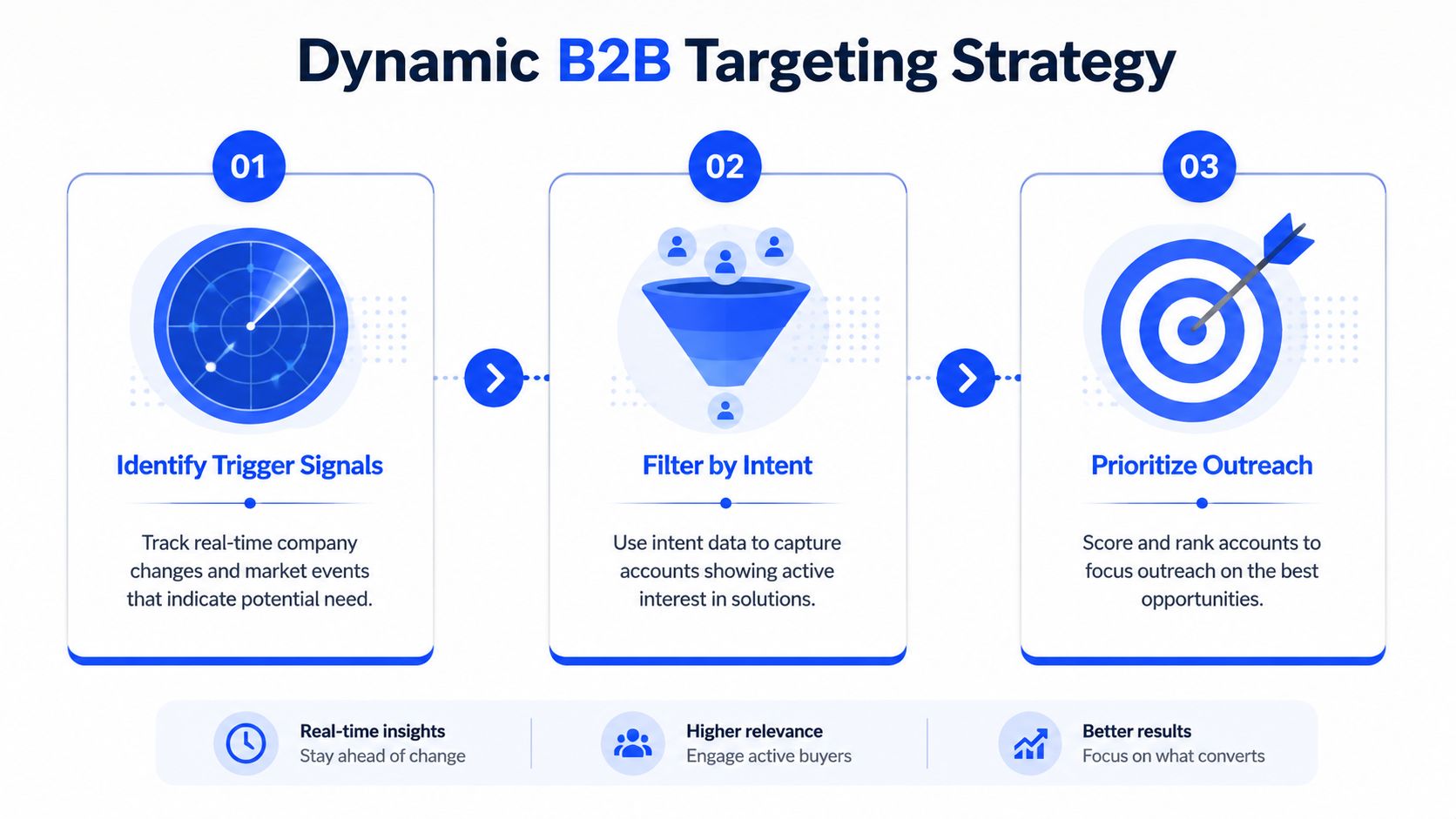
The stronger model starts with signals. One industry guide argues that the emerging motion in 2026 is relevance and timing, not call volume, with teams using LinkedIn engagement to warm prospects and intent data to reach buyers while they're actively researching solutions, which is why appointment setting is becoming a system of signal detection, sequencing, and fast response, as noted in this industry guide on modern B2B appointment setting.
Start with trigger signals
A trigger is a visible event that creates urgency, friction, or workload inside the account. That's what gives your outreach a credible reason to exist.
In practice, I'd start in Sales Navigator and look for things like role expansion, hiring bursts, leadership changes, market entry, or visible activity tied to the problem you solve. Then I'd use Apollo to build the account and contact layer around those signals, enrich in Clay if needed, and push clean records into HubSpot or Salesforce.
Good targeting usually combines three layers:
Firmographic fit → industry, size, geography, business model
Persona fit → decision-maker, budget owner, or clear influencer
Trigger fit → something changed that makes the problem active now
If you need to tighten the firmographic layer first, this guide to building an ideal customer profile is a solid starting point. But stop there and you'll still miss timing.
The list should tell your rep why the account might care now, not just why the account could theoretically buy.
Build a list that explains why now
A strong target account list should let an SDR answer four questions without opening five tabs:
Layer | What to capture | Tool example |
|---|---|---|
Account fit | Industry, size, geography, sales model | Apollo |
Buyer fit | Title, function, seniority, reporting line | Sales Navigator |
Trigger | Hiring, expansion, recent changes, engagement | Sales Navigator, Clay |
Outreach angle | Likely pain tied to the trigger | CRM field or Clay formula |
A lot of teams overcomplicate the stack at this stage. You don't need a giant intent-data project to improve targeting. You need a short list of signals that map to your offer.
For example, if you sell outbound infrastructure, hiring SDRs is a better trigger than “recently posted on LinkedIn.” If you sell compliance software, expansion into a new region is usually a better trigger than “raised money.” The trigger has to create a believable consequence.
Use a simple account scoring logic in the CRM. Prioritize accounts where all three conditions are true, fit is real, the buyer is identifiable, and the trigger gives you a current angle. Leave the rest in nurture or park them for later.
The mistake is treating all ICP accounts as equal. They're not. Some are good companies. Some are good opportunities. Your outbound team needs the second group.
Building the outreach engine
Most outbound messaging fails before the prospect reaches sentence two. The opener is generic, the claim is broad, and the call to action asks for a meeting before the buyer sees a reason.
That's why the highest-converting openers usually don't look like pitches. They look like observations.
Use a trigger-based opener
The best structure we've used is:
Saw [specific trigger]. Usually when that happens, [specific consequence]. Worth a quick conversation?
A real example from our campaigns:
Saw you've hired 4 SDRs in the last 2 months. Usually that means the founder is still writing the sequences at 11pm. Worth a 15-minute conversation about taking that off your plate?
That opener worked because it does three jobs quickly. It proves research. It names a pain the prospect recognizes. It asks for a low-friction response.
What doesn't work is familiar to every inbox:
“I hope this email finds you well” → wasted first line
“I wanted to reach out” → says nothing
Long setup before relevance → deleted before the ask lands
Your first sentence has one job, make the prospect think, “This is about me.”
If you want a stronger baseline for sequence construction, our cold email outreach guide breaks down message architecture in more detail.
Run a coordinated cadence
Most booked meetings don't come from touch one. They come after a few touches across a short window where the prospect sees your name, recognizes the problem, and replies when the context is right.
Here's a sample cadence that's simple enough to run in Lemlist, Instantly, and HeyReach without turning operations into a mess.
Sample 14-day multi-channel cadence
Day | Channel | Action | Purpose |
|---|---|---|---|
0 | Connection request with one-line trigger opener | Soft first touch, low friction | |
1 | No pitch if accepted, just visibility | Avoid forcing the ask too early | |
2 | Email 1 with trigger, pain, small CTA | Core problem framing | |
4 | Comment on a recent post or company update | Familiarity and credibility | |
6 | Email 2 from a different angle | Reframe the same pain | |
7 | Reply handling | Ask one qualifying question if they engage | Move from interest to fit |
9 | Email or LinkedIn DM | Offer 2 time slots, link as backup | Control the booking step |
12 | Short bump with original trigger reference | Recover missed attention | |
14 | LinkedIn or call | Final touch, concise and direct | Close the loop |
The point of this sequence isn't channel count. It's orchestration. LinkedIn warms recognition. Email carries the fuller message. The reply step qualifies before you create calendar friction.
Don't send the same pitch in three places. Use each channel for a different job.
Keep the stack simple
A practical stack for this looks like:
Sales Navigator for account and persona signal collection
Apollo for contacts and baseline enrichment
Clay for custom trigger fields and routing logic
Lemlist or Instantly for email sequencing
HeyReach for LinkedIn steps at scale
HubSpot for source tracking, reply routing, meeting ownership
If calling is part of the motion, connect your dialer to the CRM so tasks, outcomes, and meeting activity stay in one reporting line. If your phone workflow still sits outside your CRM, this guide on how to modernize your business phone workflows is worth a look because disconnected call data makes appointment setting harder to diagnose.
One note on agency support. If you need the outbound, list building, and reply routing pieces under one operating model, Grou is one option that combines those functions into a single pipeline workflow. That matters when sales, marketing, and ops are currently running separate systems.
The outreach engine doesn't need more creativity. It needs tighter sequencing, better triggers, and cleaner handoffs.
Qualifying inbound replies like a filter, not a sponge
A reply is not a meeting. Treat it like one, and your AEs will spend their week on polite dead ends.
Industry guidance puts it plainly, “High volume of meetings doesn't mean much if they aren't converting to pipeline or revenue,” and recommends replacing vanity KPIs with metrics such as qualified meeting rate, conversion to opportunity, and show-up rate, as covered in this guide to avoiding appointment setting mistakes.

The four-gate qualification rule
A bad-fit meeting is worse than no meeting because it steals seller time twice. Once on the call, then again when someone has to clean the CRM and explain why pipeline quality is down.
Our standard is a four-gate filter before any booking link goes out.
ICP match confirmed
This should already be checked at list build. Industry, company size, geography, and commercial fit should not be re-litigated in the inbox.Persona match confirmed
Are you talking to the buyer, the budget owner, or someone who can bring them in? If not, redirect early.Pain signal in the reply
“Sounds interesting” is not enough. You want a reply that reflects their situation, not just politeness.Why now test
Ask what's prompting the conversation now. If there's no trigger, there's usually no urgency.
The single question that does the most work is this:
Are you the right person for this, or should I be talking to someone else on your team?
It reads like a courtesy. It functions like a filter.
If your team doesn't already formalize this process, our lead qualification process guide is useful for documenting rules and routing states inside the CRM.
Route replies into three buckets
Not every response deserves the same action. Build triage rules inside HubSpot or your inbox layer so reps don't improvise.
Positive replies
These mention a pain, a trigger, or a buying conversation. They move to qualification immediately.Neutral replies
These say things like “send info” or “tell me more.” Ask one qualifying question before offering time.Negative replies
These are not for forced persuasion. Mark reason codes cleanly, suppress where appropriate, and move on.
The common mistake is acting like every warm reply is precious. It isn't. Some should be disqualified fast so the good ones get faster treatment.
That filter changes meeting quality, show rate, and downstream reporting. It also forces discipline. Reps stop confusing engagement with intent.
From booked to attended the system for an 80%+ show rate
Most teams stop working the lead the second the calendar invite lands. That's where no-shows start.
One of the biggest gaps in appointment setting b2b is what happens after the meeting is booked. Recent guidance points out that teams often over-optimize for bookings and under-invest in confirmation, agenda-setting, and routing rules that protect show rate and sales readiness, which is exactly why this post on B2B appointment setting gaps is worth reading.
What happens right after booking
The meeting confirmation should do more than confirm the time. It should make the call feel useful.
Send a message immediately after booking with three things:
A one-line agenda → “We'll cover X and decide whether a deeper conversation makes sense.”
One useful asset → a short Loom, brief case example, or custom note
Clear ownership → name the person they'll meet and why that person is relevant
That message reframes the meeting from “sales call” to “working session.” It also reduces uncertainty, which is a common reason buyers ghost.
A clean handoff matters here. The AE should receive the original trigger, the message thread, the qualification notes, and the reason the meeting was accepted. If they start the call cold, your setter did half the job and ops lost the other half.
The reminder that does the heavy lifting
The highest-value reminder is the one sent roughly a day before the call. Not a generic automation. A real note that adds context.
Example:
Looking forward to tomorrow. I pulled 2 examples from companies in your space and I'll walk you through them. Anything specific you want me to focus on?
That works because it reminds them and raises the cost of skipping. There's now something waiting for them, not just a slot on the calendar.
A simple morning-of message helps too. Keep it short. Confirm the time, include the link, and remove friction.
If you want a quick primer on how teams define and monitor this metric, our show rate glossary entry is a good reference for aligning sales and ops on the same definition.
Here's a useful walkthrough on meeting hygiene and follow-up structure:
Handle no-shows without killing momentum
No-shows should trigger a same-day recovery message. No guilt. No passive-aggressive language.
Use something close to:
Looks like the timing didn't work, happens. Want me to send 2 new slots?
That keeps the tone light and makes rescheduling easy. The wrong reaction is silence, or a long “sorry we missed you” note that adds friction.
Build this sequence into your workflow:
Immediate confirmation
Value-add reminder before the meeting
Morning-of nudge
Same-day no-show recovery
AE feedback loop after the call
Booking is only half the conversion. Attendance is where the opportunity becomes real.
Measuring what matters KPIs for real pipeline
You can't manage appointment setting b2b from activity metrics alone. Emails sent, calls made, and connection requests accepted can help diagnose effort, but they don't tell you whether the engine is producing pipeline.
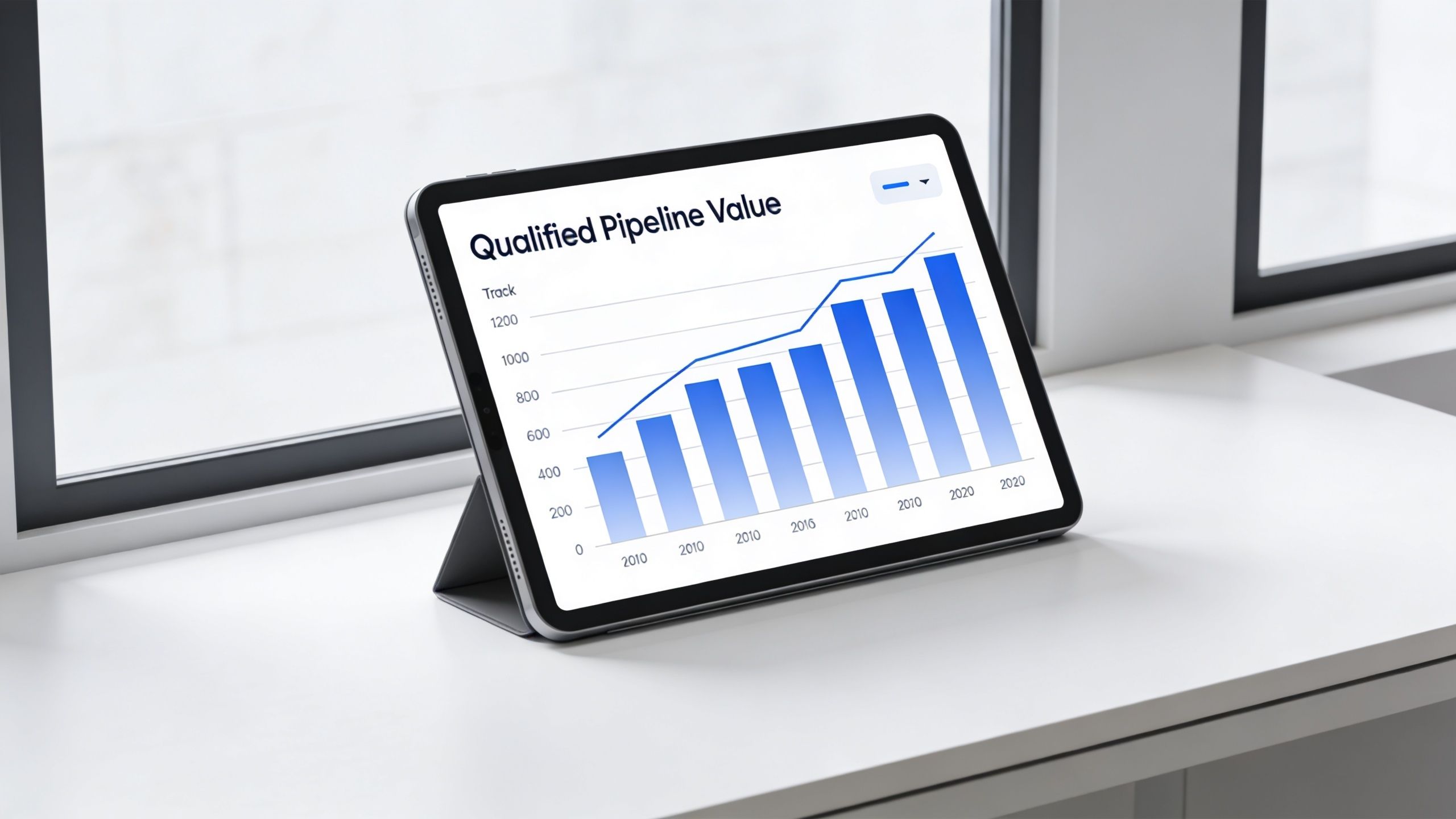
A foundational metric is call-to-appointment rate, with a target range of 15–20% according to this appointment setting KPI guide. The same source says performance should also be judged by lead response time, with responses under 24 hours significantly improving conversions, and by the final appointment show rate.
Track the funnel in order
If the funnel isn't instrumented end to end, you'll optimize the wrong layer. The clean version is:
List quality → outreach response → booked meeting → show → opportunity creation → revenue
That sequence sounds basic, but a lot of teams break attribution in the middle. The SDR platform shows replies. The CRM shows meetings. Revenue lives in a separate dashboard. Then nobody can see where quality dropped.
The KPI set I care about most looks like this:
Positive reply rate
Tells you whether the trigger and copy are landing.Qualified meeting rate
Shows whether reply handling is strict enough.Show rate
Exposes whether your post-booking workflow is protecting intent.Opportunity conversion from attended meetings
Tells you whether the meetings deserve AE time.Revenue attribution from set appointments
Connects outbound to actual business impact.
For broader leadership reporting, this B2B metrics guide is useful if your current dashboard is heavy on activity and light on pipeline economics.
Use KPI diagnosis, not dashboard theater
Each metric should tell you where to act next.
Metric | If it's weak | Usual issue |
|---|---|---|
Positive reply rate | Message misses | Trigger quality or copy relevance |
Qualified meeting rate | Too many soft bookings | Poor filtering on replies |
Show rate | Ghosting after booking | Weak confirmation and reminders |
Opportunity conversion | Meetings don't advance | Wrong persona or weak qualification |
Revenue from set appointments | Funnel looks busy but thin | Volume over fit |
A dashboard should help a manager make one operational decision this week. If it can't do that, it's reporting theater.
There's also an ROI layer once the basics are clean. One provider recommends tracking cost per appointment, show rate, qualified meeting rate, pipeline contribution, and close rate from set appointments, and uses the formula [(Revenue Generated − Total Investment) ÷ Total Investment] × 100 in its ROI analysis of B2B appointment setting providers. That same analysis describes strong return as typically ranging from 3:1 to 5:1, with some programs going beyond that when targeting and conversion are optimized.
That's useful for finance and planning. But don't jump to ROI math before the workflow is instrumented. If meeting quality is loose, the ROI number will look precise and still tell you the wrong story.
Putting the playbook into action
Don't rebuild the whole machine at once. Find the bottleneck that's doing the most damage and fix that first.
If calendars are empty, start with targeting and first-line relevance. If replies are coming in but meetings are weak, tighten the qualification gates. If meetings book but don't hold, fix post-booking follow-up before touching copy again.
Run this audit this week
Score your current process on these four checks:
List quality
Are you building around trigger signals, or just pulling ICP-fit companies?Message relevance
Does the first line prove research and tie to a believable consequence?Qualification rigor
Is there a documented rule for who gets a calendar link and who gets nurtured?Show-rate protection
Do booked meetings get a confirmation, agenda, reminder, and no-show recovery touch?
Use a simple red, yellow, green score if you want to move fast. The lowest-scoring area is where you start.
That's how appointment setting b2b gets predictable. Not by doing more outreach, but by making each step earn the next one.
If you want a team to implement this operating model with you, Grou works with B2B companies to unify list building, outbound execution, LinkedIn support, qualification routing, and reporting into one pipeline system so sales can spend time on attended, qualified conversations instead of cleaning up preventable meeting waste.
Your team already knows how to book meetings. That's not the problem.
The problem is that your calendar is either thin, or packed with calls that never turn into pipeline. Reps show up to discoveries with the wrong contact. Prospects ghost after booking. Forecasts get inflated by meetings that should never have been on the calendar in the first place. In appointment setting b2b, organizations rarely have an activity problem. They have a systems problem.
The fix is operational, not motivational. You need signal-based targeting, trigger-led messaging, a hard qualification filter before any calendar link goes out, and a post-booking process that keeps intent warm until the call happens. If you're reviewing where automation fits inside that workflow, this Glue Sky AI appointment setter guide is a useful companion read because it focuses on scheduling mechanics and workflow design, not fluff.
TL;DR
Start with signals, not static lists → hiring changes, funding events, role expansion, and visible buying intent beat generic ICP pulls.
Use trigger-based openers → the first line should prove you researched the account and tie that trigger to a likely pain.
Treat replies as raw material, not wins → qualify hard before offering time.
Protect the meeting after it's booked → confirmation, agenda, reminders, and no-show recovery matter as much as outbound copy.
Report on pipeline quality → booked meetings alone are vanity if they don't progress.
Table of Contents
Your appointment setting is broken, here's how to fix it
Defining your targeting strategy
Start with trigger signals
Build a list that explains why now
Building the outreach engine
Use a trigger-based opener
Run a coordinated cadence
Keep the stack simple
Qualifying inbound replies like a filter, not a sponge
The four-gate qualification rule
Route replies into three buckets
From booked to attended the system for an 80%+ show rate
What happens right after booking
The reminder that does the heavy lifting
Handle no-shows without killing momentum
Measuring what matters KPIs for real pipeline
Track the funnel in order
Use KPI diagnosis, not dashboard theater
Putting the playbook into action
Run this audit this week
Your appointment setting is broken, here's how to fix it
There are two failure modes I see most often.
First, the team can't generate enough conversations, so everyone starts chasing volume. Bigger lists. More sends. More dials. That usually creates the second problem, a calendar full of low-intent meetings that drain AE time and make conversion reporting useless.
The root issue is simple. Most appointment setting b2b programs optimize for booked meetings, when they should optimize for qualified conversations that attend and move forward.
That sounds obvious, but the workflow usually says otherwise. Marketing pulls a broad list. SDRs work generic copy. Anyone who replies gets a booking link. No one owns the gap between “meeting scheduled” and “meeting held.” Then leadership asks why pipeline quality is weak.
Practical rule: A bad meeting is more expensive than no meeting. It burns rep capacity, weakens forecast accuracy, and hides where the funnel is actually broken.
A better system looks like this:
Find accounts with a clear trigger
Write outreach around that trigger
Qualify replies before you offer time
Run post-booking touches until the meeting happens
Measure the full path from outreach to revenue
That's the playbook. Not because it feels cleaner, but because every stage protects the next one.
If your team is struggling, don't ask, “How do we book more meetings?” Ask three harder questions instead:
Targeting question → Does every account have a visible reason to talk now?
Qualification question → Are we sending calendar links to curiosity, or to buying intent?
Attendance question → What happens after a prospect books?
The majority of teams can answer the first one loosely, the second one inconsistently, and the third one not at all. That's why the engine breaks.
Defining your targeting strategy
Static ICP lists create static results. If you pull “SaaS companies in the US with 50 to 200 employees” and hand that to reps, you've built a geography and firmographics list, not a buying list.
The stronger model starts with signals. One industry guide argues that the emerging motion in 2026 is relevance and timing, not call volume, with teams using LinkedIn engagement to warm prospects and intent data to reach buyers while they're actively researching solutions, which is why appointment setting is becoming a system of signal detection, sequencing, and fast response, as noted in this industry guide on modern B2B appointment setting.
Start with trigger signals
A trigger is a visible event that creates urgency, friction, or workload inside the account. That's what gives your outreach a credible reason to exist.
In practice, I'd start in Sales Navigator and look for things like role expansion, hiring bursts, leadership changes, market entry, or visible activity tied to the problem you solve. Then I'd use Apollo to build the account and contact layer around those signals, enrich in Clay if needed, and push clean records into HubSpot or Salesforce.
Good targeting usually combines three layers:
Firmographic fit → industry, size, geography, business model
Persona fit → decision-maker, budget owner, or clear influencer
Trigger fit → something changed that makes the problem active now
If you need to tighten the firmographic layer first, this guide to building an ideal customer profile is a solid starting point. But stop there and you'll still miss timing.
The list should tell your rep why the account might care now, not just why the account could theoretically buy.
Build a list that explains why now
A strong target account list should let an SDR answer four questions without opening five tabs:
Layer | What to capture | Tool example |
|---|---|---|
Account fit | Industry, size, geography, sales model | Apollo |
Buyer fit | Title, function, seniority, reporting line | Sales Navigator |
Trigger | Hiring, expansion, recent changes, engagement | Sales Navigator, Clay |
Outreach angle | Likely pain tied to the trigger | CRM field or Clay formula |
A lot of teams overcomplicate the stack at this stage. You don't need a giant intent-data project to improve targeting. You need a short list of signals that map to your offer.
For example, if you sell outbound infrastructure, hiring SDRs is a better trigger than “recently posted on LinkedIn.” If you sell compliance software, expansion into a new region is usually a better trigger than “raised money.” The trigger has to create a believable consequence.
Use a simple account scoring logic in the CRM. Prioritize accounts where all three conditions are true, fit is real, the buyer is identifiable, and the trigger gives you a current angle. Leave the rest in nurture or park them for later.
The mistake is treating all ICP accounts as equal. They're not. Some are good companies. Some are good opportunities. Your outbound team needs the second group.
Building the outreach engine
Most outbound messaging fails before the prospect reaches sentence two. The opener is generic, the claim is broad, and the call to action asks for a meeting before the buyer sees a reason.
That's why the highest-converting openers usually don't look like pitches. They look like observations.
Use a trigger-based opener
The best structure we've used is:
Saw [specific trigger]. Usually when that happens, [specific consequence]. Worth a quick conversation?
A real example from our campaigns:
Saw you've hired 4 SDRs in the last 2 months. Usually that means the founder is still writing the sequences at 11pm. Worth a 15-minute conversation about taking that off your plate?
That opener worked because it does three jobs quickly. It proves research. It names a pain the prospect recognizes. It asks for a low-friction response.
What doesn't work is familiar to every inbox:
“I hope this email finds you well” → wasted first line
“I wanted to reach out” → says nothing
Long setup before relevance → deleted before the ask lands
Your first sentence has one job, make the prospect think, “This is about me.”
If you want a stronger baseline for sequence construction, our cold email outreach guide breaks down message architecture in more detail.
Run a coordinated cadence
Most booked meetings don't come from touch one. They come after a few touches across a short window where the prospect sees your name, recognizes the problem, and replies when the context is right.
Here's a sample cadence that's simple enough to run in Lemlist, Instantly, and HeyReach without turning operations into a mess.
Sample 14-day multi-channel cadence
Day | Channel | Action | Purpose |
|---|---|---|---|
0 | Connection request with one-line trigger opener | Soft first touch, low friction | |
1 | No pitch if accepted, just visibility | Avoid forcing the ask too early | |
2 | Email 1 with trigger, pain, small CTA | Core problem framing | |
4 | Comment on a recent post or company update | Familiarity and credibility | |
6 | Email 2 from a different angle | Reframe the same pain | |
7 | Reply handling | Ask one qualifying question if they engage | Move from interest to fit |
9 | Email or LinkedIn DM | Offer 2 time slots, link as backup | Control the booking step |
12 | Short bump with original trigger reference | Recover missed attention | |
14 | LinkedIn or call | Final touch, concise and direct | Close the loop |
The point of this sequence isn't channel count. It's orchestration. LinkedIn warms recognition. Email carries the fuller message. The reply step qualifies before you create calendar friction.
Don't send the same pitch in three places. Use each channel for a different job.
Keep the stack simple
A practical stack for this looks like:
Sales Navigator for account and persona signal collection
Apollo for contacts and baseline enrichment
Clay for custom trigger fields and routing logic
Lemlist or Instantly for email sequencing
HeyReach for LinkedIn steps at scale
HubSpot for source tracking, reply routing, meeting ownership
If calling is part of the motion, connect your dialer to the CRM so tasks, outcomes, and meeting activity stay in one reporting line. If your phone workflow still sits outside your CRM, this guide on how to modernize your business phone workflows is worth a look because disconnected call data makes appointment setting harder to diagnose.
One note on agency support. If you need the outbound, list building, and reply routing pieces under one operating model, Grou is one option that combines those functions into a single pipeline workflow. That matters when sales, marketing, and ops are currently running separate systems.
The outreach engine doesn't need more creativity. It needs tighter sequencing, better triggers, and cleaner handoffs.
Qualifying inbound replies like a filter, not a sponge
A reply is not a meeting. Treat it like one, and your AEs will spend their week on polite dead ends.
Industry guidance puts it plainly, “High volume of meetings doesn't mean much if they aren't converting to pipeline or revenue,” and recommends replacing vanity KPIs with metrics such as qualified meeting rate, conversion to opportunity, and show-up rate, as covered in this guide to avoiding appointment setting mistakes.
The four-gate qualification rule
A bad-fit meeting is worse than no meeting because it steals seller time twice. Once on the call, then again when someone has to clean the CRM and explain why pipeline quality is down.
Our standard is a four-gate filter before any booking link goes out.
ICP match confirmed
This should already be checked at list build. Industry, company size, geography, and commercial fit should not be re-litigated in the inbox.Persona match confirmed
Are you talking to the buyer, the budget owner, or someone who can bring them in? If not, redirect early.Pain signal in the reply
“Sounds interesting” is not enough. You want a reply that reflects their situation, not just politeness.Why now test
Ask what's prompting the conversation now. If there's no trigger, there's usually no urgency.
The single question that does the most work is this:
Are you the right person for this, or should I be talking to someone else on your team?
It reads like a courtesy. It functions like a filter.
If your team doesn't already formalize this process, our lead qualification process guide is useful for documenting rules and routing states inside the CRM.
Route replies into three buckets
Not every response deserves the same action. Build triage rules inside HubSpot or your inbox layer so reps don't improvise.
Positive replies
These mention a pain, a trigger, or a buying conversation. They move to qualification immediately.Neutral replies
These say things like “send info” or “tell me more.” Ask one qualifying question before offering time.Negative replies
These are not for forced persuasion. Mark reason codes cleanly, suppress where appropriate, and move on.
The common mistake is acting like every warm reply is precious. It isn't. Some should be disqualified fast so the good ones get faster treatment.
That filter changes meeting quality, show rate, and downstream reporting. It also forces discipline. Reps stop confusing engagement with intent.
From booked to attended the system for an 80%+ show rate
Most teams stop working the lead the second the calendar invite lands. That's where no-shows start.
One of the biggest gaps in appointment setting b2b is what happens after the meeting is booked. Recent guidance points out that teams often over-optimize for bookings and under-invest in confirmation, agenda-setting, and routing rules that protect show rate and sales readiness, which is exactly why this post on B2B appointment setting gaps is worth reading.
What happens right after booking
The meeting confirmation should do more than confirm the time. It should make the call feel useful.
Send a message immediately after booking with three things:
A one-line agenda → “We'll cover X and decide whether a deeper conversation makes sense.”
One useful asset → a short Loom, brief case example, or custom note
Clear ownership → name the person they'll meet and why that person is relevant
That message reframes the meeting from “sales call” to “working session.” It also reduces uncertainty, which is a common reason buyers ghost.
A clean handoff matters here. The AE should receive the original trigger, the message thread, the qualification notes, and the reason the meeting was accepted. If they start the call cold, your setter did half the job and ops lost the other half.
The reminder that does the heavy lifting
The highest-value reminder is the one sent roughly a day before the call. Not a generic automation. A real note that adds context.
Example:
Looking forward to tomorrow. I pulled 2 examples from companies in your space and I'll walk you through them. Anything specific you want me to focus on?
That works because it reminds them and raises the cost of skipping. There's now something waiting for them, not just a slot on the calendar.
A simple morning-of message helps too. Keep it short. Confirm the time, include the link, and remove friction.
If you want a quick primer on how teams define and monitor this metric, our show rate glossary entry is a good reference for aligning sales and ops on the same definition.
Here's a useful walkthrough on meeting hygiene and follow-up structure:
Handle no-shows without killing momentum
No-shows should trigger a same-day recovery message. No guilt. No passive-aggressive language.
Use something close to:
Looks like the timing didn't work, happens. Want me to send 2 new slots?
That keeps the tone light and makes rescheduling easy. The wrong reaction is silence, or a long “sorry we missed you” note that adds friction.
Build this sequence into your workflow:
Immediate confirmation
Value-add reminder before the meeting
Morning-of nudge
Same-day no-show recovery
AE feedback loop after the call
Booking is only half the conversion. Attendance is where the opportunity becomes real.
Measuring what matters KPIs for real pipeline
You can't manage appointment setting b2b from activity metrics alone. Emails sent, calls made, and connection requests accepted can help diagnose effort, but they don't tell you whether the engine is producing pipeline.
A foundational metric is call-to-appointment rate, with a target range of 15–20% according to this appointment setting KPI guide. The same source says performance should also be judged by lead response time, with responses under 24 hours significantly improving conversions, and by the final appointment show rate.
Track the funnel in order
If the funnel isn't instrumented end to end, you'll optimize the wrong layer. The clean version is:
List quality → outreach response → booked meeting → show → opportunity creation → revenue
That sequence sounds basic, but a lot of teams break attribution in the middle. The SDR platform shows replies. The CRM shows meetings. Revenue lives in a separate dashboard. Then nobody can see where quality dropped.
The KPI set I care about most looks like this:
Positive reply rate
Tells you whether the trigger and copy are landing.Qualified meeting rate
Shows whether reply handling is strict enough.Show rate
Exposes whether your post-booking workflow is protecting intent.Opportunity conversion from attended meetings
Tells you whether the meetings deserve AE time.Revenue attribution from set appointments
Connects outbound to actual business impact.
For broader leadership reporting, this B2B metrics guide is useful if your current dashboard is heavy on activity and light on pipeline economics.
Use KPI diagnosis, not dashboard theater
Each metric should tell you where to act next.
Metric | If it's weak | Usual issue |
|---|---|---|
Positive reply rate | Message misses | Trigger quality or copy relevance |
Qualified meeting rate | Too many soft bookings | Poor filtering on replies |
Show rate | Ghosting after booking | Weak confirmation and reminders |
Opportunity conversion | Meetings don't advance | Wrong persona or weak qualification |
Revenue from set appointments | Funnel looks busy but thin | Volume over fit |
A dashboard should help a manager make one operational decision this week. If it can't do that, it's reporting theater.
There's also an ROI layer once the basics are clean. One provider recommends tracking cost per appointment, show rate, qualified meeting rate, pipeline contribution, and close rate from set appointments, and uses the formula [(Revenue Generated − Total Investment) ÷ Total Investment] × 100 in its ROI analysis of B2B appointment setting providers. That same analysis describes strong return as typically ranging from 3:1 to 5:1, with some programs going beyond that when targeting and conversion are optimized.
That's useful for finance and planning. But don't jump to ROI math before the workflow is instrumented. If meeting quality is loose, the ROI number will look precise and still tell you the wrong story.
Putting the playbook into action
Don't rebuild the whole machine at once. Find the bottleneck that's doing the most damage and fix that first.
If calendars are empty, start with targeting and first-line relevance. If replies are coming in but meetings are weak, tighten the qualification gates. If meetings book but don't hold, fix post-booking follow-up before touching copy again.
Run this audit this week
Score your current process on these four checks:
List quality
Are you building around trigger signals, or just pulling ICP-fit companies?Message relevance
Does the first line prove research and tie to a believable consequence?Qualification rigor
Is there a documented rule for who gets a calendar link and who gets nurtured?Show-rate protection
Do booked meetings get a confirmation, agenda, reminder, and no-show recovery touch?
Use a simple red, yellow, green score if you want to move fast. The lowest-scoring area is where you start.
That's how appointment setting b2b gets predictable. Not by doing more outreach, but by making each step earn the next one.
If you want a team to implement this operating model with you, Grou works with B2B companies to unify list building, outbound execution, LinkedIn support, qualification routing, and reporting into one pipeline system so sales can spend time on attended, qualified conversations instead of cleaning up preventable meeting waste.
Your team already knows how to book meetings. That's not the problem.
The problem is that your calendar is either thin, or packed with calls that never turn into pipeline. Reps show up to discoveries with the wrong contact. Prospects ghost after booking. Forecasts get inflated by meetings that should never have been on the calendar in the first place. In appointment setting b2b, organizations rarely have an activity problem. They have a systems problem.
The fix is operational, not motivational. You need signal-based targeting, trigger-led messaging, a hard qualification filter before any calendar link goes out, and a post-booking process that keeps intent warm until the call happens. If you're reviewing where automation fits inside that workflow, this Glue Sky AI appointment setter guide is a useful companion read because it focuses on scheduling mechanics and workflow design, not fluff.
TL;DR
Start with signals, not static lists → hiring changes, funding events, role expansion, and visible buying intent beat generic ICP pulls.
Use trigger-based openers → the first line should prove you researched the account and tie that trigger to a likely pain.
Treat replies as raw material, not wins → qualify hard before offering time.
Protect the meeting after it's booked → confirmation, agenda, reminders, and no-show recovery matter as much as outbound copy.
Report on pipeline quality → booked meetings alone are vanity if they don't progress.
Table of Contents
Your appointment setting is broken, here's how to fix it
Defining your targeting strategy
Start with trigger signals
Build a list that explains why now
Building the outreach engine
Use a trigger-based opener
Run a coordinated cadence
Keep the stack simple
Qualifying inbound replies like a filter, not a sponge
The four-gate qualification rule
Route replies into three buckets
From booked to attended the system for an 80%+ show rate
What happens right after booking
The reminder that does the heavy lifting
Handle no-shows without killing momentum
Measuring what matters KPIs for real pipeline
Track the funnel in order
Use KPI diagnosis, not dashboard theater
Putting the playbook into action
Run this audit this week
Your appointment setting is broken, here's how to fix it
There are two failure modes I see most often.
First, the team can't generate enough conversations, so everyone starts chasing volume. Bigger lists. More sends. More dials. That usually creates the second problem, a calendar full of low-intent meetings that drain AE time and make conversion reporting useless.
The root issue is simple. Most appointment setting b2b programs optimize for booked meetings, when they should optimize for qualified conversations that attend and move forward.
That sounds obvious, but the workflow usually says otherwise. Marketing pulls a broad list. SDRs work generic copy. Anyone who replies gets a booking link. No one owns the gap between “meeting scheduled” and “meeting held.” Then leadership asks why pipeline quality is weak.
Practical rule: A bad meeting is more expensive than no meeting. It burns rep capacity, weakens forecast accuracy, and hides where the funnel is actually broken.
A better system looks like this:
Find accounts with a clear trigger
Write outreach around that trigger
Qualify replies before you offer time
Run post-booking touches until the meeting happens
Measure the full path from outreach to revenue
That's the playbook. Not because it feels cleaner, but because every stage protects the next one.
If your team is struggling, don't ask, “How do we book more meetings?” Ask three harder questions instead:
Targeting question → Does every account have a visible reason to talk now?
Qualification question → Are we sending calendar links to curiosity, or to buying intent?
Attendance question → What happens after a prospect books?
The majority of teams can answer the first one loosely, the second one inconsistently, and the third one not at all. That's why the engine breaks.
Defining your targeting strategy
Static ICP lists create static results. If you pull “SaaS companies in the US with 50 to 200 employees” and hand that to reps, you've built a geography and firmographics list, not a buying list.
The stronger model starts with signals. One industry guide argues that the emerging motion in 2026 is relevance and timing, not call volume, with teams using LinkedIn engagement to warm prospects and intent data to reach buyers while they're actively researching solutions, which is why appointment setting is becoming a system of signal detection, sequencing, and fast response, as noted in this industry guide on modern B2B appointment setting.
Start with trigger signals
A trigger is a visible event that creates urgency, friction, or workload inside the account. That's what gives your outreach a credible reason to exist.
In practice, I'd start in Sales Navigator and look for things like role expansion, hiring bursts, leadership changes, market entry, or visible activity tied to the problem you solve. Then I'd use Apollo to build the account and contact layer around those signals, enrich in Clay if needed, and push clean records into HubSpot or Salesforce.
Good targeting usually combines three layers:
Firmographic fit → industry, size, geography, business model
Persona fit → decision-maker, budget owner, or clear influencer
Trigger fit → something changed that makes the problem active now
If you need to tighten the firmographic layer first, this guide to building an ideal customer profile is a solid starting point. But stop there and you'll still miss timing.
The list should tell your rep why the account might care now, not just why the account could theoretically buy.
Build a list that explains why now
A strong target account list should let an SDR answer four questions without opening five tabs:
Layer | What to capture | Tool example |
|---|---|---|
Account fit | Industry, size, geography, sales model | Apollo |
Buyer fit | Title, function, seniority, reporting line | Sales Navigator |
Trigger | Hiring, expansion, recent changes, engagement | Sales Navigator, Clay |
Outreach angle | Likely pain tied to the trigger | CRM field or Clay formula |
A lot of teams overcomplicate the stack at this stage. You don't need a giant intent-data project to improve targeting. You need a short list of signals that map to your offer.
For example, if you sell outbound infrastructure, hiring SDRs is a better trigger than “recently posted on LinkedIn.” If you sell compliance software, expansion into a new region is usually a better trigger than “raised money.” The trigger has to create a believable consequence.
Use a simple account scoring logic in the CRM. Prioritize accounts where all three conditions are true, fit is real, the buyer is identifiable, and the trigger gives you a current angle. Leave the rest in nurture or park them for later.
The mistake is treating all ICP accounts as equal. They're not. Some are good companies. Some are good opportunities. Your outbound team needs the second group.
Building the outreach engine
Most outbound messaging fails before the prospect reaches sentence two. The opener is generic, the claim is broad, and the call to action asks for a meeting before the buyer sees a reason.
That's why the highest-converting openers usually don't look like pitches. They look like observations.
Use a trigger-based opener
The best structure we've used is:
Saw [specific trigger]. Usually when that happens, [specific consequence]. Worth a quick conversation?
A real example from our campaigns:
Saw you've hired 4 SDRs in the last 2 months. Usually that means the founder is still writing the sequences at 11pm. Worth a 15-minute conversation about taking that off your plate?
That opener worked because it does three jobs quickly. It proves research. It names a pain the prospect recognizes. It asks for a low-friction response.
What doesn't work is familiar to every inbox:
“I hope this email finds you well” → wasted first line
“I wanted to reach out” → says nothing
Long setup before relevance → deleted before the ask lands
Your first sentence has one job, make the prospect think, “This is about me.”
If you want a stronger baseline for sequence construction, our cold email outreach guide breaks down message architecture in more detail.
Run a coordinated cadence
Most booked meetings don't come from touch one. They come after a few touches across a short window where the prospect sees your name, recognizes the problem, and replies when the context is right.
Here's a sample cadence that's simple enough to run in Lemlist, Instantly, and HeyReach without turning operations into a mess.
Sample 14-day multi-channel cadence
Day | Channel | Action | Purpose |
|---|---|---|---|
0 | Connection request with one-line trigger opener | Soft first touch, low friction | |
1 | No pitch if accepted, just visibility | Avoid forcing the ask too early | |
2 | Email 1 with trigger, pain, small CTA | Core problem framing | |
4 | Comment on a recent post or company update | Familiarity and credibility | |
6 | Email 2 from a different angle | Reframe the same pain | |
7 | Reply handling | Ask one qualifying question if they engage | Move from interest to fit |
9 | Email or LinkedIn DM | Offer 2 time slots, link as backup | Control the booking step |
12 | Short bump with original trigger reference | Recover missed attention | |
14 | LinkedIn or call | Final touch, concise and direct | Close the loop |
The point of this sequence isn't channel count. It's orchestration. LinkedIn warms recognition. Email carries the fuller message. The reply step qualifies before you create calendar friction.
Don't send the same pitch in three places. Use each channel for a different job.
Keep the stack simple
A practical stack for this looks like:
Sales Navigator for account and persona signal collection
Apollo for contacts and baseline enrichment
Clay for custom trigger fields and routing logic
Lemlist or Instantly for email sequencing
HeyReach for LinkedIn steps at scale
HubSpot for source tracking, reply routing, meeting ownership
If calling is part of the motion, connect your dialer to the CRM so tasks, outcomes, and meeting activity stay in one reporting line. If your phone workflow still sits outside your CRM, this guide on how to modernize your business phone workflows is worth a look because disconnected call data makes appointment setting harder to diagnose.
One note on agency support. If you need the outbound, list building, and reply routing pieces under one operating model, Grou is one option that combines those functions into a single pipeline workflow. That matters when sales, marketing, and ops are currently running separate systems.
The outreach engine doesn't need more creativity. It needs tighter sequencing, better triggers, and cleaner handoffs.
Qualifying inbound replies like a filter, not a sponge
A reply is not a meeting. Treat it like one, and your AEs will spend their week on polite dead ends.
Industry guidance puts it plainly, “High volume of meetings doesn't mean much if they aren't converting to pipeline or revenue,” and recommends replacing vanity KPIs with metrics such as qualified meeting rate, conversion to opportunity, and show-up rate, as covered in this guide to avoiding appointment setting mistakes.
The four-gate qualification rule
A bad-fit meeting is worse than no meeting because it steals seller time twice. Once on the call, then again when someone has to clean the CRM and explain why pipeline quality is down.
Our standard is a four-gate filter before any booking link goes out.
ICP match confirmed
This should already be checked at list build. Industry, company size, geography, and commercial fit should not be re-litigated in the inbox.Persona match confirmed
Are you talking to the buyer, the budget owner, or someone who can bring them in? If not, redirect early.Pain signal in the reply
“Sounds interesting” is not enough. You want a reply that reflects their situation, not just politeness.Why now test
Ask what's prompting the conversation now. If there's no trigger, there's usually no urgency.
The single question that does the most work is this:
Are you the right person for this, or should I be talking to someone else on your team?
It reads like a courtesy. It functions like a filter.
If your team doesn't already formalize this process, our lead qualification process guide is useful for documenting rules and routing states inside the CRM.
Route replies into three buckets
Not every response deserves the same action. Build triage rules inside HubSpot or your inbox layer so reps don't improvise.
Positive replies
These mention a pain, a trigger, or a buying conversation. They move to qualification immediately.Neutral replies
These say things like “send info” or “tell me more.” Ask one qualifying question before offering time.Negative replies
These are not for forced persuasion. Mark reason codes cleanly, suppress where appropriate, and move on.
The common mistake is acting like every warm reply is precious. It isn't. Some should be disqualified fast so the good ones get faster treatment.
That filter changes meeting quality, show rate, and downstream reporting. It also forces discipline. Reps stop confusing engagement with intent.
From booked to attended the system for an 80%+ show rate
Most teams stop working the lead the second the calendar invite lands. That's where no-shows start.
One of the biggest gaps in appointment setting b2b is what happens after the meeting is booked. Recent guidance points out that teams often over-optimize for bookings and under-invest in confirmation, agenda-setting, and routing rules that protect show rate and sales readiness, which is exactly why this post on B2B appointment setting gaps is worth reading.
What happens right after booking
The meeting confirmation should do more than confirm the time. It should make the call feel useful.
Send a message immediately after booking with three things:
A one-line agenda → “We'll cover X and decide whether a deeper conversation makes sense.”
One useful asset → a short Loom, brief case example, or custom note
Clear ownership → name the person they'll meet and why that person is relevant
That message reframes the meeting from “sales call” to “working session.” It also reduces uncertainty, which is a common reason buyers ghost.
A clean handoff matters here. The AE should receive the original trigger, the message thread, the qualification notes, and the reason the meeting was accepted. If they start the call cold, your setter did half the job and ops lost the other half.
The reminder that does the heavy lifting
The highest-value reminder is the one sent roughly a day before the call. Not a generic automation. A real note that adds context.
Example:
Looking forward to tomorrow. I pulled 2 examples from companies in your space and I'll walk you through them. Anything specific you want me to focus on?
That works because it reminds them and raises the cost of skipping. There's now something waiting for them, not just a slot on the calendar.
A simple morning-of message helps too. Keep it short. Confirm the time, include the link, and remove friction.
If you want a quick primer on how teams define and monitor this metric, our show rate glossary entry is a good reference for aligning sales and ops on the same definition.
Here's a useful walkthrough on meeting hygiene and follow-up structure:
Handle no-shows without killing momentum
No-shows should trigger a same-day recovery message. No guilt. No passive-aggressive language.
Use something close to:
Looks like the timing didn't work, happens. Want me to send 2 new slots?
That keeps the tone light and makes rescheduling easy. The wrong reaction is silence, or a long “sorry we missed you” note that adds friction.
Build this sequence into your workflow:
Immediate confirmation
Value-add reminder before the meeting
Morning-of nudge
Same-day no-show recovery
AE feedback loop after the call
Booking is only half the conversion. Attendance is where the opportunity becomes real.
Measuring what matters KPIs for real pipeline
You can't manage appointment setting b2b from activity metrics alone. Emails sent, calls made, and connection requests accepted can help diagnose effort, but they don't tell you whether the engine is producing pipeline.
A foundational metric is call-to-appointment rate, with a target range of 15–20% according to this appointment setting KPI guide. The same source says performance should also be judged by lead response time, with responses under 24 hours significantly improving conversions, and by the final appointment show rate.
Track the funnel in order
If the funnel isn't instrumented end to end, you'll optimize the wrong layer. The clean version is:
List quality → outreach response → booked meeting → show → opportunity creation → revenue
That sequence sounds basic, but a lot of teams break attribution in the middle. The SDR platform shows replies. The CRM shows meetings. Revenue lives in a separate dashboard. Then nobody can see where quality dropped.
The KPI set I care about most looks like this:
Positive reply rate
Tells you whether the trigger and copy are landing.Qualified meeting rate
Shows whether reply handling is strict enough.Show rate
Exposes whether your post-booking workflow is protecting intent.Opportunity conversion from attended meetings
Tells you whether the meetings deserve AE time.Revenue attribution from set appointments
Connects outbound to actual business impact.
For broader leadership reporting, this B2B metrics guide is useful if your current dashboard is heavy on activity and light on pipeline economics.
Use KPI diagnosis, not dashboard theater
Each metric should tell you where to act next.
Metric | If it's weak | Usual issue |
|---|---|---|
Positive reply rate | Message misses | Trigger quality or copy relevance |
Qualified meeting rate | Too many soft bookings | Poor filtering on replies |
Show rate | Ghosting after booking | Weak confirmation and reminders |
Opportunity conversion | Meetings don't advance | Wrong persona or weak qualification |
Revenue from set appointments | Funnel looks busy but thin | Volume over fit |
A dashboard should help a manager make one operational decision this week. If it can't do that, it's reporting theater.
There's also an ROI layer once the basics are clean. One provider recommends tracking cost per appointment, show rate, qualified meeting rate, pipeline contribution, and close rate from set appointments, and uses the formula [(Revenue Generated − Total Investment) ÷ Total Investment] × 100 in its ROI analysis of B2B appointment setting providers. That same analysis describes strong return as typically ranging from 3:1 to 5:1, with some programs going beyond that when targeting and conversion are optimized.
That's useful for finance and planning. But don't jump to ROI math before the workflow is instrumented. If meeting quality is loose, the ROI number will look precise and still tell you the wrong story.
Putting the playbook into action
Don't rebuild the whole machine at once. Find the bottleneck that's doing the most damage and fix that first.
If calendars are empty, start with targeting and first-line relevance. If replies are coming in but meetings are weak, tighten the qualification gates. If meetings book but don't hold, fix post-booking follow-up before touching copy again.
Run this audit this week
Score your current process on these four checks:
List quality
Are you building around trigger signals, or just pulling ICP-fit companies?Message relevance
Does the first line prove research and tie to a believable consequence?Qualification rigor
Is there a documented rule for who gets a calendar link and who gets nurtured?Show-rate protection
Do booked meetings get a confirmation, agenda, reminder, and no-show recovery touch?
Use a simple red, yellow, green score if you want to move fast. The lowest-scoring area is where you start.
That's how appointment setting b2b gets predictable. Not by doing more outreach, but by making each step earn the next one.
If you want a team to implement this operating model with you, Grou works with B2B companies to unify list building, outbound execution, LinkedIn support, qualification routing, and reporting into one pipeline system so sales can spend time on attended, qualified conversations instead of cleaning up preventable meeting waste.

Pipeline OS Newsletter
Build qualified pipeline
Get weekly tactics to generate demand, improve lead quality, and book more meetings.





Trusted by industry leaders
Trusted by industry leaders
Trusted by industry leaders
Ready to build qualified pipeline?
Ready to build qualified pipeline?
Ready to build qualified pipeline?
Book a call to see if we're the right fit, or take the 2-minute quiz to get a clear starting point.
Book a call to see if we're the right fit, or take the 2-minute quiz to get a clear starting point.
Book a call to see if we're the right fit, or take the 2-minute quiz to get a clear starting point.
" height="30.21639343089746px" id="hfGbXmQR2" width="30.216393430897455px"/></svg>)
Copyright © 2026 – All Right Reserved
Copyright © 2026 – All Right Reserved
Copyright © 2026 – All Right Reserved