%22%3E%3C/path%3E%3Cpath d=%22M 63.072 7.554 C 62.258 8.022 61.577 8.689 61.092 9.493 L 61.092 7.076 L 57.158 7.076 L 57.158 22.64 L 61.089 22.64 L 61.089 14.888 C 61.089 13.446 61.403 12.434 62.03 11.853 C 62.818 11.218 63.818 10.907 64.826 10.982 L 65.868 10.982 L 65.868 6.851 C 64.891 6.834 63.926 7.076 63.073 7.554 Z%22 fill=%22rgb(17,17,17)%22%3E%3C/path%3E%3Cpath d=%22M 78.916 7.82 C 76.363 6.49 73.321 6.49 70.768 7.82 C 69.562 8.473 68.564 9.451 67.888 10.644 C 67.167 11.931 66.803 13.387 66.834 14.862 C 66.804 16.332 67.157 17.785 67.86 19.077 C 68.515 20.267 69.494 21.246 70.684 21.901 C 71.924 22.576 73.318 22.92 74.73 22.898 C 76.164 22.918 77.58 22.575 78.846 21.901 C 80.062 21.247 81.073 20.27 81.768 19.077 C 82.506 17.797 82.88 16.339 82.85 14.862 C 82.88 13.389 82.517 11.934 81.797 10.647 C 81.12 9.455 80.122 8.477 78.917 7.824 M 78.803 14.862 C 78.829 15.739 78.636 16.608 78.241 17.391 C 77.903 18.046 77.38 18.588 76.738 18.95 C 76.124 19.293 75.432 19.472 74.729 19.47 C 73.668 19.497 72.648 19.061 71.934 18.276 C 71.139 17.323 70.741 16.1 70.823 14.862 C 70.741 13.62 71.149 12.395 71.959 11.45 C 72.687 10.667 73.715 10.233 74.783 10.256 C 75.859 10.236 76.894 10.67 77.635 11.45 C 78.464 12.387 78.884 13.616 78.801 14.864%22 fill=%22rgb(17,17,17)%22%3E%3C/path%3E%3Cpath d=%22M 95.906 7.076 L 95.906 15.646 C 95.975 16.68 95.643 17.701 94.979 18.498 C 94.311 19.184 93.379 19.547 92.422 19.495 C 91.475 19.544 90.553 19.18 89.894 18.498 C 89.23 17.701 88.898 16.68 88.967 15.646 L 88.967 7.076 L 85.033 7.076 L 85.033 16.207 C 85 17.449 85.275 18.68 85.834 19.79 C 86.327 20.75 87.095 21.542 88.039 22.065 C 89.033 22.594 90.145 22.861 91.271 22.838 C 92.188 22.847 93.095 22.65 93.926 22.263 C 94.708 21.905 95.388 21.36 95.906 20.675 L 95.906 22.645 L 99.865 22.645 L 99.865 7.076 Z%22 fill=%22rgb(17,17,17)%22%3E%3C/path%3E%3Cpath d=%22M 4.513 15.626 C 4.511 10.815 7.606 6.549 12.181 5.059 C 16.756 3.57 21.77 5.195 24.601 9.086 L 27.816 5.87 C 24.074 1.186 17.981 -0.943 12.137 0.393 C 6.292 1.728 1.728 6.292 0.393 12.137 C -0.943 17.981 1.186 24.074 5.87 27.816 L 9.085 24.601 C 6.214 22.512 4.515 19.177 4.513 15.626%22 fill=%22rgb(32,62,235)%22%3E%3C/path%3E%3Cpath d=%22M 17.114 14.343 L 13.354 18.01 L 13.354 18.026 L 21.071 18.026 L 11.412 27.609 L 17.389 27.609 L 23.999 21.081 L 23.999 28.316 L 24.005 28.316 L 27.967 24.393 L 27.967 14.343 Z%22 fill=%22rgb(32,62,235)%22%3E%3C/path%3E%3C/g%3E%3C/svg%3E) ×
× ××
××›
›
›
›
B2B sales email templates 2026: proven scripts that book meetings
B2B sales email templates 2026: proven scripts that book meetings
B2B sales email templates 2026: proven scripts that book meetings
B2B sales email templates 2026: proven scripts that book meetings
B2B sales email templates 2026: proven scripts that book meetings
B2B sales email templates 2026: proven scripts that book meetings

Author
Aljaz Peklaj

Your templates are failing because you copied the words, not the system. Organizations testing sales email templates often don't have a copy problem. They have a trigger problem, a targeting problem, and a sequencing problem. If you're a founder, Head of Sales, Head of Marketing, or RevOps lead, that's the part worth fixing first, especially if your outbound motion spans SaaS, iGaming, manufacturing, legal tech, or pharma.
A strong first touch usually starts with a recent, verifiable signal, not a clever intro
The highest-performing structures are short, problem-led, and built for smartphone inboxes
Founder-led, research-heavy outreach can work exceptionally well, but it doesn't scale far
The real win is operational, structure turns attention into pipeline
A lot of generic guidance still treats cold email like copywriting theater. It isn't. Buyers skim fast, and the average worker receives 117 emails per day, with most skimmed in under 60 seconds, according to the benchmark data provided above. That's why short emails, clear triggers, and disciplined follow-up matter more than polished phrasing. If you want a good baseline before rebuilding your sequences, Stimulead's cold email advice is a useful companion read.
Table of Contents
1. Signal-triggered observation opener with implied pain naming
2. Founder-to-founder research-depth template with peer-curious framing
4. Recent trigger reference token with signal monitoring infrastructure
5. Two-email sequence hard trigger identification plus soft follow-up
8. Synthesis recommended personalization patterns and infrastructure
1. Signal-triggered observation opener with implied pain naming
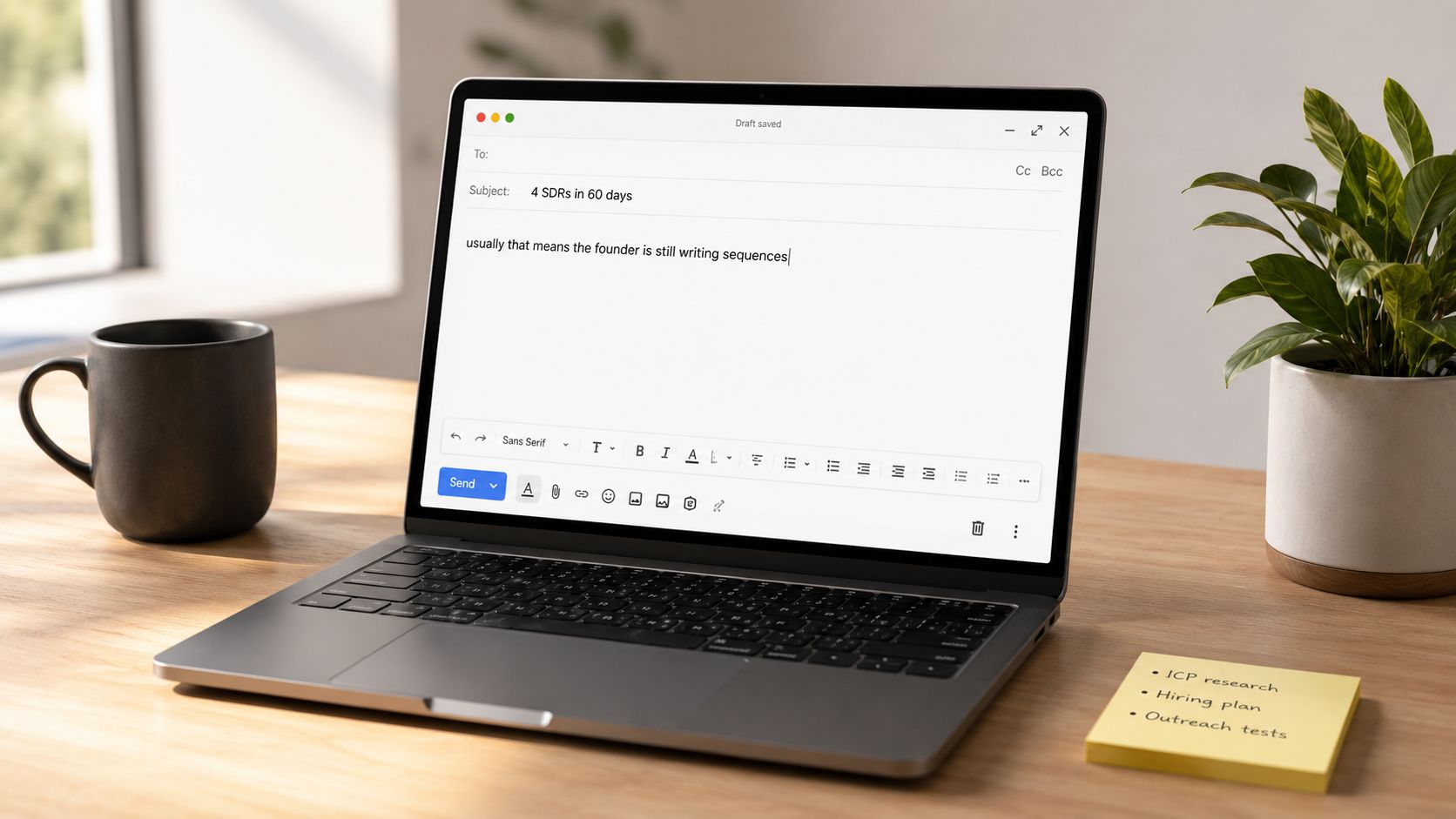
The best first-touch sales email templates don't open with your offer. They open with something the prospect already knows is true. A recent hire, a funding event, a public post, a leadership change. Then they name the pain that usually follows.
One version that performed strongly in a mid-market SaaS campaign used the subject line, "4 SDRs in 2 months" and opened with, "Saw your team brought on 4 SDRs in the last 60 days, usually that means the founder is still writing the sequences at 11pm." Across that campaign, it produced a 14.2% reply rate, with an 8.7% positive reply rate, a 41% meeting booking rate from positive replies, and an 82% show rate on booked meetings.
Why this opener works
That structure works because it does two jobs at once. The trigger proves attention. The implied pain shows pattern recognition.
Examples across other motions look similar:
SaaS hiring signal: "Saw your team brought on a new head of ops last month, usually that means the next 90 days involve rebuilding three existing processes."
Funding signal: "Saw your Series B announcement last week, usually that means the next 60 days are spent figuring out which functions need to scale first."
Manufacturing expansion signal: "Saw the new plant announcement, usually that means demand planning and handoff issues show up before reporting catches them."
If you're building this structure at scale, the signal layer matters more than the wording. GROU typically treats the trigger as an intent signal, not a merge field gimmick.
Practical rule: If the first line could be sent to 500 people unchanged, it isn't a trigger opener. It's a dressed-up generic email.
What to watch
This format decays when teams keep the copy but lose the freshness. If the trigger isn't recent or the implied pain is wrong, replies get colder fast. In practice, many iGaming and pharma teams often miss this point. They map the account well, but they force the same pain statement across very different buying contexts.
A better way to run it:
Refresh the frame: Rework the opener every 60 to 90 days so the market doesn't pattern-match the structure.
Test the pain statement: Hold the trigger constant and test the implied pain line, not five variables at once.
Keep it first-touch only: After the first email, change the angle. Repeating the same observation reads lazy.
2. Founder-to-founder research-depth template with peer-curious framing
Some sales email templates should never be delegated. This is one of them.
In one legal tech campaign, founder-led outreach to a tightly defined audience of 280 accounts produced a 23.7% reply rate. The sender was the founder, the list was narrow, every account had a public trigger within 30 days, and the daily volume stayed between 8 and 12 emails. That's the operating model. Remove any one of those conditions and the result changes.
Where this structure earns replies
The email didn't read like sales outreach. It read like a peer asking a serious question:
Read your team's MFD post-Brexit position paper last week, the section on cross-border data flows raised a question for me. The position you took differs from what 3 other firms in your peer set published the same week, which is interesting because you're the only one with offices in both Frankfurt and London. We work with compliance teams navigating exactly this kind of cross-jurisdictional positioning. Worth a 15-minute conversation about what's behind your firm's specific position, or am I reading too much into it?
That works in legal tech because professional credibility matters. It can also work in pharma or manufacturing when the sender can speak credibly about regulation, supply chain risk, or technical positioning. It works less well when an SDR sends the same email from a generic alias.
For this structure, list discipline matters as much as writing quality. If your team hasn't tightened the ideal customer profile, don't use this approach yet.
Where teams get this wrong
The common mistake is fake depth. Someone scans a LinkedIn post, mentions it in the first line, then asks for time. Prospects see that instantly.
Use this structure only when the operating conditions support it:
Keep the sender senior: Founder, VP, or domain expert.
Cap daily output: 8 to 12 emails is realistic when the research is real.
Research below the surface: Position papers, investor notes, webinar comments, hiring context, or public announcements.
Ask a real question: Curiosity works. Thinly disguised demo requests don't.
Case study-backed emails also tend to open better. In a Zendesk benchmark analysis of 52 sales email templates, case study-integrated emails achieved a 34% higher open rate and a 22% higher reply rate than standard cold outreach, and emails with a case study link as a secondary CTA increased overall conversion by 18%.
3. Pattern-recognition body with soft question CTA
The opener gets attention. The second paragraph decides whether the email feels informed or opportunistic.
Many teams spend all their energy on the first line and then collapse into generic product copy. That's where good sales email templates die. The body should explain the pattern you see in that situation, in one sentence if possible, then move to a small ask.
The body structure that keeps the email moving
A useful second paragraph sounds like this:
"The pattern we see most often is that new SDRs need 3 to 4 weeks to ramp on tools, sequences, and conversion before they produce. The founder ends up filling the gap personally."
Or this:
"Usually that means the next 60 days are spent figuring out which functions need to scale first. The revenue function typically gets attention last."
That pattern language works because it tells the prospect you understand the motion around the trigger, not just the trigger itself. It also keeps the email short, which matters when cold outreach is supposed to land in 50 to 125 words and warm follow-ups should stay under 175 words.
A CTA that invites a reply
The CTA should reduce effort. A question beats a calendar push in a first touch.
Good examples:
Soft conversation ask: "Worth a quick conversation about how a few specific tweaks tend to compress that ramp window?"
Curiosity check: "Worth a conversation about what's behind that shift, or am I reading too much into it?"
Low-pressure branch: "If not now, no worries. Last note from me on this."
An A/B test in a B2B SaaS campaign made this clearer. With the same sender, subject line, signal layer, and cadence held constant, the statement opener beat the question opener. Variant A, the question-led version, produced an 8.7% reply rate from 920 prospects. Variant B, the observation-led version, produced a 13.4% reply rate from 880 prospects, roughly 54% higher in raw reply rate, with 95% confidence reached by week 4.
Statements are easier to react to than questions are to answer. That's a small writing choice with real pipeline impact.
4. Recent trigger reference token with signal monitoring infrastructure
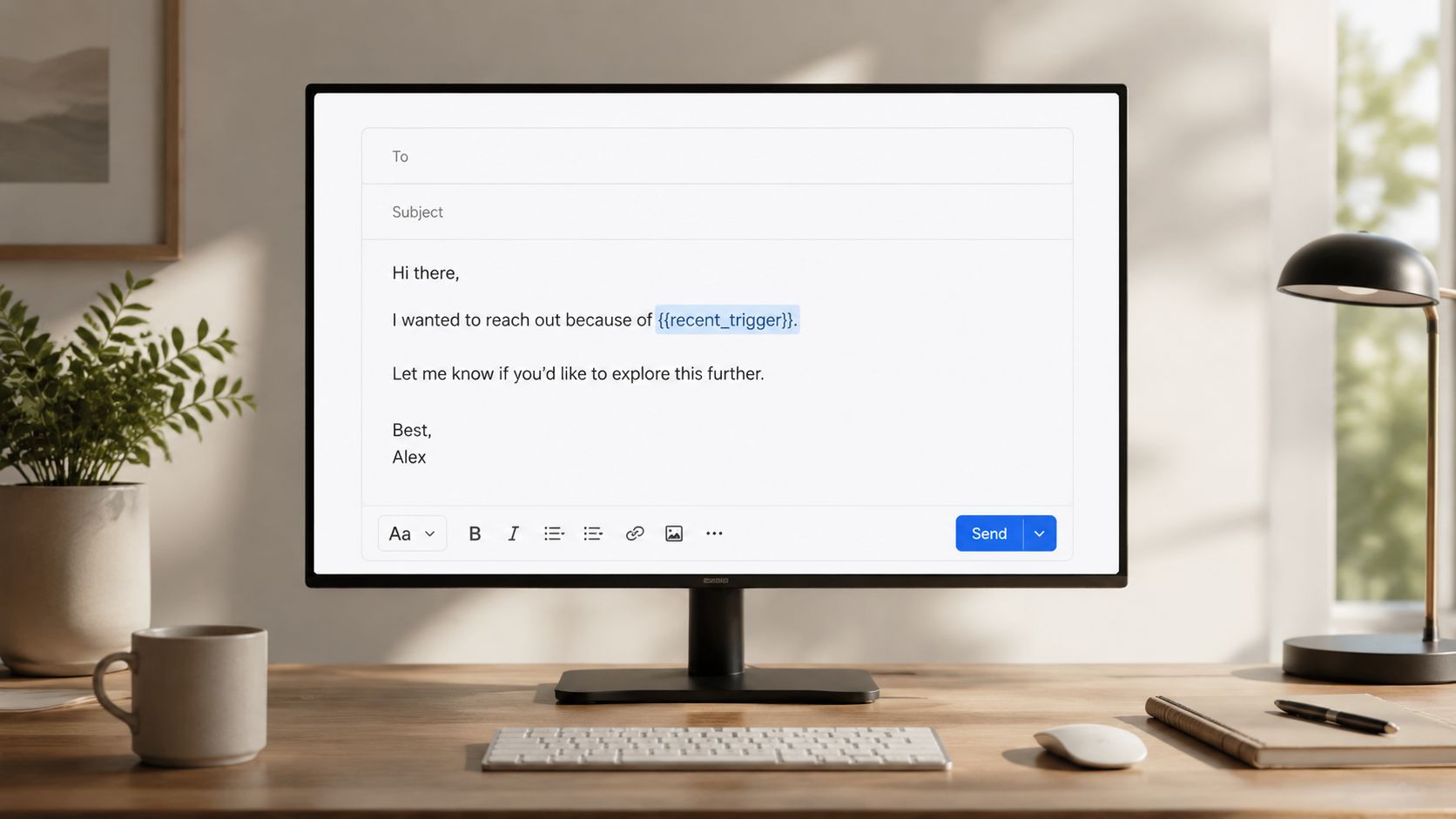
Most token personalization is dead on arrival. {{first_name}} and {{company_name}} don't prove attention. They prove your sending tool works.
The token worth building around is the recent trigger reference. In practice, that means a field like {{recent_trigger}} populated with a real event and inserted as a full sentence in line one. The strongest setup we've seen uses Clay to monitor signals, then passes the data into Lemlist or Instantly for sequencing, with human review before send.
The token that actually matters
Here are three examples of the same structure populated correctly:
Hiring trigger: "Saw your team brought on 4 SDRs in 8 weeks, usually that means the founder is still writing sequences at 11pm."
Funding trigger: "Saw your Series B announcement last week, usually that means the next 60 days are spent figuring out which functions need to scale first."
Pipeline pain trigger: "Saw your post about Q1 pipeline gaps, usually that means the board conversation in February isn't going to be fun."
Personalization demonstrably changes outcomes. Emails with personalized, intent-based opening lines achieve 42% higher reply rates than static templates, according to Revenue Grid's outbound sales email analysis.
The stack behind it
The infrastructure matters more than the token syntax.
A workable stack looks like this:
Signal collection: Clay watches LinkedIn activity, hiring patterns, funding events, and public mentions
Sequencing: Lemlist, Instantly, or Smartlead sends once the trigger field is populated
Review layer: A human checks wording before launch
Routing: HubSpot or your CRM tags the reply path for follow-up
The caution here is simple. Pure automation makes the email sound automated. Human review catches stale events, awkward phrasing, and wrong assumptions. One strong token is enough. Five weak ones make the message look assembled.
5. Two-email sequence hard trigger identification plus soft follow-up
A lot of teams still send one generic first touch, then four reminder emails asking if the prospect "saw the last note." That's not follow-up. That's repetition.
A better structure is a two-email sequence where the first message tests whether the trigger and implied pain are valid, and the second only expands the conversation if the first touch had a reason to exist. If you need a baseline reference for sequence mechanics, GROU's guide to cold email outreach structure is aligned with this approach.
Why two emails beat one generic sequence
Email 1 should be short enough to scan immediately:
"Saw your team brought on 4 SDRs in 60 days, usually that means the founder is still writing sequences at 11pm. Worth 10 minutes to discuss how to compress that ramp window, or am I reading your situation wrong?"
Email 2 should add substance, not pressure:
"The pattern we see most often is that new SDRs take 3 to 4 weeks to produce. During that window, the founder is writing sequences personally. Here's how similar companies restructured the first 30 days of onboarding. Worth a quick conversation?"
This rhythm lines up with tested outbound cadence. A/B testing of subject lines, copy, and CTAs shows that the strongest follow-up cadence for B2B outbound is 3 to 5 emails spaced over 10 to 14 days, with the highest conversion rates on the third touch, according to Cirrus Insight's sales email template benchmark.
How to route the second touch
The second email shouldn't go to everyone who didn't reply. It should go to the right kind of non-reply.
Use simple rules:
Keep Email 2 for likely fit: Strong trigger, credible account, no bounce, no unsubscribe
Change the proof layer: First touch is observation, second touch can carry a specific example
Adjust by vertical: Manufacturing buyers often want operational consequences, legal tech buyers respond better to peer positioning, pharma teams usually need precision around compliance or process risk
Structure translates into pipeline. The handoff after reply matters too. One major content gap in the market is what happens after interest. Cirrus Insight notes that 68% of sales reps fail to convert an initial reply into a meeting because they lack a standardized follow-up sequence and routing logic.
6. LinkedIn message opener as micro-warm layer before email

A short LinkedIn touch before email can help, but only when it's treated as recognition, not as a second cold pitch.
The message should be one observation, no ask, no meeting request. Then the email lands a day or two later and references the same context. For teams already combining channels, GROU's framework for LinkedIn connection request messages is the right pattern to borrow from.
How to use LinkedIn without turning it into spam
A simple pre-email LinkedIn message might look like this:
Impressed by your post on SDR hiring in tight markets. Rare to see someone naming the true problem.
Or:
"Noticed you brought on a new head of ops last month. That transition usually sparks three process changes at once."
Then the follow-up email can open with:
"Saw your post on SDR hiring in tight markets, wanted to send along something relevant."
Keep the message short. Don't ask questions there. Save the reply ask for email, where you have room to frame the pattern and the next step.
When this layer helps
This works best with prospects who are visibly active on LinkedIn. If they don't post, comment, or engage, skip the warm-up and go straight to email. Teams using HeyReach or Sales Navigator to set up account lists can spot that quickly.
Over 60% of business emails are now opened on smartphones, and subject lines should stay between 30 and 50 characters for visibility. That matters here because the LinkedIn touch only helps if the email itself still looks scannable on mobile. If you're combining channels, you need consistency from the first message through the inbox experience. Join Breaker's guide to B2B lead generation on LinkedIn is useful if your team is building that top-of-funnel layer.
7. Peer-set positioning opener with comparative observation
This structure works well with executives because it gives them context without pretending you know their internal metrics. You're not saying, "we can help you grow." You're saying, "relative to your peers, your public position looks different."
That framing creates intrigue fast.
Why comparative framing gets attention
Examples:
Legal tech: "Compared to your peer set, your firm's public commentary on cross-border enforcement is notably more conservative. Curious if that reflects a deliberate risk posture or a recent mandate from leadership?"
Series B SaaS: "Most Series B companies we've tracked call out product scaling first, yours mentioned revenue as the main constraint. Wondered if that shift is strategic or situational."
Operations: "A few peers who've hired heads of ops recently prioritized process audits, curious if you prioritized organizational design instead?"
This opener works because it gives the prospect something to agree with, reject, or clarify. It also pairs well with concise subject lines. Campaign Monitor reports that emails with personalized subject lines are 26% more likely to be opened than generic ones, and SalesGenie notes the average sales email subject line should not exceed 40 characters to preserve visibility across inboxes.
The peer-set frame is strong when you can defend the comparison. If you can't, it reads like borrowed authority.
How to keep it credible
You need real inputs. Public commentary, hiring patterns, positioning pages, conference talks, or recent announcements all work. Vague "we noticed your competitors are doing X" messaging doesn't.
A few writing rules keep this format clean:
State the comparison clearly: aligned, different, conservative, early, late
Avoid loaded language: don't imply failure unless the evidence is obvious
Ask for interpretation: strategic or situational, deliberate or reactive, temporary or structural
This is particularly effective in legal tech and pharma, where executives care about how their public posture lands against peers, regulators, and buyers.
8. Synthesis recommended personalization patterns and infrastructure
By this point, the top pick should be obvious. The strongest sales email templates are the ones built on recent signals, pattern recognition, and controlled follow-up. If I had to recommend one operating model for GROU's typical audience, it would be signal-triggered email first, backed by Clay for signal capture, Lemlist or Instantly for sends, HubSpot for routing, and optional LinkedIn touches through Sales Navigator or HeyReach.
The recommended stack
There are three layers worth keeping:
Signal layer: recent hiring, funding, public commentary, job changes, or LinkedIn activity
Message layer: short observation, named implied pain, one-sentence pattern recognition, soft question CTA
Process layer: human review, reply routing, qualification rules, template refresh cycle
HubSpot's automation case study is a good example of why process matters. A real estate investment firm replaced manual follow-ups with a three-stage, data-driven template system and doubled conversion rates from 2.1% to 4.3%, cut lead response time by 65%, improved weekly reply rate from 1.2% on 150 unqualified emails to 8.7%, and generated 350 qualified leads in 30 days.
The operating rules
If you're adding AI, add it in the right place. GROU's view is simple. AI should help populate and format signals, not fake understanding. That's the difference between automation that helps and AI sales automation that creates more noise.
The practical rules are straightforward:
Use one substantive token: recent trigger beats stacked merge fields
Write short emails: cold outreach should stay tight because buyers skim fast
Stick to one CTA: one ask, one branch, no menu of options
Refresh templates regularly: 60 to 90 days is a healthy window before pattern fatigue sets in
Build for reply handling: the post-reply path matters as much as the first touch
If your team wants more scale without losing control, sales team automation systems are worth studying through that lens. Structure first, automation second.
8 Sales Email Templates Compared
Approach (title) | Implementation complexity 🔄 | Resource requirements ⚡ | Expected outcomes ⭐📊 | Ideal use cases 💡 |
|---|---|---|---|---|
Signal-triggered observation opener with implied pain naming | Medium, needs reliable recent triggers and template cadence | Moderate, signal feeds (Clay), monitoring tools, occasional human ops | Strong reply lift when signals are high (≈14% overall; positive ~8.7%) 📊 | Mid-market SaaS heads of sales and ICPs with clear public triggers |
Founder-to-founder research-depth template with peer-curious framing | High, one-off deep research per email; founder sender required | High, founder/senior time, manual research (15–20 min/email), low volume | Very high reply/positive rates in tight lists (≈23.7% reply; 17.2% positive) ⭐📊 | Small, vertical-specific lists where peer credibility matters (legal, compliance, execs) |
Pattern-recognition body with soft question CTA | Low–Medium, craft credible one-line pattern statements | Low–Moderate, role expertise and A/B testing | Consistent lift vs question openers (13.4% vs 8.7% in tests); higher positive conversions 📊 | Broad use where patterns are observable; adaptable across verticals |
Recent trigger reference token with signal monitoring infrastructure | High, integrations, AI formatting + human review workflow | High, Clay + sending tool integration, human QC, config maintenance | Large lift when signals are current (2–3x vs generic personalization) 📊 | Scaling personalized outreach across hundreds with quality signal pipelines |
Two-email sequence: hard trigger identification plus soft follow-up | Medium, conditional send logic and selective follow-up discipline | Moderate, CRM tracking, tactical content for second touch | Higher combined positive outcome (≈31% combined) and 15–20% lower cost per qualified lead 📊 | Efficiency-focused programs that want to self‑qualify before investing in follow-ups |
LinkedIn message opener as micro-warm layer before email | Low, brief LinkedIn touch then timed email reference | Low, credible LinkedIn profile, manual or tool-assisted sends | Modest lift (reply 16–18% vs 12–14%; positive ~9.2%) 📊 | Prospects active on LinkedIn; small teams seeking low-effort lift |
Peer-set positioning opener with comparative observation | Medium, requires accurate peer-set research and verification | Moderate, public-signal research and verification to avoid errors | Good positive replies when credible; variable if peer claims are weak 📊 | Executives and audiences that value benchmarking and peer context |
Synthesis: recommended personalization patterns and infrastructure | High, builds and maintains full signal + sending ecosystem | High, signal layer, AI formatting, human review, segmentation, A/B testing | Best-practice uplift and sustainability across metrics; reduces decay with refresh cadence ⭐📊 | Teams standardizing outreach at scale and optimizing long-term program performance |
Your next step audit your sequence structure by Friday
Stop chasing new templates. Review your last sent campaign instead. Pull the first-touch email, the first follow-up, the subject lines, and the reply-routing logic. Then match what you sent against the eight structures above.
Start with the first message. Was it triggered by a real, recent event, or was it just personalized wallpaper. If the opener didn't name something verifiable about the account, fix that first. If the second paragraph drifted into product copy instead of pattern recognition, rewrite it. If the CTA asked for a meeting before the prospect had any reason to engage, soften it.
Then look at your mechanics. Subject lines matter more than teams admit. Personalized subject lines can materially improve opens, and preview text matters too. SalesGenie notes that preview text can run up to 140 characters, and ignoring that space can reduce opens because the message fails before the click. That means your subject line and preview text should work together as a single hook, especially for mobile.
Next, check cadence. Don't send random follow-ups because the SDR "felt it was time." Run a controlled sequence. The 3 to 5 email window over 10 to 14 days is a useful guardrail, and it protects sender health better than compressed chasing. For teams in SaaS, legal tech, manufacturing, iGaming, or pharma, the exact words should shift by vertical, but the structure should stay disciplined.
If you have enough volume, test one variable only. The cleanest test is often opener style, statement versus question, or trigger wording versus implied pain wording. Don't change the subject line, CTA, sender, and sequence timing all at once. You won't learn anything reliable from that. If your volume is low, don't pretend you're running a real experiment. Pick the strongest structure and execute it well.
One concrete next step. Audit your meeting-held rate this Friday, then trace it back to the exact email structure that produced each booked meeting. If you can't map reply quality to template structure, your outbound system is still too loose.
GROU is a global B2B pipeline agency that builds outbound systems for teams that need structure, not more disconnected tactics. Our methodology is simple, unify signal capture, message design, sequencing, and reply routing so attention turns into qualified pipeline.
If your current sales email templates are getting opens but not meetings, Grou is one relevant option to evaluate. Start by reviewing your last 10 outbound sequences against the structures above, then decide whether your team needs better copy, better signals, or a tighter operating system.
Your templates are failing because you copied the words, not the system. Organizations testing sales email templates often don't have a copy problem. They have a trigger problem, a targeting problem, and a sequencing problem. If you're a founder, Head of Sales, Head of Marketing, or RevOps lead, that's the part worth fixing first, especially if your outbound motion spans SaaS, iGaming, manufacturing, legal tech, or pharma.
A strong first touch usually starts with a recent, verifiable signal, not a clever intro
The highest-performing structures are short, problem-led, and built for smartphone inboxes
Founder-led, research-heavy outreach can work exceptionally well, but it doesn't scale far
The real win is operational, structure turns attention into pipeline
A lot of generic guidance still treats cold email like copywriting theater. It isn't. Buyers skim fast, and the average worker receives 117 emails per day, with most skimmed in under 60 seconds, according to the benchmark data provided above. That's why short emails, clear triggers, and disciplined follow-up matter more than polished phrasing. If you want a good baseline before rebuilding your sequences, Stimulead's cold email advice is a useful companion read.
Table of Contents
1. Signal-triggered observation opener with implied pain naming
2. Founder-to-founder research-depth template with peer-curious framing
4. Recent trigger reference token with signal monitoring infrastructure
5. Two-email sequence hard trigger identification plus soft follow-up
8. Synthesis recommended personalization patterns and infrastructure
1. Signal-triggered observation opener with implied pain naming
The best first-touch sales email templates don't open with your offer. They open with something the prospect already knows is true. A recent hire, a funding event, a public post, a leadership change. Then they name the pain that usually follows.
One version that performed strongly in a mid-market SaaS campaign used the subject line, "4 SDRs in 2 months" and opened with, "Saw your team brought on 4 SDRs in the last 60 days, usually that means the founder is still writing the sequences at 11pm." Across that campaign, it produced a 14.2% reply rate, with an 8.7% positive reply rate, a 41% meeting booking rate from positive replies, and an 82% show rate on booked meetings.
Why this opener works
That structure works because it does two jobs at once. The trigger proves attention. The implied pain shows pattern recognition.
Examples across other motions look similar:
SaaS hiring signal: "Saw your team brought on a new head of ops last month, usually that means the next 90 days involve rebuilding three existing processes."
Funding signal: "Saw your Series B announcement last week, usually that means the next 60 days are spent figuring out which functions need to scale first."
Manufacturing expansion signal: "Saw the new plant announcement, usually that means demand planning and handoff issues show up before reporting catches them."
If you're building this structure at scale, the signal layer matters more than the wording. GROU typically treats the trigger as an intent signal, not a merge field gimmick.
Practical rule: If the first line could be sent to 500 people unchanged, it isn't a trigger opener. It's a dressed-up generic email.
What to watch
This format decays when teams keep the copy but lose the freshness. If the trigger isn't recent or the implied pain is wrong, replies get colder fast. In practice, many iGaming and pharma teams often miss this point. They map the account well, but they force the same pain statement across very different buying contexts.
A better way to run it:
Refresh the frame: Rework the opener every 60 to 90 days so the market doesn't pattern-match the structure.
Test the pain statement: Hold the trigger constant and test the implied pain line, not five variables at once.
Keep it first-touch only: After the first email, change the angle. Repeating the same observation reads lazy.
2. Founder-to-founder research-depth template with peer-curious framing
Some sales email templates should never be delegated. This is one of them.
In one legal tech campaign, founder-led outreach to a tightly defined audience of 280 accounts produced a 23.7% reply rate. The sender was the founder, the list was narrow, every account had a public trigger within 30 days, and the daily volume stayed between 8 and 12 emails. That's the operating model. Remove any one of those conditions and the result changes.
Where this structure earns replies
The email didn't read like sales outreach. It read like a peer asking a serious question:
Read your team's MFD post-Brexit position paper last week, the section on cross-border data flows raised a question for me. The position you took differs from what 3 other firms in your peer set published the same week, which is interesting because you're the only one with offices in both Frankfurt and London. We work with compliance teams navigating exactly this kind of cross-jurisdictional positioning. Worth a 15-minute conversation about what's behind your firm's specific position, or am I reading too much into it?
That works in legal tech because professional credibility matters. It can also work in pharma or manufacturing when the sender can speak credibly about regulation, supply chain risk, or technical positioning. It works less well when an SDR sends the same email from a generic alias.
For this structure, list discipline matters as much as writing quality. If your team hasn't tightened the ideal customer profile, don't use this approach yet.
Where teams get this wrong
The common mistake is fake depth. Someone scans a LinkedIn post, mentions it in the first line, then asks for time. Prospects see that instantly.
Use this structure only when the operating conditions support it:
Keep the sender senior: Founder, VP, or domain expert.
Cap daily output: 8 to 12 emails is realistic when the research is real.
Research below the surface: Position papers, investor notes, webinar comments, hiring context, or public announcements.
Ask a real question: Curiosity works. Thinly disguised demo requests don't.
Case study-backed emails also tend to open better. In a Zendesk benchmark analysis of 52 sales email templates, case study-integrated emails achieved a 34% higher open rate and a 22% higher reply rate than standard cold outreach, and emails with a case study link as a secondary CTA increased overall conversion by 18%.
3. Pattern-recognition body with soft question CTA
The opener gets attention. The second paragraph decides whether the email feels informed or opportunistic.
Many teams spend all their energy on the first line and then collapse into generic product copy. That's where good sales email templates die. The body should explain the pattern you see in that situation, in one sentence if possible, then move to a small ask.
The body structure that keeps the email moving
A useful second paragraph sounds like this:
"The pattern we see most often is that new SDRs need 3 to 4 weeks to ramp on tools, sequences, and conversion before they produce. The founder ends up filling the gap personally."
Or this:
"Usually that means the next 60 days are spent figuring out which functions need to scale first. The revenue function typically gets attention last."
That pattern language works because it tells the prospect you understand the motion around the trigger, not just the trigger itself. It also keeps the email short, which matters when cold outreach is supposed to land in 50 to 125 words and warm follow-ups should stay under 175 words.
A CTA that invites a reply
The CTA should reduce effort. A question beats a calendar push in a first touch.
Good examples:
Soft conversation ask: "Worth a quick conversation about how a few specific tweaks tend to compress that ramp window?"
Curiosity check: "Worth a conversation about what's behind that shift, or am I reading too much into it?"
Low-pressure branch: "If not now, no worries. Last note from me on this."
An A/B test in a B2B SaaS campaign made this clearer. With the same sender, subject line, signal layer, and cadence held constant, the statement opener beat the question opener. Variant A, the question-led version, produced an 8.7% reply rate from 920 prospects. Variant B, the observation-led version, produced a 13.4% reply rate from 880 prospects, roughly 54% higher in raw reply rate, with 95% confidence reached by week 4.
Statements are easier to react to than questions are to answer. That's a small writing choice with real pipeline impact.
4. Recent trigger reference token with signal monitoring infrastructure
Most token personalization is dead on arrival. {{first_name}} and {{company_name}} don't prove attention. They prove your sending tool works.
The token worth building around is the recent trigger reference. In practice, that means a field like {{recent_trigger}} populated with a real event and inserted as a full sentence in line one. The strongest setup we've seen uses Clay to monitor signals, then passes the data into Lemlist or Instantly for sequencing, with human review before send.
The token that actually matters
Here are three examples of the same structure populated correctly:
Hiring trigger: "Saw your team brought on 4 SDRs in 8 weeks, usually that means the founder is still writing sequences at 11pm."
Funding trigger: "Saw your Series B announcement last week, usually that means the next 60 days are spent figuring out which functions need to scale first."
Pipeline pain trigger: "Saw your post about Q1 pipeline gaps, usually that means the board conversation in February isn't going to be fun."
Personalization demonstrably changes outcomes. Emails with personalized, intent-based opening lines achieve 42% higher reply rates than static templates, according to Revenue Grid's outbound sales email analysis.
The stack behind it
The infrastructure matters more than the token syntax.
A workable stack looks like this:
Signal collection: Clay watches LinkedIn activity, hiring patterns, funding events, and public mentions
Sequencing: Lemlist, Instantly, or Smartlead sends once the trigger field is populated
Review layer: A human checks wording before launch
Routing: HubSpot or your CRM tags the reply path for follow-up
The caution here is simple. Pure automation makes the email sound automated. Human review catches stale events, awkward phrasing, and wrong assumptions. One strong token is enough. Five weak ones make the message look assembled.
5. Two-email sequence hard trigger identification plus soft follow-up
A lot of teams still send one generic first touch, then four reminder emails asking if the prospect "saw the last note." That's not follow-up. That's repetition.
A better structure is a two-email sequence where the first message tests whether the trigger and implied pain are valid, and the second only expands the conversation if the first touch had a reason to exist. If you need a baseline reference for sequence mechanics, GROU's guide to cold email outreach structure is aligned with this approach.
Why two emails beat one generic sequence
Email 1 should be short enough to scan immediately:
"Saw your team brought on 4 SDRs in 60 days, usually that means the founder is still writing sequences at 11pm. Worth 10 minutes to discuss how to compress that ramp window, or am I reading your situation wrong?"
Email 2 should add substance, not pressure:
"The pattern we see most often is that new SDRs take 3 to 4 weeks to produce. During that window, the founder is writing sequences personally. Here's how similar companies restructured the first 30 days of onboarding. Worth a quick conversation?"
This rhythm lines up with tested outbound cadence. A/B testing of subject lines, copy, and CTAs shows that the strongest follow-up cadence for B2B outbound is 3 to 5 emails spaced over 10 to 14 days, with the highest conversion rates on the third touch, according to Cirrus Insight's sales email template benchmark.
How to route the second touch
The second email shouldn't go to everyone who didn't reply. It should go to the right kind of non-reply.
Use simple rules:
Keep Email 2 for likely fit: Strong trigger, credible account, no bounce, no unsubscribe
Change the proof layer: First touch is observation, second touch can carry a specific example
Adjust by vertical: Manufacturing buyers often want operational consequences, legal tech buyers respond better to peer positioning, pharma teams usually need precision around compliance or process risk
Structure translates into pipeline. The handoff after reply matters too. One major content gap in the market is what happens after interest. Cirrus Insight notes that 68% of sales reps fail to convert an initial reply into a meeting because they lack a standardized follow-up sequence and routing logic.
6. LinkedIn message opener as micro-warm layer before email
A short LinkedIn touch before email can help, but only when it's treated as recognition, not as a second cold pitch.
The message should be one observation, no ask, no meeting request. Then the email lands a day or two later and references the same context. For teams already combining channels, GROU's framework for LinkedIn connection request messages is the right pattern to borrow from.
How to use LinkedIn without turning it into spam
A simple pre-email LinkedIn message might look like this:
Impressed by your post on SDR hiring in tight markets. Rare to see someone naming the true problem.
Or:
"Noticed you brought on a new head of ops last month. That transition usually sparks three process changes at once."
Then the follow-up email can open with:
"Saw your post on SDR hiring in tight markets, wanted to send along something relevant."
Keep the message short. Don't ask questions there. Save the reply ask for email, where you have room to frame the pattern and the next step.
When this layer helps
This works best with prospects who are visibly active on LinkedIn. If they don't post, comment, or engage, skip the warm-up and go straight to email. Teams using HeyReach or Sales Navigator to set up account lists can spot that quickly.
Over 60% of business emails are now opened on smartphones, and subject lines should stay between 30 and 50 characters for visibility. That matters here because the LinkedIn touch only helps if the email itself still looks scannable on mobile. If you're combining channels, you need consistency from the first message through the inbox experience. Join Breaker's guide to B2B lead generation on LinkedIn is useful if your team is building that top-of-funnel layer.
7. Peer-set positioning opener with comparative observation
This structure works well with executives because it gives them context without pretending you know their internal metrics. You're not saying, "we can help you grow." You're saying, "relative to your peers, your public position looks different."
That framing creates intrigue fast.
Why comparative framing gets attention
Examples:
Legal tech: "Compared to your peer set, your firm's public commentary on cross-border enforcement is notably more conservative. Curious if that reflects a deliberate risk posture or a recent mandate from leadership?"
Series B SaaS: "Most Series B companies we've tracked call out product scaling first, yours mentioned revenue as the main constraint. Wondered if that shift is strategic or situational."
Operations: "A few peers who've hired heads of ops recently prioritized process audits, curious if you prioritized organizational design instead?"
This opener works because it gives the prospect something to agree with, reject, or clarify. It also pairs well with concise subject lines. Campaign Monitor reports that emails with personalized subject lines are 26% more likely to be opened than generic ones, and SalesGenie notes the average sales email subject line should not exceed 40 characters to preserve visibility across inboxes.
The peer-set frame is strong when you can defend the comparison. If you can't, it reads like borrowed authority.
How to keep it credible
You need real inputs. Public commentary, hiring patterns, positioning pages, conference talks, or recent announcements all work. Vague "we noticed your competitors are doing X" messaging doesn't.
A few writing rules keep this format clean:
State the comparison clearly: aligned, different, conservative, early, late
Avoid loaded language: don't imply failure unless the evidence is obvious
Ask for interpretation: strategic or situational, deliberate or reactive, temporary or structural
This is particularly effective in legal tech and pharma, where executives care about how their public posture lands against peers, regulators, and buyers.
8. Synthesis recommended personalization patterns and infrastructure
By this point, the top pick should be obvious. The strongest sales email templates are the ones built on recent signals, pattern recognition, and controlled follow-up. If I had to recommend one operating model for GROU's typical audience, it would be signal-triggered email first, backed by Clay for signal capture, Lemlist or Instantly for sends, HubSpot for routing, and optional LinkedIn touches through Sales Navigator or HeyReach.
The recommended stack
There are three layers worth keeping:
Signal layer: recent hiring, funding, public commentary, job changes, or LinkedIn activity
Message layer: short observation, named implied pain, one-sentence pattern recognition, soft question CTA
Process layer: human review, reply routing, qualification rules, template refresh cycle
HubSpot's automation case study is a good example of why process matters. A real estate investment firm replaced manual follow-ups with a three-stage, data-driven template system and doubled conversion rates from 2.1% to 4.3%, cut lead response time by 65%, improved weekly reply rate from 1.2% on 150 unqualified emails to 8.7%, and generated 350 qualified leads in 30 days.
The operating rules
If you're adding AI, add it in the right place. GROU's view is simple. AI should help populate and format signals, not fake understanding. That's the difference between automation that helps and AI sales automation that creates more noise.
The practical rules are straightforward:
Use one substantive token: recent trigger beats stacked merge fields
Write short emails: cold outreach should stay tight because buyers skim fast
Stick to one CTA: one ask, one branch, no menu of options
Refresh templates regularly: 60 to 90 days is a healthy window before pattern fatigue sets in
Build for reply handling: the post-reply path matters as much as the first touch
If your team wants more scale without losing control, sales team automation systems are worth studying through that lens. Structure first, automation second.
8 Sales Email Templates Compared
Approach (title) | Implementation complexity 🔄 | Resource requirements ⚡ | Expected outcomes ⭐📊 | Ideal use cases 💡 |
|---|---|---|---|---|
Signal-triggered observation opener with implied pain naming | Medium, needs reliable recent triggers and template cadence | Moderate, signal feeds (Clay), monitoring tools, occasional human ops | Strong reply lift when signals are high (≈14% overall; positive ~8.7%) 📊 | Mid-market SaaS heads of sales and ICPs with clear public triggers |
Founder-to-founder research-depth template with peer-curious framing | High, one-off deep research per email; founder sender required | High, founder/senior time, manual research (15–20 min/email), low volume | Very high reply/positive rates in tight lists (≈23.7% reply; 17.2% positive) ⭐📊 | Small, vertical-specific lists where peer credibility matters (legal, compliance, execs) |
Pattern-recognition body with soft question CTA | Low–Medium, craft credible one-line pattern statements | Low–Moderate, role expertise and A/B testing | Consistent lift vs question openers (13.4% vs 8.7% in tests); higher positive conversions 📊 | Broad use where patterns are observable; adaptable across verticals |
Recent trigger reference token with signal monitoring infrastructure | High, integrations, AI formatting + human review workflow | High, Clay + sending tool integration, human QC, config maintenance | Large lift when signals are current (2–3x vs generic personalization) 📊 | Scaling personalized outreach across hundreds with quality signal pipelines |
Two-email sequence: hard trigger identification plus soft follow-up | Medium, conditional send logic and selective follow-up discipline | Moderate, CRM tracking, tactical content for second touch | Higher combined positive outcome (≈31% combined) and 15–20% lower cost per qualified lead 📊 | Efficiency-focused programs that want to self‑qualify before investing in follow-ups |
LinkedIn message opener as micro-warm layer before email | Low, brief LinkedIn touch then timed email reference | Low, credible LinkedIn profile, manual or tool-assisted sends | Modest lift (reply 16–18% vs 12–14%; positive ~9.2%) 📊 | Prospects active on LinkedIn; small teams seeking low-effort lift |
Peer-set positioning opener with comparative observation | Medium, requires accurate peer-set research and verification | Moderate, public-signal research and verification to avoid errors | Good positive replies when credible; variable if peer claims are weak 📊 | Executives and audiences that value benchmarking and peer context |
Synthesis: recommended personalization patterns and infrastructure | High, builds and maintains full signal + sending ecosystem | High, signal layer, AI formatting, human review, segmentation, A/B testing | Best-practice uplift and sustainability across metrics; reduces decay with refresh cadence ⭐📊 | Teams standardizing outreach at scale and optimizing long-term program performance |
Your next step audit your sequence structure by Friday
Stop chasing new templates. Review your last sent campaign instead. Pull the first-touch email, the first follow-up, the subject lines, and the reply-routing logic. Then match what you sent against the eight structures above.
Start with the first message. Was it triggered by a real, recent event, or was it just personalized wallpaper. If the opener didn't name something verifiable about the account, fix that first. If the second paragraph drifted into product copy instead of pattern recognition, rewrite it. If the CTA asked for a meeting before the prospect had any reason to engage, soften it.
Then look at your mechanics. Subject lines matter more than teams admit. Personalized subject lines can materially improve opens, and preview text matters too. SalesGenie notes that preview text can run up to 140 characters, and ignoring that space can reduce opens because the message fails before the click. That means your subject line and preview text should work together as a single hook, especially for mobile.
Next, check cadence. Don't send random follow-ups because the SDR "felt it was time." Run a controlled sequence. The 3 to 5 email window over 10 to 14 days is a useful guardrail, and it protects sender health better than compressed chasing. For teams in SaaS, legal tech, manufacturing, iGaming, or pharma, the exact words should shift by vertical, but the structure should stay disciplined.
If you have enough volume, test one variable only. The cleanest test is often opener style, statement versus question, or trigger wording versus implied pain wording. Don't change the subject line, CTA, sender, and sequence timing all at once. You won't learn anything reliable from that. If your volume is low, don't pretend you're running a real experiment. Pick the strongest structure and execute it well.
One concrete next step. Audit your meeting-held rate this Friday, then trace it back to the exact email structure that produced each booked meeting. If you can't map reply quality to template structure, your outbound system is still too loose.
GROU is a global B2B pipeline agency that builds outbound systems for teams that need structure, not more disconnected tactics. Our methodology is simple, unify signal capture, message design, sequencing, and reply routing so attention turns into qualified pipeline.
If your current sales email templates are getting opens but not meetings, Grou is one relevant option to evaluate. Start by reviewing your last 10 outbound sequences against the structures above, then decide whether your team needs better copy, better signals, or a tighter operating system.
Your templates are failing because you copied the words, not the system. Organizations testing sales email templates often don't have a copy problem. They have a trigger problem, a targeting problem, and a sequencing problem. If you're a founder, Head of Sales, Head of Marketing, or RevOps lead, that's the part worth fixing first, especially if your outbound motion spans SaaS, iGaming, manufacturing, legal tech, or pharma.
A strong first touch usually starts with a recent, verifiable signal, not a clever intro
The highest-performing structures are short, problem-led, and built for smartphone inboxes
Founder-led, research-heavy outreach can work exceptionally well, but it doesn't scale far
The real win is operational, structure turns attention into pipeline
A lot of generic guidance still treats cold email like copywriting theater. It isn't. Buyers skim fast, and the average worker receives 117 emails per day, with most skimmed in under 60 seconds, according to the benchmark data provided above. That's why short emails, clear triggers, and disciplined follow-up matter more than polished phrasing. If you want a good baseline before rebuilding your sequences, Stimulead's cold email advice is a useful companion read.
Table of Contents
1. Signal-triggered observation opener with implied pain naming
2. Founder-to-founder research-depth template with peer-curious framing
4. Recent trigger reference token with signal monitoring infrastructure
5. Two-email sequence hard trigger identification plus soft follow-up
8. Synthesis recommended personalization patterns and infrastructure
1. Signal-triggered observation opener with implied pain naming
The best first-touch sales email templates don't open with your offer. They open with something the prospect already knows is true. A recent hire, a funding event, a public post, a leadership change. Then they name the pain that usually follows.
One version that performed strongly in a mid-market SaaS campaign used the subject line, "4 SDRs in 2 months" and opened with, "Saw your team brought on 4 SDRs in the last 60 days, usually that means the founder is still writing the sequences at 11pm." Across that campaign, it produced a 14.2% reply rate, with an 8.7% positive reply rate, a 41% meeting booking rate from positive replies, and an 82% show rate on booked meetings.
Why this opener works
That structure works because it does two jobs at once. The trigger proves attention. The implied pain shows pattern recognition.
Examples across other motions look similar:
SaaS hiring signal: "Saw your team brought on a new head of ops last month, usually that means the next 90 days involve rebuilding three existing processes."
Funding signal: "Saw your Series B announcement last week, usually that means the next 60 days are spent figuring out which functions need to scale first."
Manufacturing expansion signal: "Saw the new plant announcement, usually that means demand planning and handoff issues show up before reporting catches them."
If you're building this structure at scale, the signal layer matters more than the wording. GROU typically treats the trigger as an intent signal, not a merge field gimmick.
Practical rule: If the first line could be sent to 500 people unchanged, it isn't a trigger opener. It's a dressed-up generic email.
What to watch
This format decays when teams keep the copy but lose the freshness. If the trigger isn't recent or the implied pain is wrong, replies get colder fast. In practice, many iGaming and pharma teams often miss this point. They map the account well, but they force the same pain statement across very different buying contexts.
A better way to run it:
Refresh the frame: Rework the opener every 60 to 90 days so the market doesn't pattern-match the structure.
Test the pain statement: Hold the trigger constant and test the implied pain line, not five variables at once.
Keep it first-touch only: After the first email, change the angle. Repeating the same observation reads lazy.
2. Founder-to-founder research-depth template with peer-curious framing
Some sales email templates should never be delegated. This is one of them.
In one legal tech campaign, founder-led outreach to a tightly defined audience of 280 accounts produced a 23.7% reply rate. The sender was the founder, the list was narrow, every account had a public trigger within 30 days, and the daily volume stayed between 8 and 12 emails. That's the operating model. Remove any one of those conditions and the result changes.
Where this structure earns replies
The email didn't read like sales outreach. It read like a peer asking a serious question:
Read your team's MFD post-Brexit position paper last week, the section on cross-border data flows raised a question for me. The position you took differs from what 3 other firms in your peer set published the same week, which is interesting because you're the only one with offices in both Frankfurt and London. We work with compliance teams navigating exactly this kind of cross-jurisdictional positioning. Worth a 15-minute conversation about what's behind your firm's specific position, or am I reading too much into it?
That works in legal tech because professional credibility matters. It can also work in pharma or manufacturing when the sender can speak credibly about regulation, supply chain risk, or technical positioning. It works less well when an SDR sends the same email from a generic alias.
For this structure, list discipline matters as much as writing quality. If your team hasn't tightened the ideal customer profile, don't use this approach yet.
Where teams get this wrong
The common mistake is fake depth. Someone scans a LinkedIn post, mentions it in the first line, then asks for time. Prospects see that instantly.
Use this structure only when the operating conditions support it:
Keep the sender senior: Founder, VP, or domain expert.
Cap daily output: 8 to 12 emails is realistic when the research is real.
Research below the surface: Position papers, investor notes, webinar comments, hiring context, or public announcements.
Ask a real question: Curiosity works. Thinly disguised demo requests don't.
Case study-backed emails also tend to open better. In a Zendesk benchmark analysis of 52 sales email templates, case study-integrated emails achieved a 34% higher open rate and a 22% higher reply rate than standard cold outreach, and emails with a case study link as a secondary CTA increased overall conversion by 18%.
3. Pattern-recognition body with soft question CTA
The opener gets attention. The second paragraph decides whether the email feels informed or opportunistic.
Many teams spend all their energy on the first line and then collapse into generic product copy. That's where good sales email templates die. The body should explain the pattern you see in that situation, in one sentence if possible, then move to a small ask.
The body structure that keeps the email moving
A useful second paragraph sounds like this:
"The pattern we see most often is that new SDRs need 3 to 4 weeks to ramp on tools, sequences, and conversion before they produce. The founder ends up filling the gap personally."
Or this:
"Usually that means the next 60 days are spent figuring out which functions need to scale first. The revenue function typically gets attention last."
That pattern language works because it tells the prospect you understand the motion around the trigger, not just the trigger itself. It also keeps the email short, which matters when cold outreach is supposed to land in 50 to 125 words and warm follow-ups should stay under 175 words.
A CTA that invites a reply
The CTA should reduce effort. A question beats a calendar push in a first touch.
Good examples:
Soft conversation ask: "Worth a quick conversation about how a few specific tweaks tend to compress that ramp window?"
Curiosity check: "Worth a conversation about what's behind that shift, or am I reading too much into it?"
Low-pressure branch: "If not now, no worries. Last note from me on this."
An A/B test in a B2B SaaS campaign made this clearer. With the same sender, subject line, signal layer, and cadence held constant, the statement opener beat the question opener. Variant A, the question-led version, produced an 8.7% reply rate from 920 prospects. Variant B, the observation-led version, produced a 13.4% reply rate from 880 prospects, roughly 54% higher in raw reply rate, with 95% confidence reached by week 4.
Statements are easier to react to than questions are to answer. That's a small writing choice with real pipeline impact.
4. Recent trigger reference token with signal monitoring infrastructure
Most token personalization is dead on arrival. {{first_name}} and {{company_name}} don't prove attention. They prove your sending tool works.
The token worth building around is the recent trigger reference. In practice, that means a field like {{recent_trigger}} populated with a real event and inserted as a full sentence in line one. The strongest setup we've seen uses Clay to monitor signals, then passes the data into Lemlist or Instantly for sequencing, with human review before send.
The token that actually matters
Here are three examples of the same structure populated correctly:
Hiring trigger: "Saw your team brought on 4 SDRs in 8 weeks, usually that means the founder is still writing sequences at 11pm."
Funding trigger: "Saw your Series B announcement last week, usually that means the next 60 days are spent figuring out which functions need to scale first."
Pipeline pain trigger: "Saw your post about Q1 pipeline gaps, usually that means the board conversation in February isn't going to be fun."
Personalization demonstrably changes outcomes. Emails with personalized, intent-based opening lines achieve 42% higher reply rates than static templates, according to Revenue Grid's outbound sales email analysis.
The stack behind it
The infrastructure matters more than the token syntax.
A workable stack looks like this:
Signal collection: Clay watches LinkedIn activity, hiring patterns, funding events, and public mentions
Sequencing: Lemlist, Instantly, or Smartlead sends once the trigger field is populated
Review layer: A human checks wording before launch
Routing: HubSpot or your CRM tags the reply path for follow-up
The caution here is simple. Pure automation makes the email sound automated. Human review catches stale events, awkward phrasing, and wrong assumptions. One strong token is enough. Five weak ones make the message look assembled.
5. Two-email sequence hard trigger identification plus soft follow-up
A lot of teams still send one generic first touch, then four reminder emails asking if the prospect "saw the last note." That's not follow-up. That's repetition.
A better structure is a two-email sequence where the first message tests whether the trigger and implied pain are valid, and the second only expands the conversation if the first touch had a reason to exist. If you need a baseline reference for sequence mechanics, GROU's guide to cold email outreach structure is aligned with this approach.
Why two emails beat one generic sequence
Email 1 should be short enough to scan immediately:
"Saw your team brought on 4 SDRs in 60 days, usually that means the founder is still writing sequences at 11pm. Worth 10 minutes to discuss how to compress that ramp window, or am I reading your situation wrong?"
Email 2 should add substance, not pressure:
"The pattern we see most often is that new SDRs take 3 to 4 weeks to produce. During that window, the founder is writing sequences personally. Here's how similar companies restructured the first 30 days of onboarding. Worth a quick conversation?"
This rhythm lines up with tested outbound cadence. A/B testing of subject lines, copy, and CTAs shows that the strongest follow-up cadence for B2B outbound is 3 to 5 emails spaced over 10 to 14 days, with the highest conversion rates on the third touch, according to Cirrus Insight's sales email template benchmark.
How to route the second touch
The second email shouldn't go to everyone who didn't reply. It should go to the right kind of non-reply.
Use simple rules:
Keep Email 2 for likely fit: Strong trigger, credible account, no bounce, no unsubscribe
Change the proof layer: First touch is observation, second touch can carry a specific example
Adjust by vertical: Manufacturing buyers often want operational consequences, legal tech buyers respond better to peer positioning, pharma teams usually need precision around compliance or process risk
Structure translates into pipeline. The handoff after reply matters too. One major content gap in the market is what happens after interest. Cirrus Insight notes that 68% of sales reps fail to convert an initial reply into a meeting because they lack a standardized follow-up sequence and routing logic.
6. LinkedIn message opener as micro-warm layer before email
A short LinkedIn touch before email can help, but only when it's treated as recognition, not as a second cold pitch.
The message should be one observation, no ask, no meeting request. Then the email lands a day or two later and references the same context. For teams already combining channels, GROU's framework for LinkedIn connection request messages is the right pattern to borrow from.
How to use LinkedIn without turning it into spam
A simple pre-email LinkedIn message might look like this:
Impressed by your post on SDR hiring in tight markets. Rare to see someone naming the true problem.
Or:
"Noticed you brought on a new head of ops last month. That transition usually sparks three process changes at once."
Then the follow-up email can open with:
"Saw your post on SDR hiring in tight markets, wanted to send along something relevant."
Keep the message short. Don't ask questions there. Save the reply ask for email, where you have room to frame the pattern and the next step.
When this layer helps
This works best with prospects who are visibly active on LinkedIn. If they don't post, comment, or engage, skip the warm-up and go straight to email. Teams using HeyReach or Sales Navigator to set up account lists can spot that quickly.
Over 60% of business emails are now opened on smartphones, and subject lines should stay between 30 and 50 characters for visibility. That matters here because the LinkedIn touch only helps if the email itself still looks scannable on mobile. If you're combining channels, you need consistency from the first message through the inbox experience. Join Breaker's guide to B2B lead generation on LinkedIn is useful if your team is building that top-of-funnel layer.
7. Peer-set positioning opener with comparative observation
This structure works well with executives because it gives them context without pretending you know their internal metrics. You're not saying, "we can help you grow." You're saying, "relative to your peers, your public position looks different."
That framing creates intrigue fast.
Why comparative framing gets attention
Examples:
Legal tech: "Compared to your peer set, your firm's public commentary on cross-border enforcement is notably more conservative. Curious if that reflects a deliberate risk posture or a recent mandate from leadership?"
Series B SaaS: "Most Series B companies we've tracked call out product scaling first, yours mentioned revenue as the main constraint. Wondered if that shift is strategic or situational."
Operations: "A few peers who've hired heads of ops recently prioritized process audits, curious if you prioritized organizational design instead?"
This opener works because it gives the prospect something to agree with, reject, or clarify. It also pairs well with concise subject lines. Campaign Monitor reports that emails with personalized subject lines are 26% more likely to be opened than generic ones, and SalesGenie notes the average sales email subject line should not exceed 40 characters to preserve visibility across inboxes.
The peer-set frame is strong when you can defend the comparison. If you can't, it reads like borrowed authority.
How to keep it credible
You need real inputs. Public commentary, hiring patterns, positioning pages, conference talks, or recent announcements all work. Vague "we noticed your competitors are doing X" messaging doesn't.
A few writing rules keep this format clean:
State the comparison clearly: aligned, different, conservative, early, late
Avoid loaded language: don't imply failure unless the evidence is obvious
Ask for interpretation: strategic or situational, deliberate or reactive, temporary or structural
This is particularly effective in legal tech and pharma, where executives care about how their public posture lands against peers, regulators, and buyers.
8. Synthesis recommended personalization patterns and infrastructure
By this point, the top pick should be obvious. The strongest sales email templates are the ones built on recent signals, pattern recognition, and controlled follow-up. If I had to recommend one operating model for GROU's typical audience, it would be signal-triggered email first, backed by Clay for signal capture, Lemlist or Instantly for sends, HubSpot for routing, and optional LinkedIn touches through Sales Navigator or HeyReach.
The recommended stack
There are three layers worth keeping:
Signal layer: recent hiring, funding, public commentary, job changes, or LinkedIn activity
Message layer: short observation, named implied pain, one-sentence pattern recognition, soft question CTA
Process layer: human review, reply routing, qualification rules, template refresh cycle
HubSpot's automation case study is a good example of why process matters. A real estate investment firm replaced manual follow-ups with a three-stage, data-driven template system and doubled conversion rates from 2.1% to 4.3%, cut lead response time by 65%, improved weekly reply rate from 1.2% on 150 unqualified emails to 8.7%, and generated 350 qualified leads in 30 days.
The operating rules
If you're adding AI, add it in the right place. GROU's view is simple. AI should help populate and format signals, not fake understanding. That's the difference between automation that helps and AI sales automation that creates more noise.
The practical rules are straightforward:
Use one substantive token: recent trigger beats stacked merge fields
Write short emails: cold outreach should stay tight because buyers skim fast
Stick to one CTA: one ask, one branch, no menu of options
Refresh templates regularly: 60 to 90 days is a healthy window before pattern fatigue sets in
Build for reply handling: the post-reply path matters as much as the first touch
If your team wants more scale without losing control, sales team automation systems are worth studying through that lens. Structure first, automation second.
8 Sales Email Templates Compared
Approach (title) | Implementation complexity 🔄 | Resource requirements ⚡ | Expected outcomes ⭐📊 | Ideal use cases 💡 |
|---|---|---|---|---|
Signal-triggered observation opener with implied pain naming | Medium, needs reliable recent triggers and template cadence | Moderate, signal feeds (Clay), monitoring tools, occasional human ops | Strong reply lift when signals are high (≈14% overall; positive ~8.7%) 📊 | Mid-market SaaS heads of sales and ICPs with clear public triggers |
Founder-to-founder research-depth template with peer-curious framing | High, one-off deep research per email; founder sender required | High, founder/senior time, manual research (15–20 min/email), low volume | Very high reply/positive rates in tight lists (≈23.7% reply; 17.2% positive) ⭐📊 | Small, vertical-specific lists where peer credibility matters (legal, compliance, execs) |
Pattern-recognition body with soft question CTA | Low–Medium, craft credible one-line pattern statements | Low–Moderate, role expertise and A/B testing | Consistent lift vs question openers (13.4% vs 8.7% in tests); higher positive conversions 📊 | Broad use where patterns are observable; adaptable across verticals |
Recent trigger reference token with signal monitoring infrastructure | High, integrations, AI formatting + human review workflow | High, Clay + sending tool integration, human QC, config maintenance | Large lift when signals are current (2–3x vs generic personalization) 📊 | Scaling personalized outreach across hundreds with quality signal pipelines |
Two-email sequence: hard trigger identification plus soft follow-up | Medium, conditional send logic and selective follow-up discipline | Moderate, CRM tracking, tactical content for second touch | Higher combined positive outcome (≈31% combined) and 15–20% lower cost per qualified lead 📊 | Efficiency-focused programs that want to self‑qualify before investing in follow-ups |
LinkedIn message opener as micro-warm layer before email | Low, brief LinkedIn touch then timed email reference | Low, credible LinkedIn profile, manual or tool-assisted sends | Modest lift (reply 16–18% vs 12–14%; positive ~9.2%) 📊 | Prospects active on LinkedIn; small teams seeking low-effort lift |
Peer-set positioning opener with comparative observation | Medium, requires accurate peer-set research and verification | Moderate, public-signal research and verification to avoid errors | Good positive replies when credible; variable if peer claims are weak 📊 | Executives and audiences that value benchmarking and peer context |
Synthesis: recommended personalization patterns and infrastructure | High, builds and maintains full signal + sending ecosystem | High, signal layer, AI formatting, human review, segmentation, A/B testing | Best-practice uplift and sustainability across metrics; reduces decay with refresh cadence ⭐📊 | Teams standardizing outreach at scale and optimizing long-term program performance |
Your next step audit your sequence structure by Friday
Stop chasing new templates. Review your last sent campaign instead. Pull the first-touch email, the first follow-up, the subject lines, and the reply-routing logic. Then match what you sent against the eight structures above.
Start with the first message. Was it triggered by a real, recent event, or was it just personalized wallpaper. If the opener didn't name something verifiable about the account, fix that first. If the second paragraph drifted into product copy instead of pattern recognition, rewrite it. If the CTA asked for a meeting before the prospect had any reason to engage, soften it.
Then look at your mechanics. Subject lines matter more than teams admit. Personalized subject lines can materially improve opens, and preview text matters too. SalesGenie notes that preview text can run up to 140 characters, and ignoring that space can reduce opens because the message fails before the click. That means your subject line and preview text should work together as a single hook, especially for mobile.
Next, check cadence. Don't send random follow-ups because the SDR "felt it was time." Run a controlled sequence. The 3 to 5 email window over 10 to 14 days is a useful guardrail, and it protects sender health better than compressed chasing. For teams in SaaS, legal tech, manufacturing, iGaming, or pharma, the exact words should shift by vertical, but the structure should stay disciplined.
If you have enough volume, test one variable only. The cleanest test is often opener style, statement versus question, or trigger wording versus implied pain wording. Don't change the subject line, CTA, sender, and sequence timing all at once. You won't learn anything reliable from that. If your volume is low, don't pretend you're running a real experiment. Pick the strongest structure and execute it well.
One concrete next step. Audit your meeting-held rate this Friday, then trace it back to the exact email structure that produced each booked meeting. If you can't map reply quality to template structure, your outbound system is still too loose.
GROU is a global B2B pipeline agency that builds outbound systems for teams that need structure, not more disconnected tactics. Our methodology is simple, unify signal capture, message design, sequencing, and reply routing so attention turns into qualified pipeline.
If your current sales email templates are getting opens but not meetings, Grou is one relevant option to evaluate. Start by reviewing your last 10 outbound sequences against the structures above, then decide whether your team needs better copy, better signals, or a tighter operating system.

Pipeline OS Newsletter
Build qualified pipeline
Get weekly tactics to generate demand, improve lead quality, and book more meetings.





Trusted by industry leaders
Trusted by industry leaders
Trusted by industry leaders
Ready to build qualified pipeline?
Ready to build qualified pipeline?
Ready to build qualified pipeline?
Book a call to see if we're the right fit, or take the 2-minute quiz to get a clear starting point.
Book a call to see if we're the right fit, or take the 2-minute quiz to get a clear starting point.
Book a call to see if we're the right fit, or take the 2-minute quiz to get a clear starting point.
" height="30.21639343089746px" id="hfGbXmQR2" width="30.216393430897455px"/></svg>)
Copyright © 2026 – All Right Reserved
Copyright © 2026 – All Right Reserved
Copyright © 2026 – All Right Reserved